Xenon for Scania RJL
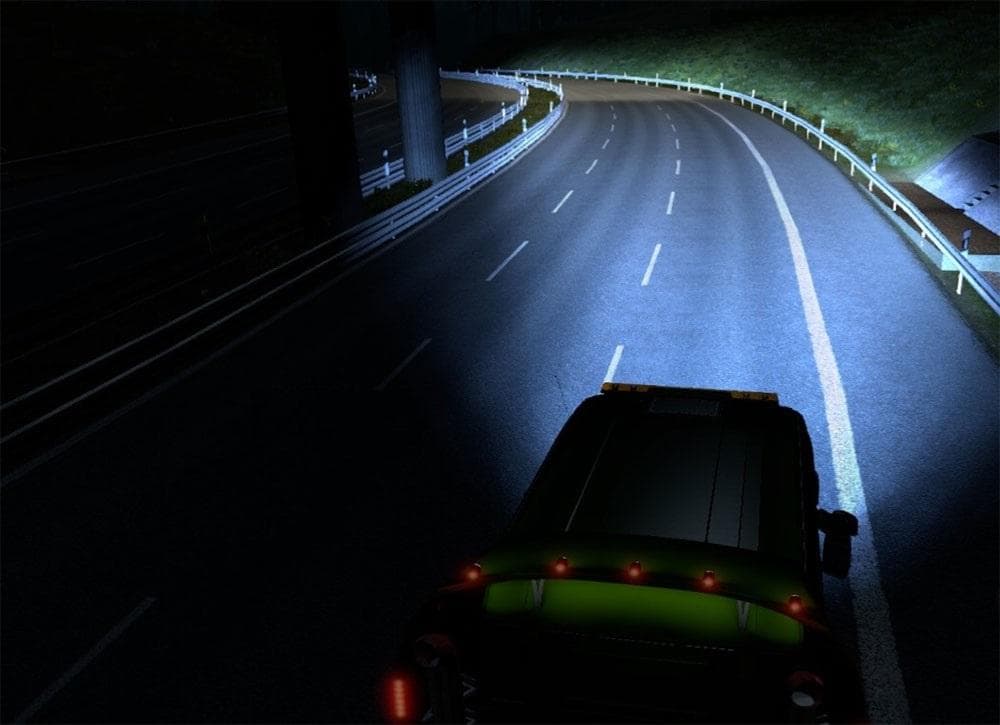

The Xenon for Scania RJL mod adds parts to enhance the Scania RJL truck in Euro Truck Simulator 2. Created by Euro Truck Simulator 2, the mod was last updated o
Xenon for Scania RJL is a parts mod designed specifically for the Scania RJL truck model in Euro Truck Simulator 2. It adds new lighting components that can be installed via the truck customization menu, allowing players to enhance their vehicle's appearance and functionality. Mods like this one usually focus on visual and practical upgrades that fit a particular truck brand or series, making them popular among players who want to personalize their rigs beyond the base game options.
Parts mods in ETS2 typically include items such as lights, bull bars, mirrors, and interior accessories. They offer an extra layer of customization, letting you tweak your truck's look or performance features. Since this mod targets the Scania RJL, it integrates with the existing parts system and should slot right into your garage without conflicts if loaded correctly.
When setting up a modded environment with multiple tuning and parts additions, it's generally advised to pay attention to load order. Parts mods that modify the same truck model can sometimes clash or overwrite each other's files. Keeping Xenon for Scania RJL near the end of your load order might help avoid compatibility issues with other Scania-specific parts mods.
This type of mod suits players who enjoy fine-tuning their trucks' aesthetics or want more options for customizing their fleet. If you drive a lot in regions like Germany, France, or Scandinavia where Scanias are popular, adding Xenon lights could give your rig a distinctive edge on those long hauls.
Overall, Xenon for Scania RJL fits well into any setup focused on enhancing specific trucks through detailed part upgrades. It's an easy way to add some extra style and utility without changing core gameplay elements.
How to install
1. Download the file(s) from the original source linked above. 2. Drop them into `Documents/Euro Truck Simulator 2/mod/`. 3. Enable in Mod Manager and restart the game.
After the mod loads, save your game inside a safe area (parking lot or service) before deciding whether to keep it. If the game refuses to load with the mod enabled, check that all required DLCs are installed and that the supported ETS2 version chips on this page include your installed game patch.
Reviews
No ratings yetNo reviews yet — be the first to rate this mod.





