VOLVO VNL 780 KARMA EDIT
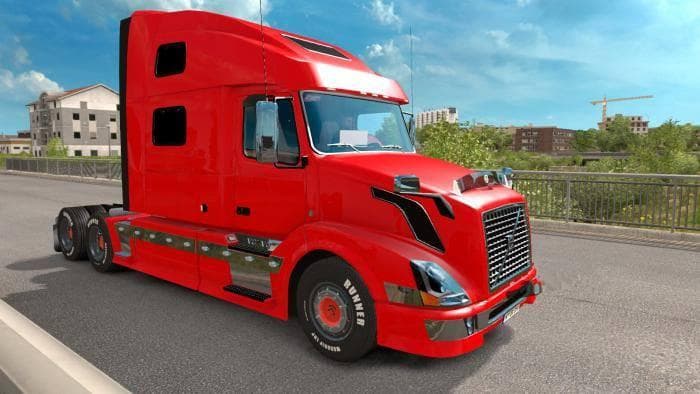
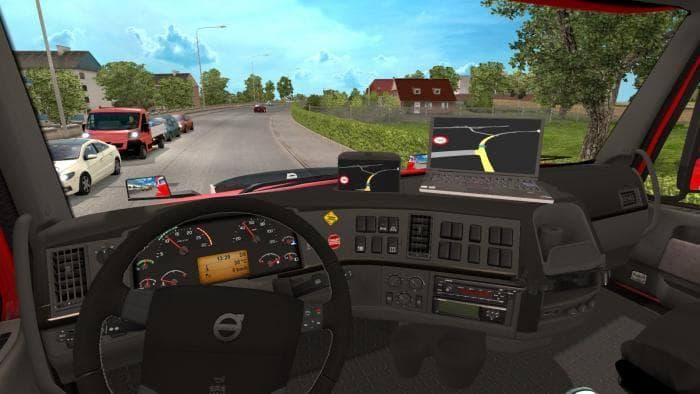
The VOLVO VNL 780 KARMA EDIT is a parts mod for ETS2 version 1.21 by Euro Truck Simulator 2. It includes various changes and fixes, tested without errors, and c
The VOLVO VNL 780 KARMA EDIT is a parts mod designed for Euro Truck Simulator 2, focusing on the Volvo VNL 780 model. This mod introduces several adjustments and corrections, improving aspects of the truck's customization options without altering the core gameplay. It was tested with ETS2 version 1.21 and includes manifest files to ensure proper integration.
Parts mods like this one generally add or modify accessories such as lights, mirrors, bull bars, or exhausts that you can apply through the truck customization menu. They cater to specific truck models and brands, offering more variety and personalization for your rig. With this mod targeting Volvo's VNL 780, it fits well into setups where players want to enhance their Volvo trucks with tailored parts.
When using parts mods in ETS2, it's wise to pay attention to load order since some additions might override others. Since this mod comes with manifest files and has been tested on version 1.21 without errors, it suggests decent compatibility within that game version environment. However, compatibility with other mods depends on whether they affect the same truck components.
This kind of mod appeals to players who enjoy fine-tuning their vehicles beyond stock options, especially those who prefer driving a Volvo VNL 780 in ETS2. If you're into customizing your trucks with specific parts or want subtle improvements over the base model's accessories, this mod fits that niche nicely.
In short, the VOLVO VNL 780 KARMA EDIT adds modest yet useful changes to a popular truck in ETS2’s garage. It's straightforward for anyone familiar with installing parts mods and looking to update or refine their Volvo rig within the game's supported version.
How to install
1. Download the file(s) from the original source linked above. 2. Drop them into `Documents/Euro Truck Simulator 2/mod/`. 3. Enable in Mod Manager and restart the game.
After the mod loads, save your game inside a safe area (parking lot or service) before deciding whether to keep it. If the game refuses to load with the mod enabled, check that all required DLCs are installed and that the supported ETS2 version chips on this page include your installed game patch.
Reviews
No ratings yetNo reviews yet — be the first to rate this mod.





