VOLVO VNL 670 ADAPTED V1.24
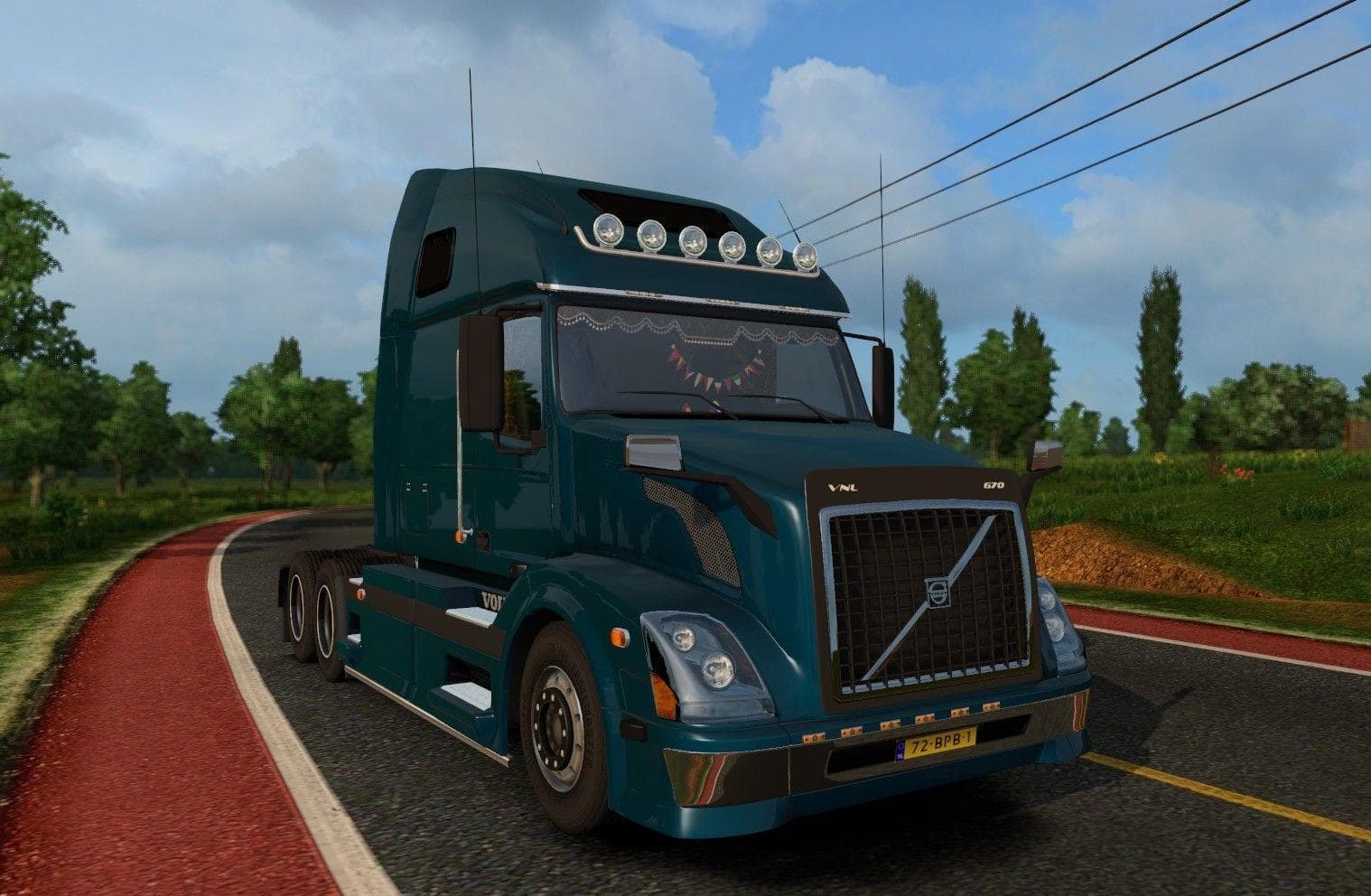
The VOLVO VNL 670 ADAPTED mod version 1.24 offers new accessories like sunshields, highpipes, and front grill hook points for lights. Created by Euro Truck Simu
The VOLVO VNL 670 ADAPTED V1.24 mod adds a collection of new parts for the Volvo VNL 670 truck in Euro Truck Simulator 2, tailored for version 1.24 of the game. This kind of parts mod focuses on enhancing customization by introducing accessories such as sunshields, highpipes, front grill hooks for lights, and additional lighting options. These extras can be fitted directly through the truck's customization menu, letting you tweak your rig’s appearance to your liking.
Parts mods like this one are common in ETS2 because they allow players to personalize their vehicles beyond the stock options. They target specific truck models—in this case, the Volvo VNL 670—and provide extra gear that fits naturally with the truck's design. Installing these mods typically involves placing them into the mod folder and activating them via the game’s mod manager.
When building a heavily modded setup, it's wise to pay attention to load order since parts mods can sometimes conflict with other visual or tuning mods affecting the same truck model. Generally, loading this kind of accessory pack after larger overhaul mods helps ensure all new items display correctly without overwriting each other’s features.
Players who enjoy customizing their trucks with detailed accessories will find this mod useful for adding more variety to their Volvo VNL 670 builds. It suits those who want extra lighting options and realistic additions like sunshields and highpipes that add character and function during long hauls across regions such as California or Texas.
Given its focus on fitting accessories onto a specific truck model, this parts mod integrates well with map expansions that cover various US states or European countries where hauling in a Volvo VNL is common. It's a solid pick if you're looking to enhance your driving experience with more detailed styling elements.
How to install
1. Download the file(s) from the original source linked above. 2. Drop them into `Documents/Euro Truck Simulator 2/mod/`. 3. Enable in Mod Manager and restart the game.
After the mod loads, save your game inside a safe area (parking lot or service) before deciding whether to keep it. If the game refuses to load with the mod enabled, check that all required DLCs are installed and that the supported ETS2 version chips on this page include your installed game patch.
Reviews
No ratings yetNo reviews yet — be the first to rate this mod.





