VOLVO FH540 1.22.X
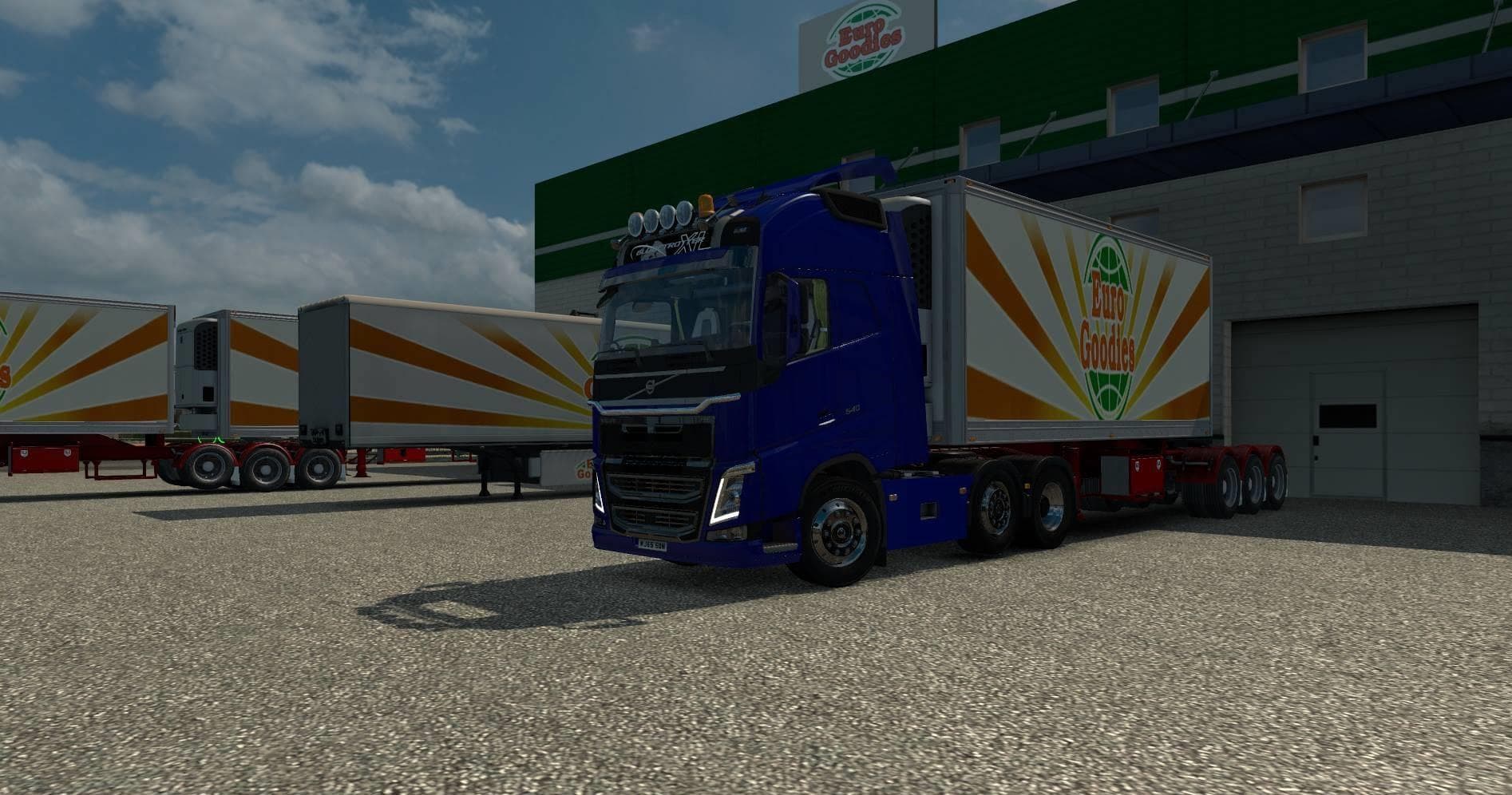
The VOLVO FH540 1.22.X mod for Euro Truck Simulator 2 offers original interior, sound, parts, and tuning. Created by Euro truck simulator 2, this mod is compati
The VOLVO FH540 1.22.X mod adds a collection of parts and tuning options for the Volvo FH540 truck model in Euro Truck Simulator 2. It includes items like an original interior, sounds, and various accessories that can be selected in the truck customization menu. This kind of parts mod is designed to enhance the visual and audio aspects of a specific truck brand, giving players more control over their vehicle's appearance and feel.
Parts mods such as this one typically allow players to fit additional components like bull bars, lights, exhausts, or mirrors onto their trucks. These mods integrate into the game's existing customization system, so you can pick and choose upgrades while building your rig. It's worth noting this mod supports ETS2 version 1.22 and aligns with the game’s mechanics at that stage.
When used alongside other mods in a setup, parts mods are generally easy to slot in without causing conflicts if loaded properly. They usually need to be placed after map or gameplay mods but before any large overhaul packs that change truck models globally. Checking compatibility with other Volvo-related mods is advised to avoid overlapping content.
This mod suits players who enjoy driving the Volvo FH540 and want a tailored experience with authentic sounds and an interior that matches the real truck more closely. It appeals especially to those who prefer detailed tuning options rather than broader gameplay changes.
If you’re running ETS2 version 1.22 and focus on enhancing your Volvo truck’s aesthetics and sound design, this parts mod provides a straightforward way to customize your ride further without major alterations to gameplay.
How to install
1. Download the file(s) from the original source linked above. 2. Drop them into `Documents/Euro Truck Simulator 2/mod/`. 3. Enable in Mod Manager and restart the game.
After the mod loads, save your game inside a safe area (parking lot or service) before deciding whether to keep it. If the game refuses to load with the mod enabled, check that all required DLCs are installed and that the supported ETS2 version chips on this page include your installed game patch.
Reviews
No ratings yetNo reviews yet — be the first to rate this mod.





