VOLVO FH16 TUNING 1.22
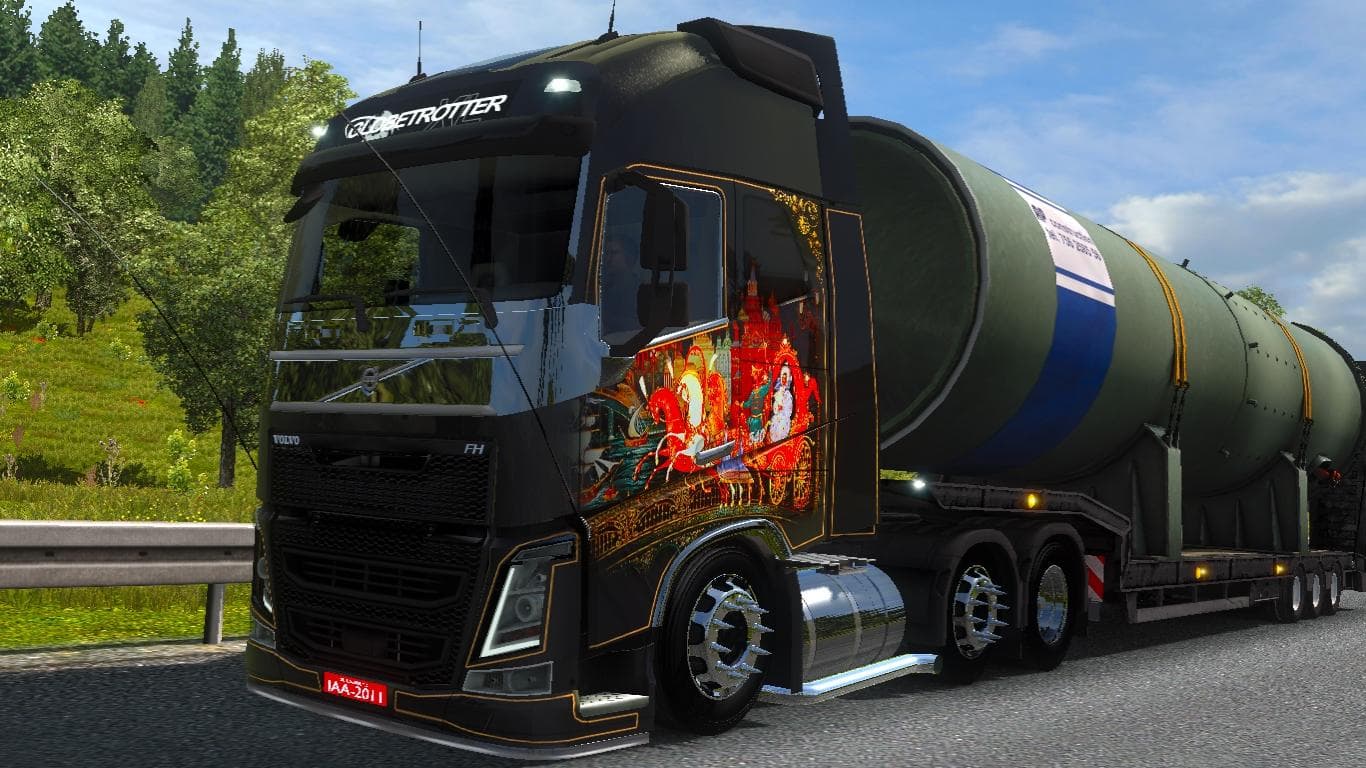
The VOLVO FH16 TUNING 1.22 mod for ETS2 adds new parts for the Volvo FH16 truck, including a unique interior and improved objects. Tested in version 1.22, it is
This mod focuses on enhancing the Volvo FH16 truck by adding tuning options tailored for version 1.22 of Euro Truck Simulator 2. It brings a variety of parts and accessories that can be added through the truck customization menu, allowing players to modify their vehicle’s appearance and performance details. Such mods typically introduce items like bull bars, lights, exhaust systems, mirrors, and interior elements to personalize the truck.
Parts and tuning mods like this one are designed to expand the visual and functional aspects of specific truck models. In this case, the Volvo FH16 receives upgrades that include unique sound features and interior objects. These changes help create a more immersive driving experience while offering additional customization choices beyond what the base game provides.
When integrating parts mods into a modded setup, it’s important to consider load order because these mods often overwrite or add new model files. Players should load this tuning mod after any global or map mods but before skin packs that target the same truck model to avoid conflicts. Since it supports ETS2 version 1.22 specifically, compatibility with other mods depends on their version alignment as well.
This type of mod fits well for drivers who want to make their Volvo FH16 stand out on the road with both aesthetic and audio enhancements. It works with any skin applied to the truck, meaning you don't have to give up your preferred paint job when using this tuning package. The addition of custom sounds adds an extra layer of realism that some players appreciate in long hauls across European routes.
Overall, if you're running ETS2 version 1.22 and enjoy customizing your rigs beyond factory settings, this Volvo FH16 tuning mod offers solid options for upgrading your truck's look and feel without drastically changing gameplay mechanics. Its focus on both external parts and interior details makes it a versatile choice for those who prefer detailed vehicle personalization.
How to install
1. Download the file(s) from the original source linked above. 2. Drop them into `Documents/Euro Truck Simulator 2/mod/`. 3. Enable in Mod Manager and restart the game.
After the mod loads, save your game inside a safe area (parking lot or service) before deciding whether to keep it. If the game refuses to load with the mod enabled, check that all required DLCs are installed and that the supported ETS2 version chips on this page include your installed game patch.
Reviews
No ratings yetNo reviews yet — be the first to rate this mod.





