VOLVO FH16 2012 EDIT + CABIN ACCESSORIES DLC
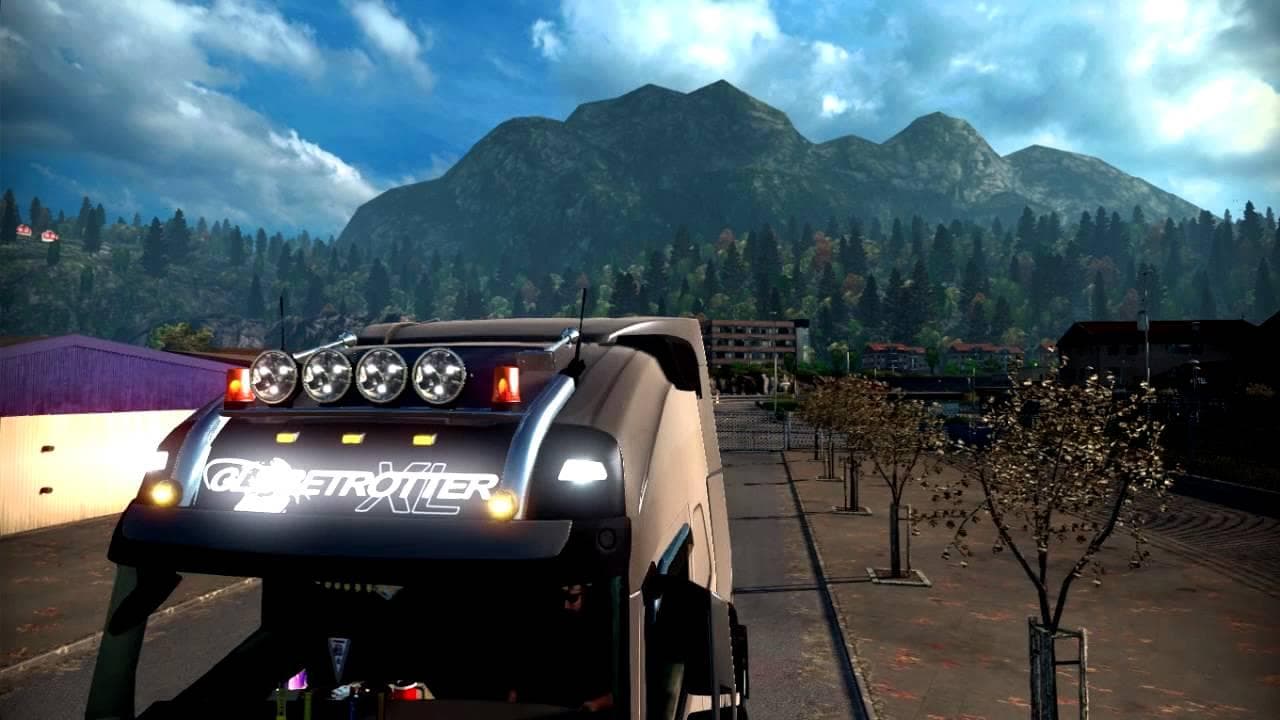
This mod for ETS2 adds new glass textures, multiple light boxes, and DLC accessories for the Volvo FH16 2012 truck. It also includes fixes for lights, fog lamps
The VOLVO FH16 2012 EDIT + CABIN ACCESSORIES DLC mod brings a range of new parts and accessories to the Volvo FH16 truck model. This includes updated glass textures, multiple light boxes, and various external and cabin lighting options that enhance the truck's appearance and functionality. Modding parts like this one allows players to customize their trucks beyond the base game offerings, tailoring them to personal taste or specific roleplay needs.
Parts mods in Euro Truck Simulator 2 are designed to add or improve truck customization options. They often focus on specific brands or models, providing new bull bars, lights, mirrors, exhausts, and interior items. These additions can significantly affect how your vehicle looks on the road and even influence visibility or ambient lighting inside the cab.
When integrating this kind of parts mod into a modded setup, it's important to load it correctly alongside other tuning or paint jobs for the Volvo FH16. Usually, parts mods should be placed after general tuning packs but before paint jobs in the load order to avoid conflicts and ensure all accessories display properly.
Compatibility-wise, these mods typically work with most versions of ETS2 but checking for updates is always recommended since game patches might affect mod performance. Conflicts can arise if multiple mods try to modify the same truck components, so users should keep an eye on overlapping features when stacking several tuning packs.
This mod is well-suited for players who enjoy detailed customization of their trucks and want more control over both exterior accessories and interior cabin features. It's especially appealing if you’re focused on driving a Volvo FH16 model and want your rig to stand out with extra lighting effects and chrome elements.
How to install
1. Download the file(s) from the original source linked above. 2. Drop them into `Documents/Euro Truck Simulator 2/mod/`. 3. Enable in Mod Manager and restart the game.
After the mod loads, save your game inside a safe area (parking lot or service) before deciding whether to keep it. If the game refuses to load with the mod enabled, check that all required DLCs are installed and that the supported ETS2 version chips on this page include your installed game patch.
Reviews
No ratings yetNo reviews yet — be the first to rate this mod.





