VOLVO FH16 2012 10X4 & 8X4 1.21
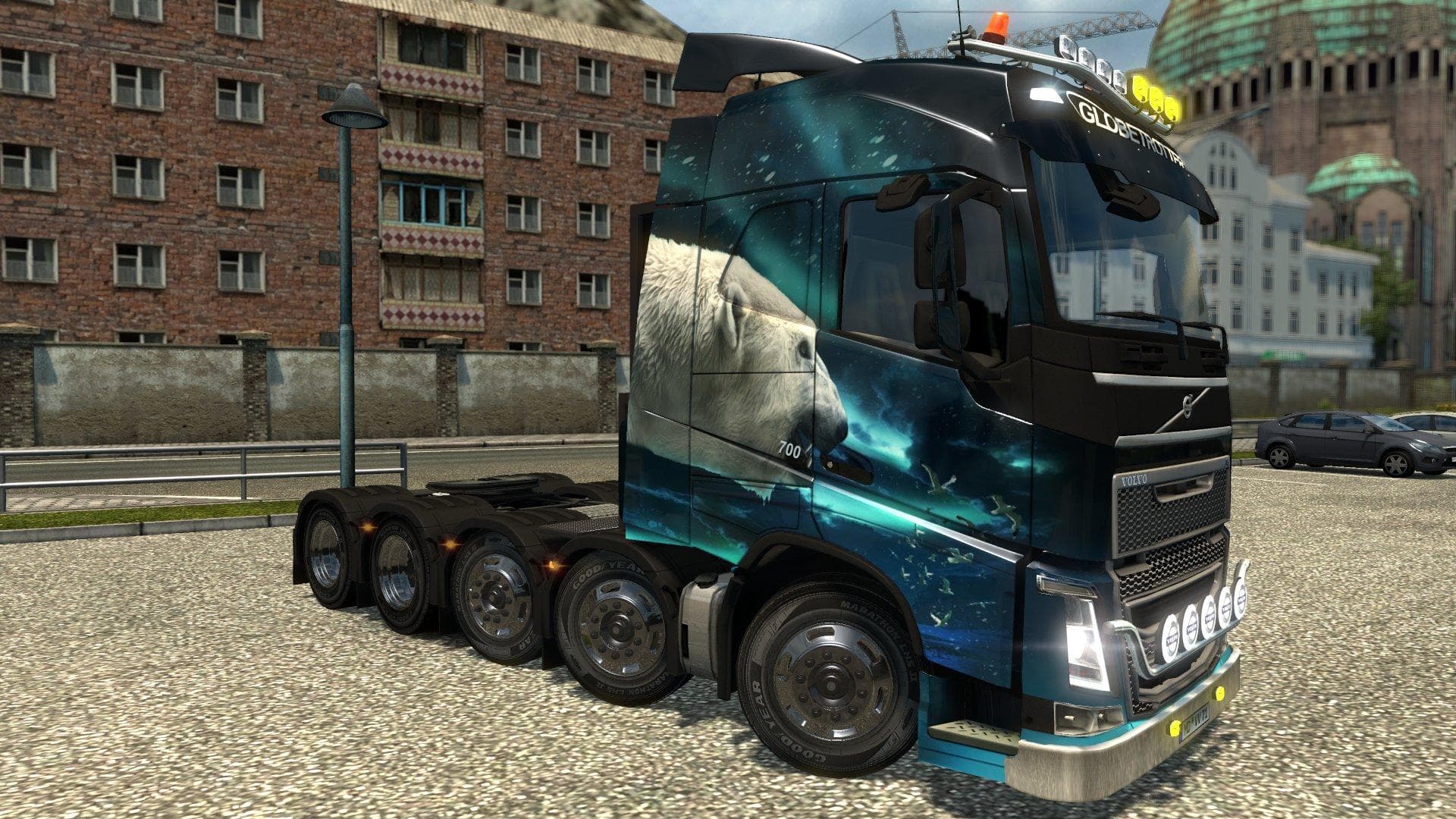
The VOLVO FH16 2012 10X4 & 8X4 1.21 mod adds parts for Volvo FH16 trucks to transport superheavy cargo in ETS2 version 1.21. Created by Euro Truck Simulator 2,
This mod modifies the Volvo FH16 2012 models, specifically the 10x4 and 8x4 configurations, adapting them for hauling superheavy cargo. It's designed to work with ETS2 version 1.21, ensuring compatibility with that patch. The focus here is on parts that enhance or modify the truck's capabilities rather than adding entirely new vehicles or maps.
Parts mods like this one usually add or tweak components such as bull bars, extra lights, exhausts, or mirrors within the truck customization menu. They're aimed at players who want to tailor their trucks more closely to specific roles or improve realism by matching the truck's setup to particular cargo needs. Since this targets Volvo FH16 models, it fits neatly into a modded setup centered around this brand or those seeking heavy-duty transport options.
When using parts mods, it's generally important to load them in an order that prevents conflicts. Since this mod is adapted for patch 1.21 and focuses on specific Volvo models, it should be compatible with other tuning and parts mods that don't alter the same elements. Players might want to double-check load order if combining multiple parts packs to avoid overwriting changes.
Truck enthusiasts who prefer realistic heavy haulage setups will find this mod useful. It allows more authentic configurations for transporting oversized loads with these particular Volvo trucks. It’s a practical addition for those focused on specialized cargo transport rather than casual driving or general tuning.
Because it’s tailored specifically for two Volvo FH16 chassis types, users running older versions of ETS2 or different truck brands won’t benefit from this mod directly. However, within its niche, it can help create a richer experience by allowing detailed customization aligned with superheavy cargo hauling.
How to install
1. Download the file(s) from the original source linked above. 2. Drop them into `Documents/Euro Truck Simulator 2/mod/`. 3. Enable in Mod Manager and restart the game.
After the mod loads, save your game inside a safe area (parking lot or service) before deciding whether to keep it. If the game refuses to load with the mod enabled, check that all required DLCs are installed and that the supported ETS2 version chips on this page include your installed game patch.
Reviews
No ratings yetNo reviews yet — be the first to rate this mod.





