VOLVO FH13 NAOMI 1.22
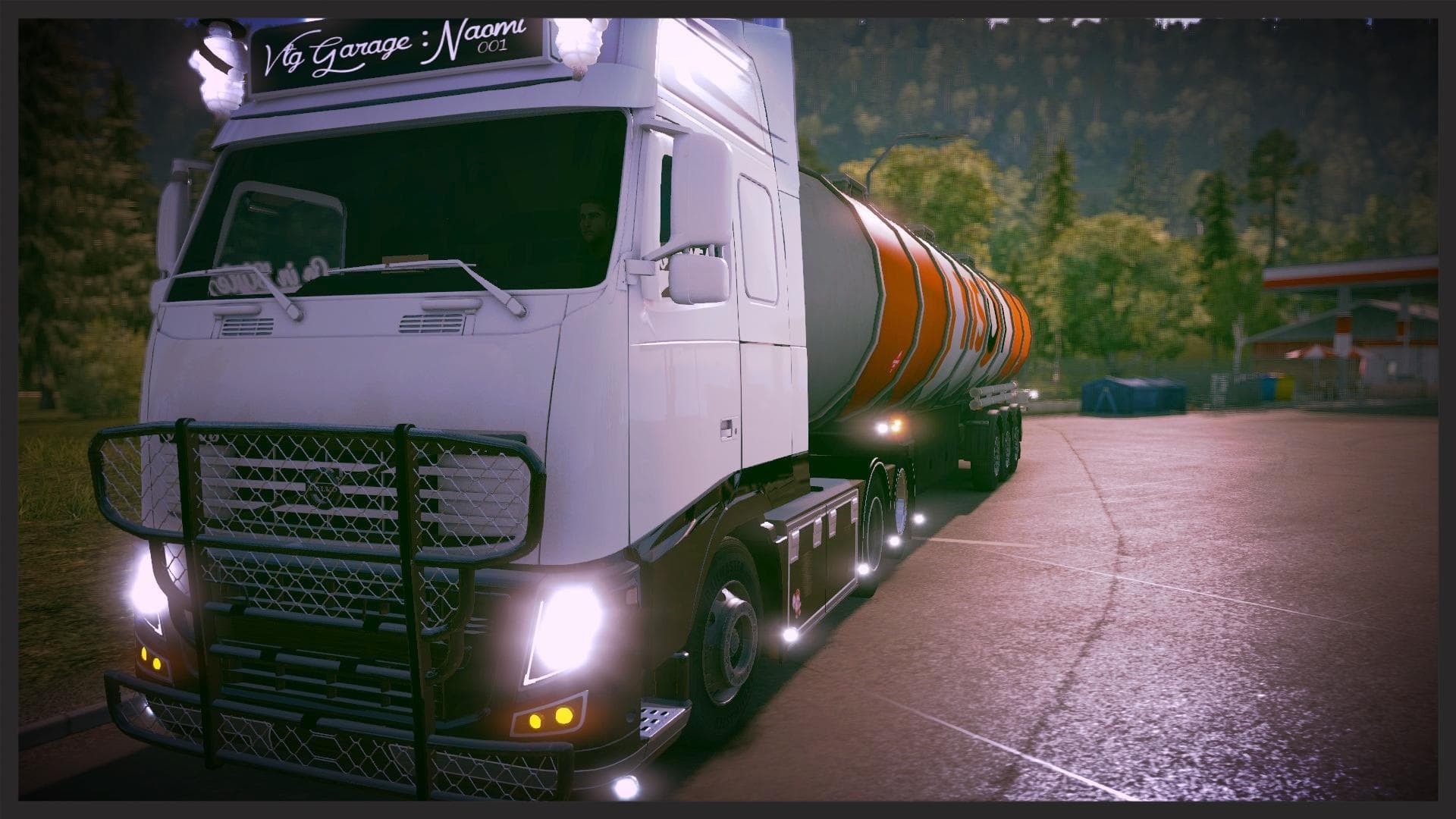
The VOLVO FH13 NAOMI 1.22 mod is a parts category add-on created by Euro Truck Simulator 2. It is supported on ETS2 versions 1.22 and 1.21, featuring various ad
The VOLVO FH13 NAOMI 1.22 is a parts mod designed for Euro Truck Simulator 2 versions 1.21 and 1.22. This type of mod typically adds new accessories or components that can be installed on trucks, allowing players to customize their vehicles further. Although this particular mod doesn't include wheels or cabin DLC, it integrates into the game as a standalone addon, focusing on enhancing the Volvo FH13 model with additional parts.
Parts mods like this one usually appear in the truck customization menu, where you can add items such as bull bars, lights, exhausts, or interior details. Since it targets a specific truck model—the Volvo FH13—it fits well in setups that emphasize brand-specific tuning and personalization. These mods help create a more tailored driving experience by expanding the variety of visual and functional options available for your rig.
When adding parts mods to your collection, it's generally wise to pay attention to load order to prevent conflicts with other addons modifying the same truck model. Because this mod is standalone and doesn't rely on cabin DLC or wheels, it should be relatively straightforward to incorporate into existing setups without causing compatibility issues. Still, it's always good practice to test changes carefully before extended play sessions.
Players who enjoy customizing their Volvo FH13 trucks will find this mod useful for increasing the range of available parts. It suits those who want more variety in how their rigs look and function while staying within the scope of genuine brand-specific enhancements. Given its compatibility with recent ETS2 versions, it also works well alongside other contemporary mods and map expansions.
How to install
1. Download the file(s) from the original source linked above. 2. Drop them into `Documents/Euro Truck Simulator 2/mod/`. 3. Enable in Mod Manager and restart the game.
After the mod loads, save your game inside a safe area (parking lot or service) before deciding whether to keep it. If the game refuses to load with the mod enabled, check that all required DLCs are installed and that the supported ETS2 version chips on this page include your installed game patch.
Reviews
No ratings yetNo reviews yet — be the first to rate this mod.





