VOLVO FH EDIT 1.20.X
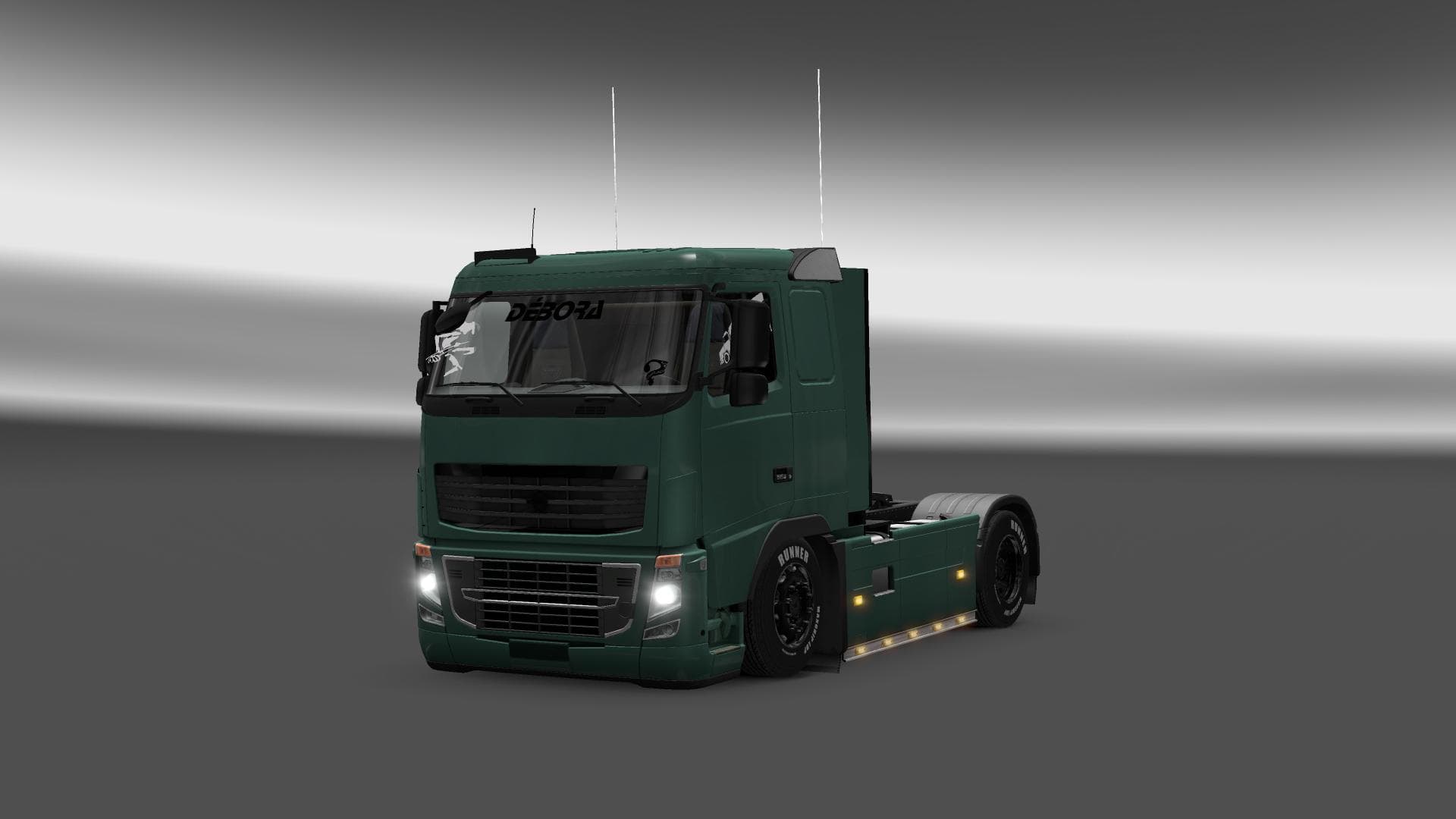
The VOLVO FH EDIT 1.20.X mod for ETS2 offers edited Volvo FH 16 parts and accessories, with lowered 4x2 and 6x4 chassis options. Created by Euro Truck Simulator
The VOLVO FH EDIT 1.20.X mod offers a collection of customized parts and accessories specifically for the Volvo FH truck model in Euro Truck Simulator 2. It includes options like lowered chassis configurations in 4x2 and 6x4 setups, allowing players to tweak their trucks' appearance and stance beyond the base game’s options. This kind of mod is focused on enhancing the visual and functional customization available through the truck parts menu.
Parts mods like this one add various components such as lights, exhausts, mirrors, and other tuning elements that fit into the truck's existing customization slots. They generally target a specific truck brand or model — here, it's Volvo FH — giving players more control over how their rigs look and perform on ETS2's roads. Installing such mods usually involves placing them in your mod folder and activating them through the game's mod manager.
In a modded setup, parts mods can complement other types of modifications like skins or map expansions. Load order can matter if multiple mods modify similar parts or configurations; typically, you want this kind of parts mod loaded after any broad vehicle overhaul mods to ensure its changes apply properly without conflicts. Since it’s designed for ETS2 version 1.20, compatibility with that version is straightforward but might require updates for later game versions.
This mod suits players who enjoy detailed customization of their trucks and want to give their Volvo FH a distinctive look with lowered chassis options. It’s particularly useful for those who prefer fine-tuning their rig’s appearance through additional accessories rather than relying solely on stock parts. If you run a Volvo fleet in ETS2 or just appreciate more variety for your main truck, this could be worth trying.
How to install
1. Download the file(s) from the original source linked above. 2. Drop them into `Documents/Euro Truck Simulator 2/mod/`. 3. Enable in Mod Manager and restart the game.
After the mod loads, save your game inside a safe area (parking lot or service) before deciding whether to keep it. If the game refuses to load with the mod enabled, check that all required DLCs are installed and that the supported ETS2 version chips on this page include your installed game patch.
Reviews
No ratings yetNo reviews yet — be the first to rate this mod.





