VOLVO FH 2013 18.9
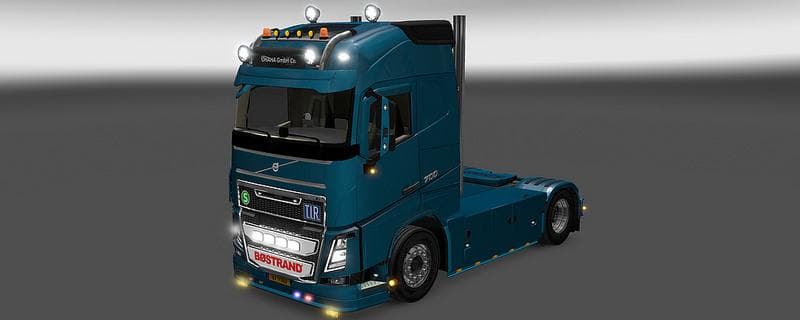
The VOLVO FH 2013 18.9 mod for ETS2 adds new chassis variants including 4x2B, 6x2C, 8x4A, 8x4B, 6x2 with lifted axle, and 6x2 Tandem. The creator, file size, su
The VOLVO FH 2013 18.9 mod adds new chassis options for the Volvo FH 2013 truck model in Euro Truck Simulator 2. This parts mod expands the customization possibilities by introducing several chassis variants like lowered 4x2B and 6x2C setups, as well as different 8x4 and tandem axle configurations. These changes let players tailor their Volvo trucks more closely to their hauling needs or aesthetic preferences.
Parts mods such as this one typically enhance the truck customization menu by offering additional components that can be fitted onto compatible vehicles. In this case, the focus is on chassis types, which influence the truck’s load capacity, handling, and visual style. Players who enjoy fine-tuning their rigs often look for mods that provide new structural options beyond the stock game’s defaults.
When integrating a parts mod into a modded ETS2 setup, it's generally wise to consider load order since parts may affect how other tuning or bodywork mods behave. Chassis variants usually slot in without major conflicts but should be placed appropriately among other vehicle modifications to avoid overlaps or glitches. Compatibility with specific game versions can't be confirmed here, so checking for updates or user feedback is recommended.
This mod is suited for players interested in adding variety to their Volvo FH trucks and those who prefer using realistic chassis configurations. It complements a modded fleet where detailed customization of truck frames is valued, whether for functional improvements or roleplaying purposes within ETS2.
Overall, if you're running a setup centered around Volvo trucks and want more choices in chassis design, this parts mod adds some meaningful diversity without altering the core gameplay too drastically.
How to install
1. Download the file(s) from the original source linked above. 2. Drop them into `Documents/Euro Truck Simulator 2/mod/`. 3. Enable in Mod Manager and restart the game.
After the mod loads, save your game inside a safe area (parking lot or service) before deciding whether to keep it. If the game refuses to load with the mod enabled, check that all required DLCs are installed and that the supported ETS2 version chips on this page include your installed game patch.
Reviews
No ratings yetNo reviews yet — be the first to rate this mod.





