VOLVO EURO 5 1.21.X
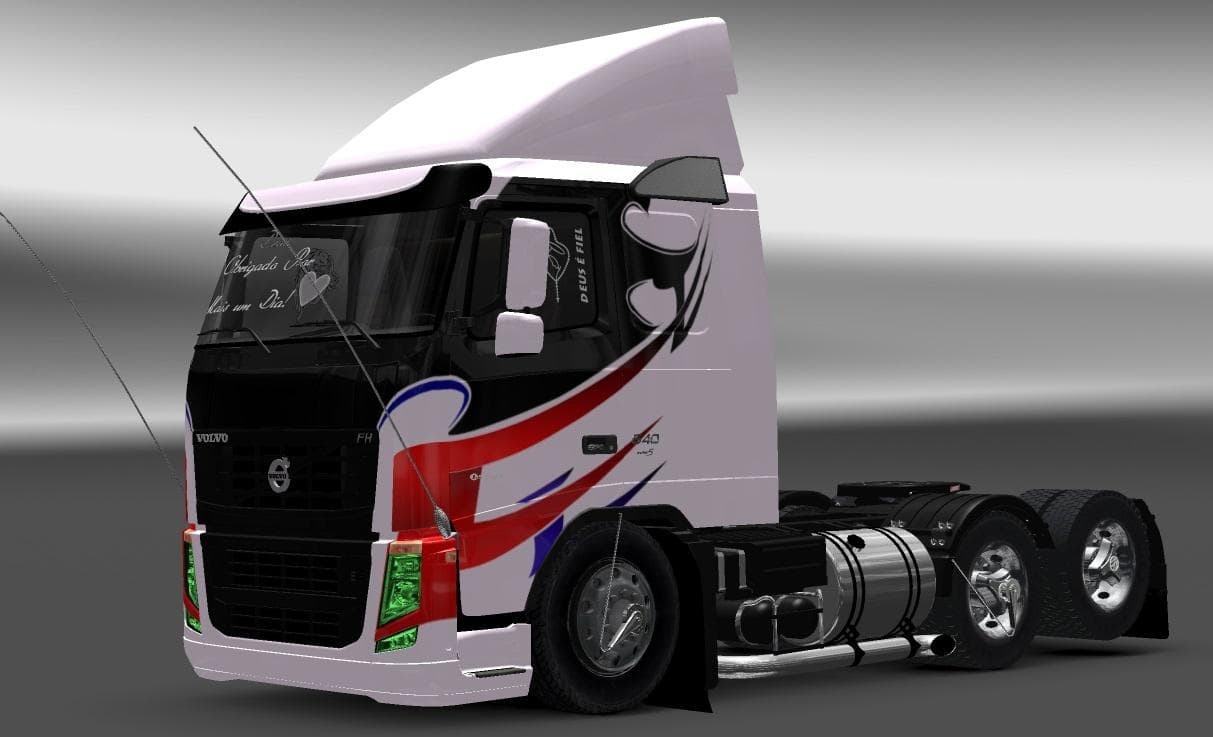
VOLVO EURO 5 1.21.X is an ETS2 parts. Listed compatible with ETS2 1.21.
VOLVO EURO 5 1.21.X is a parts mod designed specifically for the Volvo Euro 5 truck model in ETS2, tailored for game version 1.21. This mod introduces various chassis options, including both normal and lowered variants, giving players more choices when customizing their trucks. Additionally, it features multiple engine sound options, allowing drivers to switch between the modified sounds provided by the mod or the original in-game engine noises.
Parts mods like this one enhance the truck customization experience by adding new accessories or tuning options directly accessible from the truck configuration menu. They typically focus on a particular truck brand or model, and VOLVO EURO 5 1.21.X fits that pattern by targeting Volvo’s Euro 5 range. Such mods can include components ranging from bull bars and lights to interior items and exhaust upgrades.
When integrating parts mods into a modded setup, it's generally advisable to pay attention to load order to avoid conflicts, especially if multiple mods affect the same vehicle or its components. Since this mod is dedicated to Volvo Euro 5 trucks and supports ETS2 version 1.21, compatibility issues are less likely if your game matches that version and you avoid overlapping parts mods for this truck model.
Players who enjoy personalizing their Volvo trucks with more detailed options will find this mod useful. It's well-suited for those who want subtle visual or audio tweaks without altering gameplay drastically. Whether you're cruising through European countries like Germany or Poland or running jobs across various maps, having extra customization choices can make your rig feel more unique.
In general, parts mods such as VOLVO EURO 5 1.21.X add depth to vehicle customization without requiring complex installation steps beyond placing files in the mod folder and enabling them in-game. They're straightforward enhancements for anyone looking to expand their truck's look and sound within ETS2.
How to install
1. Download the file(s) from the original source linked above. 2. Drop them into `Documents/Euro Truck Simulator 2/mod/`. 3. Enable in Mod Manager and restart the game.
After the mod loads, save your game inside a safe area (parking lot or service) before deciding whether to keep it. If the game refuses to load with the mod enabled, check that all required DLCs are installed and that the supported ETS2 version chips on this page include your installed game patch.
Reviews
No ratings yetNo reviews yet — be the first to rate this mod.





