VOLVO 2009 TWEAKS 14.1
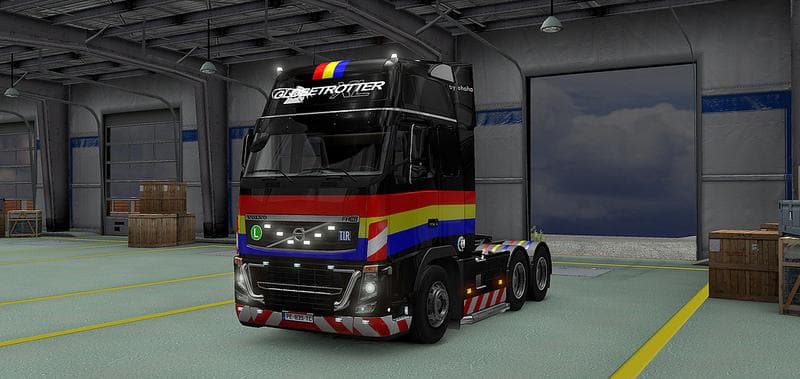
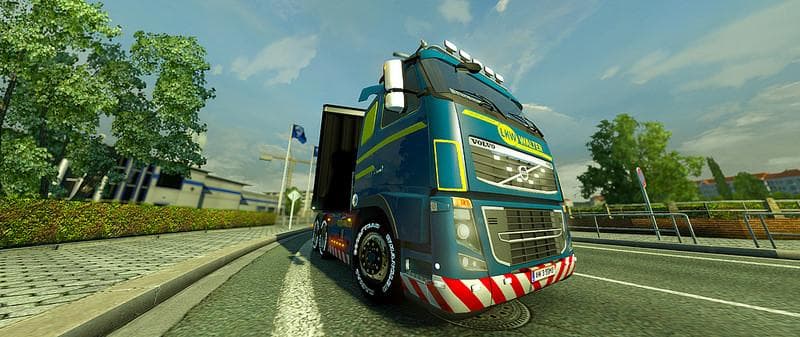
VOLVO 2009 TWEAKS 14.1 is a parts mod for ETS2 by Euro Truck Simulator 2. The latest update (v 14.1) includes fixes for variant names and parts assignment defin
VOLVO 2009 TWEAKS 14.1 is a parts mod designed specifically for the Volvo truck models in Euro Truck Simulator 2. It focuses on adjusting and correcting various elements of the truck's components to improve how they appear and function within the game. This update addresses issues like incorrect variant names and part assignments, refining the overall consistency of the truck's customization options.
Parts mods like this one let you add or modify accessories such as lights, mirrors, exhausts, and other fittings in the truck customization menu. These kinds of mods often target particular truck brands or models to enhance their detail or fix small inaccuracies that might have been overlooked in the base game or earlier mod versions.
When you include this mod in your setup, it generally slots into your load order after core truck models but before any gameplay or map mods to avoid conflicts. Since it deals with parts and their definitions, you’ll want to ensure it doesn’t clash with other tuning mods for Volvo trucks, especially those that modify similar components or variants.
This mod is especially useful if you prefer driving Volvo trucks and want your vehicle’s parts to reflect more accurate naming and assignments without visual glitches. Players who enjoy customizing their rigs with brand-specific tweaks will find this kind of mod a good fit for enhancing immersion and consistency.
While specific compatibility details aren't provided, users should always back up their profiles before installing parts mods and test them alongside other tuning packs to check for any overlap or unexpected behavior. Regular updates like version 14.1 suggest ongoing support for maintaining better integration with ETS2's evolving game files.
How to install
1. Download the file(s) from the original source linked above. 2. Drop them into `Documents/Euro Truck Simulator 2/mod/`. 3. Enable in Mod Manager and restart the game.
After the mod loads, save your game inside a safe area (parking lot or service) before deciding whether to keep it. If the game refuses to load with the mod enabled, check that all required DLCs are installed and that the supported ETS2 version chips on this page include your installed game patch.
Reviews
No ratings yetNo reviews yet — be the first to rate this mod.





