V8K BULLBAR V2 PAINTABLE
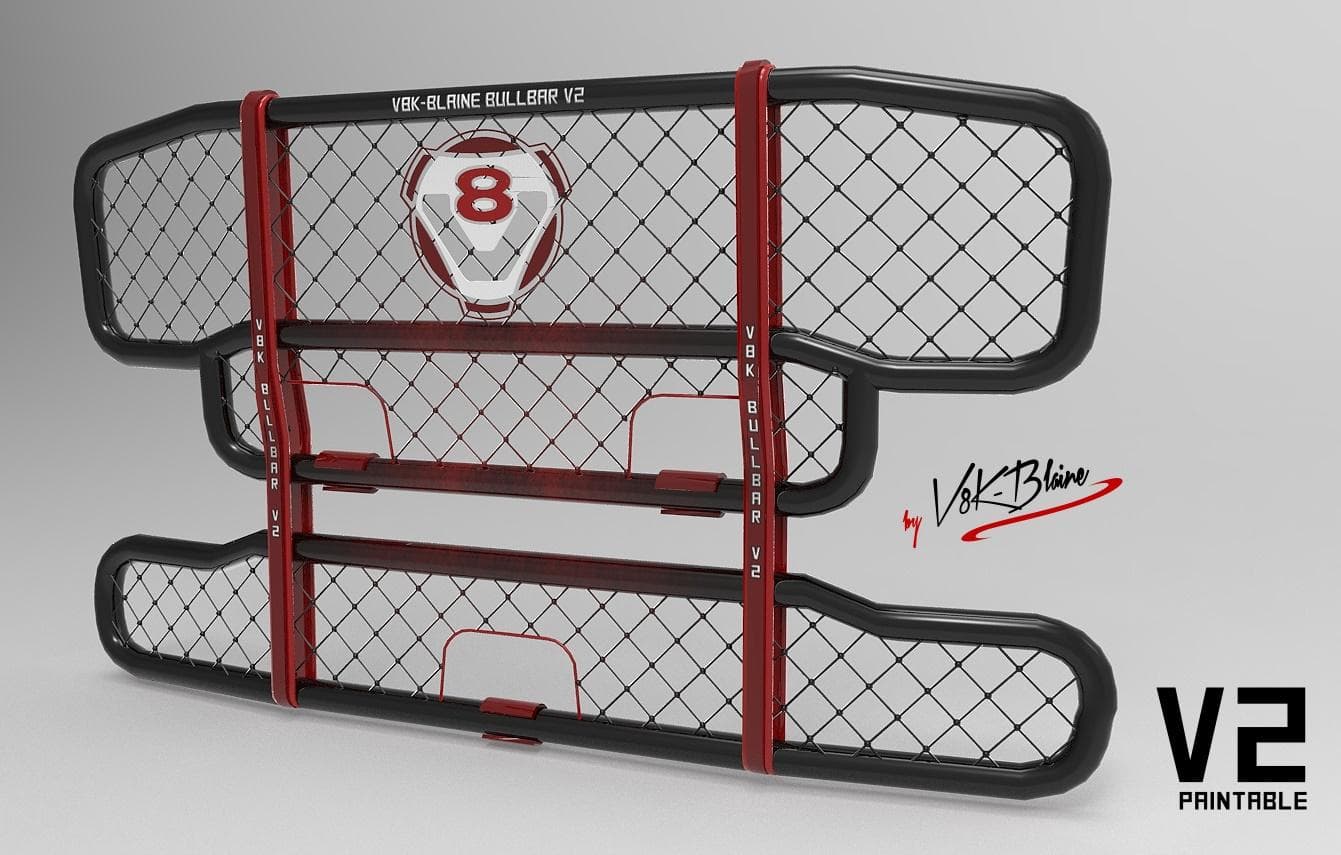
V8K BULLBAR V2 PAINTABLE is a parts mod for ETS2, offering a paintable bullbar for various Scania truck models. The mod includes a template for customizing the
The V8K Bullbar V2 Paintable is a truck part mod designed for use with various Scania models in Euro Truck Simulator 2. It adds a bullbar accessory that can be customized with different paint jobs, allowing players to personalize their trucks beyond the standard options. This particular bullbar supports Scania R, Scania Streamline, RJL Scania, and possibly the 50k Scania R2008, though compatibility with the latter hasn't been fully tested.
Parts mods like this one enhance the visual appeal of trucks by adding extra components such as bull bars, lights, and exhausts. These are fitted through the truck customization menu and typically focus on specific brands or models. In this case, the bullbar fits several popular Scania versions, making it a targeted addition for fans of those trucks.
When integrating parts mods into a setup that already includes multiple accessories or other visual enhancements, it's wise to pay attention to load order. Generally, parts mods should be loaded after map and gameplay mods but before skin packs or sound mods to avoid conflicts. Since this mod involves paintable elements, make sure any skin layers are compatible and don't overwrite custom textures unintentionally.
Players who enjoy customizing their trucks to stand out on the road will appreciate this paintable bullbar option. It suits those who drive Scania models frequently or want to add some rugged detail to their rig's front end. Because it supports multiple Scania variants from both base game and popular mods like RJL and 50k Scania, it fits well in diverse mod collections.
Installing this type of parts mod usually involves placing files in the mod folder and activating them via the in-game mod manager. After loading up ETS2 with your chosen profile and mods enabled, you can find the bullbar accessory under front bumper options in the truck dealer or workshop customization screens.
How to install
1. Download the file(s) from the original source linked above. 2. Drop them into `Documents/Euro Truck Simulator 2/mod/`. 3. Enable in Mod Manager and restart the game.
After the mod loads, save your game inside a safe area (parking lot or service) before deciding whether to keep it. If the game refuses to load with the mod enabled, check that all required DLCs are installed and that the supported ETS2 version chips on this page include your installed game patch.
Reviews
No ratings yetNo reviews yet — be the first to rate this mod.





