TROPICAL TREES MOD
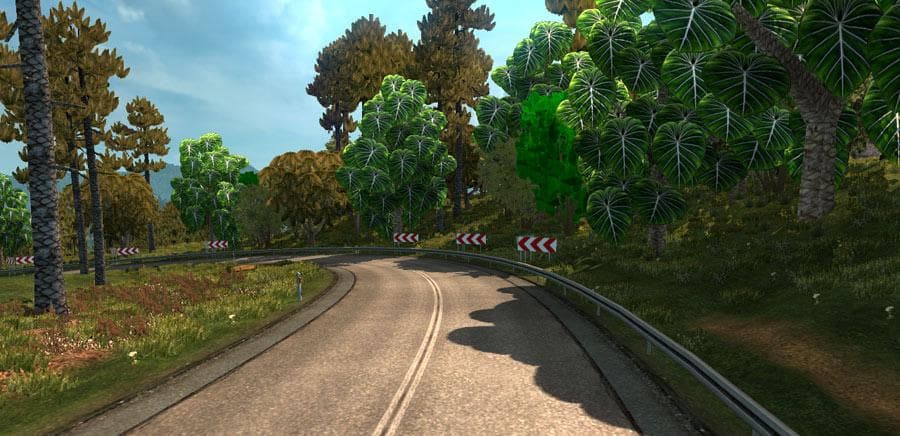
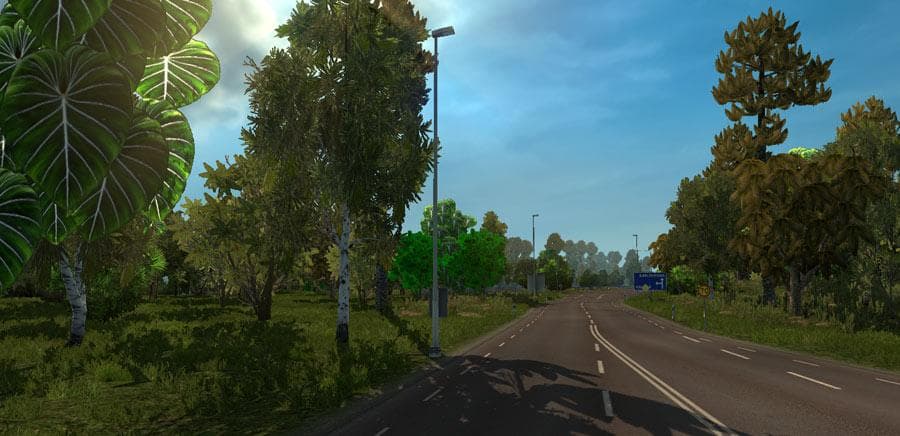
TROPICAL TREES MOD - ETS2 mods download is an ETS2 parts.
The Tropical Trees Mod alters the game's vegetation by replacing standard tree models with more tropical-style foliage. This kind of parts mod adjusts visual elements related to the environment, offering a fresh take on scenery without changing gameplay mechanics. It's especially useful for players who want to see a warmer, lusher setting during their drives, contrasting with Europe's typical landscapes or enhancing maps set in warm climates.
Mods like this one generally fit smoothly into a modded setup since they modify only environmental visuals rather than core game files. They usually load after map mods to ensure the tree replacements appear correctly, so paying attention to load order can help avoid conflicts or issues with other graphical mods. Compatibility is typically good unless another mod changes the same trees or environmental assets extensively.
Tropical trees aren't common in many ETS2 regions, so this mod can add variety for those who find themselves driving long distances across familiar European areas and seek something different visually. It also complements maps themed around southern Europe or Mediterranean locales where palm and tropical trees better match the intended atmosphere.
Players who enjoy customizing their experience beyond trucks and trailers might appreciate how these natural elements contribute to immersion. While it doesn't add tuning parts for vehicles directly, it enhances the overall ambiance by making roadside scenery more diverse and interesting.
This type of parts mod is straightforward to install through the game's mod manager, requiring just activation like any cosmetic enhancement. Those running multiple mods should consider placing it appropriately within their load order alongside other visual tweaks for optimal results.
If you want to mix up your ETS2 drives with greener, warmer surroundings that diverge from typical European forests, this mod offers a subtle but noticeable change in the game's environment aesthetics.
How to install
1. Download the file(s) from the original source linked above. 2. Drop them into `Documents/Euro Truck Simulator 2/mod/`. 3. Enable in Mod Manager and restart the game.
After the mod loads, save your game inside a safe area (parking lot or service) before deciding whether to keep it. If the game refuses to load with the mod enabled, check that all required DLCs are installed and that the supported ETS2 version chips on this page include your installed game patch.
Reviews
No ratings yetNo reviews yet — be the first to rate this mod.





