TACHOGRAPH PLUGIN (AETR RULES) V0.9B
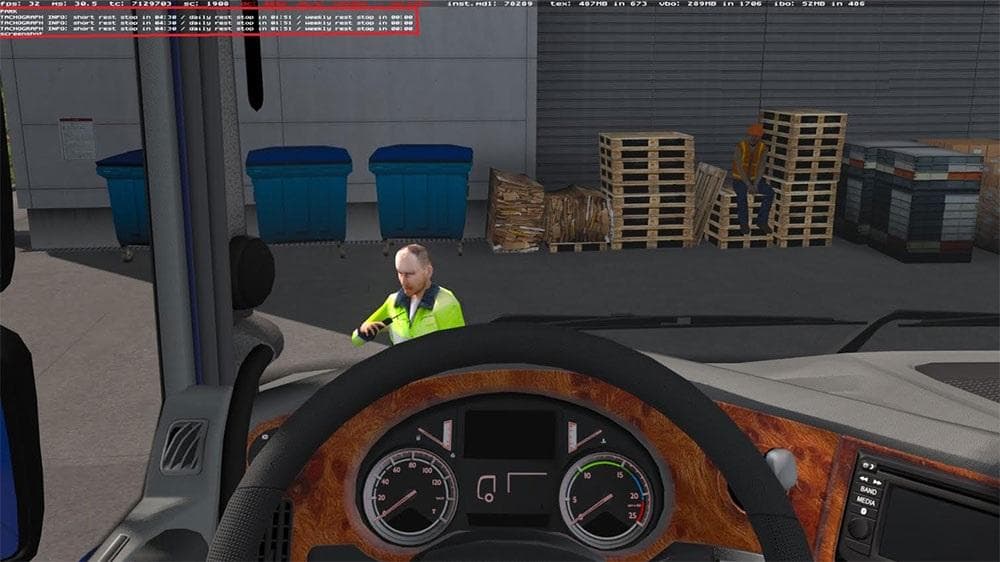
TACHOGRAPH PLUGIN (AETR RULES) V0.9B is an ETS2 parts.
The TACHOGRAPH PLUGIN (AETR RULES) V0.9B is a parts mod designed to add a tachograph accessory to your truck in Euro Truck Simulator 2. This type of mod fits into the customization menu, allowing you to install additional equipment that enhances the realism of your driving experience by simulating regulatory compliance features. Parts mods like this one generally focus on adding specific truck components or gadgets rather than altering core gameplay mechanics.
Tachograph mods in ETS2 usually serve to mimic real-life trucking regulations, particularly those related to driver rest periods and driving hours as set by AETR rules across various countries. They help track weekly rests and compensations, which is reflected in the plugin’s capability to analyze these factors and manage message rates along with user-defined status settings. Although this mod doesn't change the fundamental driving or map aspects, it adds depth for players interested in legal and procedural accuracy.
In terms of fitting into a modded setup, this part would typically be placed alongside other tuning mods such as bull bars, mirrors, or interior accessories. Load order considerations for parts are generally straightforward since they modify visual or functional elements without conflicting with map or AI traffic mods. However, users should still ensure compatibility especially if running multiple parts mods targeting similar truck brands or models.
This plugin appeals mainly to players who prioritize simulation detail and want their virtual trucking experience to reflect realistic operational constraints. Those focused on role-playing as professional drivers who must abide by legal requirements will find it useful. It can also be an interesting addition for streamers or content creators aiming to showcase compliance with transport regulations within their gameplay.
How to install
1. Download the file(s) from the original source linked above. 2. Drop them into `Documents/Euro Truck Simulator 2/mod/`. 3. Enable in Mod Manager and restart the game.
After the mod loads, save your game inside a safe area (parking lot or service) before deciding whether to keep it. If the game refuses to load with the mod enabled, check that all required DLCs are installed and that the supported ETS2 version chips on this page include your installed game patch.
Reviews
No ratings yetNo reviews yet — be the first to rate this mod.





