SISL’S MEGA PACK WITH STAR WARS DLC 1.4.1
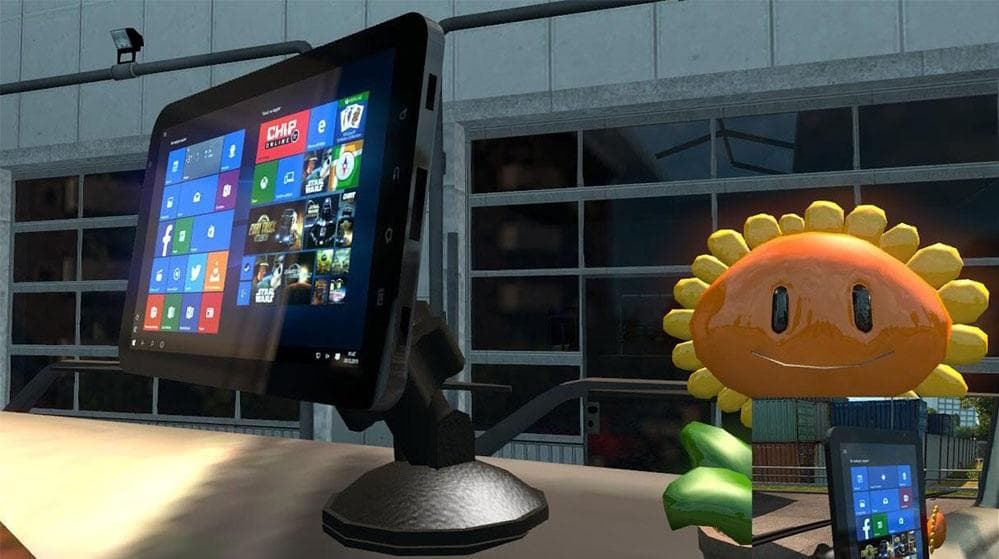
The SISL'S MEGA PACK WITH STAR WARS DLC 1.4.1 is a parts mod for ETS2 version 1.4. Created by Euro truck simulator 2, it includes fixes for OpenGL issues with T
SISL’S MEGA PACK WITH STAR WARS DLC 1.4.1 is a parts mod designed for Euro Truck Simulator 2 version 1.4. It expands the truck customization options by adding various accessories and enhancements, fitting into the tuning parts category common in ETS2 mods. This pack includes fixes related to OpenGL issues with tablets, improved visibility for certain slot items, and introduces additional modded truck definitions.
Parts mods like this one typically provide a range of add-ons such as lights, mirrors, exhausts, and other visual upgrades that players can equip through the truck customization menu. They often target specific trucks or include content compatible across several models, enhancing the player's ability to personalize their vehicle beyond the base game options.
When used alongside other mods, parts packs generally slot in without much conflict as they focus on visual and functional add-ons rather than gameplay changes or map alterations. Still, players should keep an eye on load order to ensure these parts display correctly and don’t clash with other tuning mods or large-scale truck model modifications.
This kind of mod suits players who enjoy detailed truck customization and want more variety in their accessories. It's particularly useful for those running a heavily modded setup who want consistent updates and fixes related to visual elements and compatibility with additional truck definitions.
Since this pack was developed for ETS2 version 1.4, it’s important to match your game version accordingly to avoid issues. The inclusion of fixes like better viewing angles for slot items suggests ongoing attention to usability within the parts system.
Overall, SISL’S MEGA PACK WITH STAR WARS DLC 1.4.1 adds depth to the customization experience without drastically changing gameplay mechanics, making it a solid choice for those focused on personalization.
How to install
1. Download the file(s) from the original source linked above. 2. Drop them into `Documents/Euro Truck Simulator 2/mod/`. 3. Enable in Mod Manager and restart the game.
After the mod loads, save your game inside a safe area (parking lot or service) before deciding whether to keep it. If the game refuses to load with the mod enabled, check that all required DLCs are installed and that the supported ETS2 version chips on this page include your installed game patch.
Reviews
No ratings yetNo reviews yet — be the first to rate this mod.





