SCANIA STREAMLINE R500 1.21.X
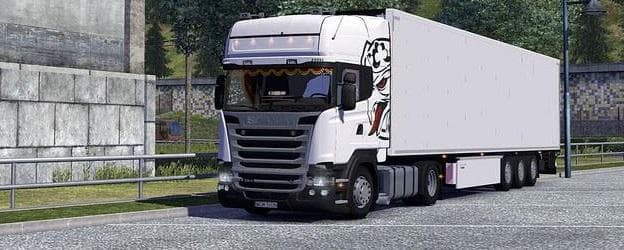
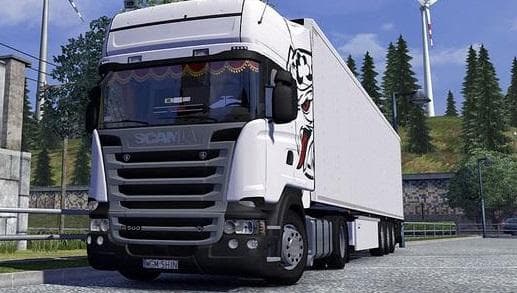
This mod adds the SCANIA STREAMLINE R500 to ETS2, featuring interior enhancements like curtains and crowns. It also includes special wheels and trailer Griffins
This mod focuses on the Scania Streamline R500, adding various interior and exterior parts to enhance the truck's appearance and customization options. It includes items like curtains and crowns inside the cabin, alongside special wheels and decorative features such as trailer Griffins and a flare pack on the truck's side. These additions give players more ways to personalize their Scania R500 in Euro Truck Simulator 2.
Parts mods like this one generally expand the choices available in the truck customization menu. They often target specific models or brands, offering accessories ranging from lighting upgrades to aesthetic details that make each vehicle stand out. In this case, the mod adds multiple layers of detail both inside and outside the cab, which can complement other tuning or paint job mods.
When using parts mods, it's common practice to place them appropriately in your mod load order to prevent conflicts with other customization packs or truck model enhancements. Since this mod is designed for ETS2 version 1.21 and targets only the Scania Streamline R500, it fits well within setups centered on detailed truck personalization at that game version.
Players who enjoy tweaking their trucks beyond factory specs will find this mod useful. If you prefer a more personalized driving experience with visual upgrades that reflect your style or attention to detail, installing additional parts like these can add depth to your gameplay without altering core mechanics.
Overall, this parts mod suits those focused on Scania trucks who want to enrich their virtual fleet with new accessories and interior flair. It’s straightforward to install via the usual mod manager process for ETS2 and integrates smoothly into most custom setups aimed at enhancing truck aesthetics.
How to install
1. Download the file(s) from the original source linked above. 2. Drop them into `Documents/Euro Truck Simulator 2/mod/`. 3. Enable in Mod Manager and restart the game.
After the mod loads, save your game inside a safe area (parking lot or service) before deciding whether to keep it. If the game refuses to load with the mod enabled, check that all required DLCs are installed and that the supported ETS2 version chips on this page include your installed game patch.
Reviews
No ratings yetNo reviews yet — be the first to rate this mod.





