Scania Streamline Edit V1.0 By Washington 1.22.X
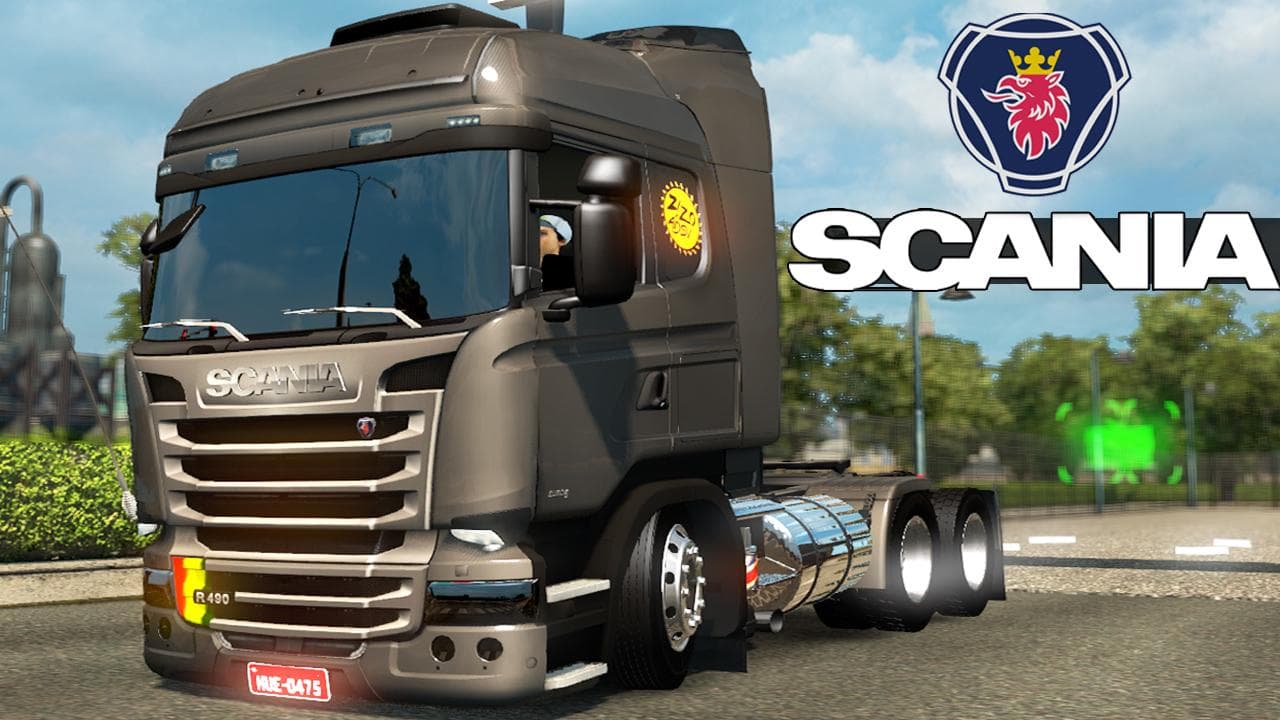
This mod is a parts category Scania Streamline edit by Washington for ETS2 versions 1.0 and 1.22. The creator is Euro Truck Simulator 2, with an unknown file si
The Scania Streamline Edit V1.0 By Washington is a parts mod designed specifically for the Scania Streamline truck in Euro Truck Simulator 2. It targets versions 1.0 and 1.22 of the game, adding customization options that enhance the appearance or functionality of this particular truck model. Mods like this one focus on expanding the variety of accessories available in the truck customization menu, letting players personalize their vehicles beyond what’s offered by default.
Parts mods generally add components such as bull bars, extra lights, exhausts, or interior items that can be selected when tuning trucks. This type of mod is popular among those who want to fine-tune their rig’s look or improve its thematic consistency with certain regions or personal style preferences. Since this mod is tailored to a single truck brand, it integrates well into setups that already include other Scania-related enhancements or complementary parts packs.
In terms of load order and compatibility, parts mods should usually be placed after map and core gameplay mods but before skins if you use any. Conflicts are rare if multiple mods target different trucks or categories, but overlapping mods targeting the same truck part may require careful management. Always back up your profile before installing new parts mods to avoid unexpected issues during gameplay.
This mod suits players who enjoy customizing their Scania Streamline trucks with additional accessories that aren’t available in the base game. It fits well for those running modded fleets focused on specific brands or aiming for a more personalized trucking experience across various regions such as Washington state or others supported by ETS2.
How to install
1. Download the file(s) from the original source linked above. 2. Drop them into `Documents/Euro Truck Simulator 2/mod/`. 3. Enable in Mod Manager and restart the game.
After the mod loads, save your game inside a safe area (parking lot or service) before deciding whether to keep it. If the game refuses to load with the mod enabled, check that all required DLCs are installed and that the supported ETS2 version chips on this page include your installed game patch.
Reviews
No ratings yetNo reviews yet — be the first to rate this mod.





