SCANIA R730 V8 MEGA TUNING
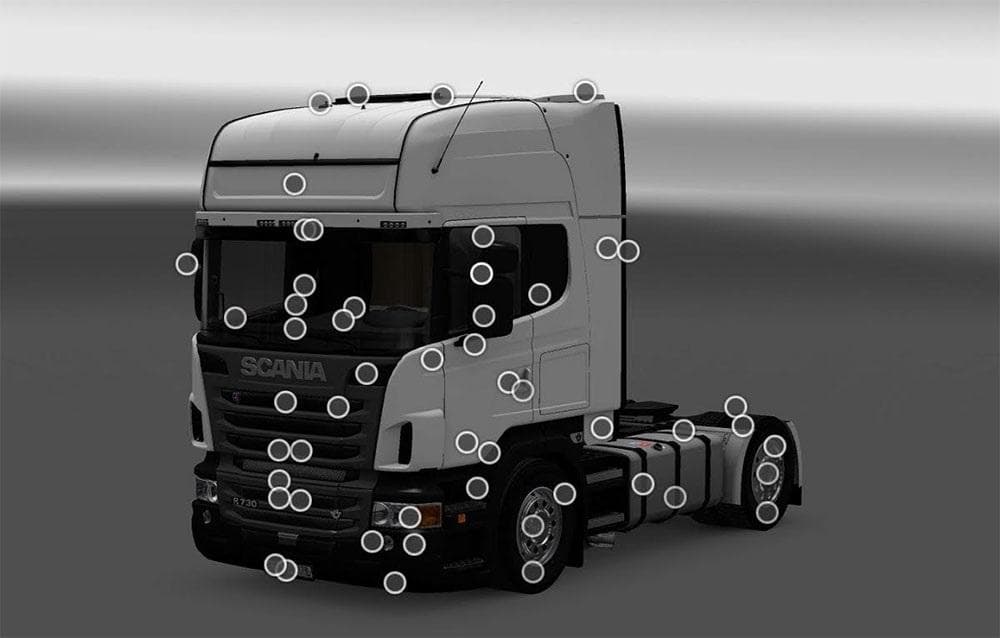
The SCANIA R730 V8 MEGA TUNING mod for ETS2 offers various customization options for the Scania R730 V8 truck, including 4 cabin types, different chassis versio
The SCANIA R730 V8 MEGA TUNING mod offers a range of customization options specifically for the Scania R730 V8 truck in Euro Truck Simulator 2. It includes several cabin types, various chassis configurations, and different engine versions to enhance your truck's appearance and performance within the game. This mod is designed for use with ETS2 version 1.22, ensuring compatibility with that patch level.
Parts mods like this one focus on adding or altering accessories that can be fitted through the truck customization menu. They often provide players with additional visual or functional options such as new lights, exhausts, mirrors, or other tuning parts tailored to a specific truck model or brand. For the Scania R730 V8, these enhancements allow players to personalize their vehicle beyond the base game offerings.
When integrating this kind of parts mod into a broader modded setup, it's generally wise to check its load order relative to other tuning or skin mods affecting the same truck model. Conflicts can sometimes arise if multiple mods alter identical components or files. Typically, parts mods load after map and gameplay mods but before skins for optimal results.
This mod suits players who enjoy detailed truck customization and want more variety when driving the iconic Scania R730 V8. Whether you’re aiming for a distinctive look or minor performance tweaks via different engine types, it adds depth to your garage without drastically changing gameplay mechanics.
Given its focus on one specific truck and compatibility with ETS2 1.22, it fits well in setups where players want targeted upgrades rather than broad overhauls. It’s a straightforward way to get extra tuning options if you appreciate working on your rig’s details.
How to install
1. Download the file(s) from the original source linked above. 2. Drop them into `Documents/Euro Truck Simulator 2/mod/`. 3. Enable in Mod Manager and restart the game.
After the mod loads, save your game inside a safe area (parking lot or service) before deciding whether to keep it. If the game refuses to load with the mod enabled, check that all required DLCs are installed and that the supported ETS2 version chips on this page include your installed game patch.
Reviews
No ratings yetNo reviews yet — be the first to rate this mod.





