SCANIA R THREE VERSIONS
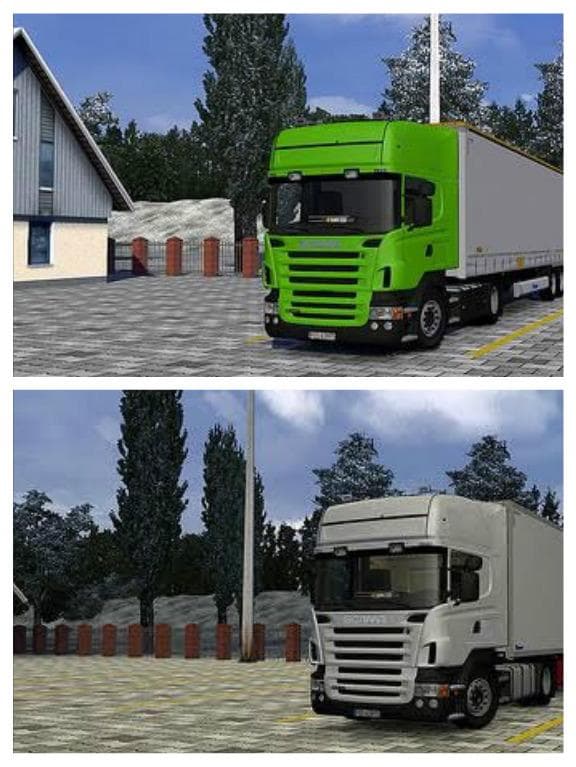
The "SCANIA R THREE VERSIONS" mod for ETS2 offers three engine options (420, 470, 500) for Scania R trucks with interiors. It has been tested on the latest game
This mod adds three different versions of the Scania R series trucks to Euro Truck Simulator 2, specifically the 420, 470, and 500 engine types. Each variation includes its own interior setup, making it possible to experience different power options and cabin designs within the same truck family. Mods like this one typically enhance the game by providing more detailed or diverse truck models focused on a single brand.
Parts mods for ETS2 usually focus on customization elements such as exhausts, lights, mirrors, or interior items. This particular mod fits into that category by expanding the options available for Scania R trucks in terms of model variants and interiors. Players can switch between these versions from the truck customization menu once the mod is installed.
When integrating parts mods like this into a modded setup, it's advisable to consider load order. Since this mod replaces or adds specific truck components, it should generally be loaded after any map mods but before gameplay mechanics mods. Compatibility with other Scania-specific tuning packs may vary depending on overlap in parts or model files.
Truck enthusiasts who prefer driving Scanias will find this mod useful if they want more variety in their fleet without switching brands. It’s well-suited for those who enjoy fine-tuning their vehicles or roleplaying different engine configurations within ETS2’s existing framework.
While exact version compatibility isn’t specified here, such parts mods are commonly tested on recent ETS2 releases and tend to work smoothly unless major game updates change model handling significantly. Users should always check for conflicts with other Scania-related modifications to avoid graphical glitches or missing textures.
How to install
1. Download the file(s) from the original source linked above. 2. Drop them into `Documents/Euro Truck Simulator 2/mod/`. 3. Enable in Mod Manager and restart the game.
After the mod loads, save your game inside a safe area (parking lot or service) before deciding whether to keep it. If the game refuses to load with the mod enabled, check that all required DLCs are installed and that the supported ETS2 version chips on this page include your installed game patch.
Reviews
No ratings yetNo reviews yet — be the first to rate this mod.





