Scania R Modified Tested on 1.18x
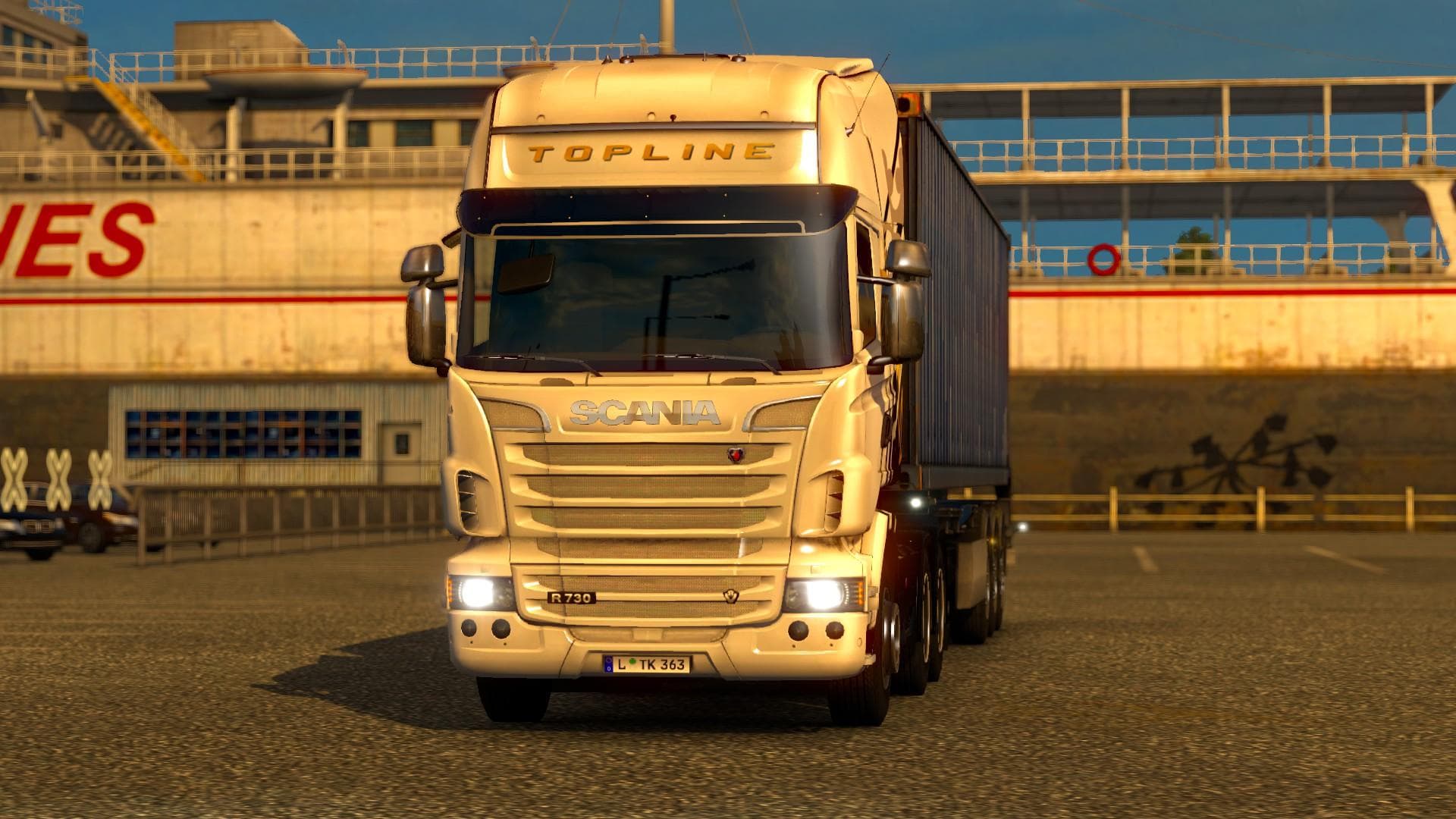
The Scania R Modified Tested on 1.18x is a parts mod designed specifically for the Scania R truck model in Euro Truck Simulator 2. It offers an expanded range of cabin variations, bringing the total up to 32 different styles by combining default and custom options. This kind of mod typically swaps or adds components like lights, mirrors, and other accessories to enhance customization possibilities.
Parts mods like this one allow players to personalize their trucks beyond the base game’s offerings. They fit into the truck customization menu, where you can mix and match various accessories to create a unique look for your vehicle. Mods focusing on a particular truck brand or model are common since they cater to enthusiasts who want more detailed tuning options for their favorite rigs.
When integrating parts mods into a modded setup, it’s wise to consider load order. Usually, these mods should be placed after map or gameplay mods but before any larger overhaul packs that affect truck models extensively. Compatibility generally depends on whether multiple parts mods target the same components of a truck model; conflicts can occur if two mods alter identical parts.
Since this mod was tested on version 1.18 of ETS2, it should work smoothly with other content supporting that update. Players running heavily modded profiles featuring various trucks and accessories might find this mod useful to diversify their Scania R customization options without major compatibility headaches.
This type of mod suits players who enjoy detailed visual tweaks and want more variety in how their trucks appear during long hauls across Europe or beyond. If you like adjusting aesthetics down to specific cabin designs and swapping out parts for a fresh look, then exploring such parts packs can add depth to your trucking experience.
How to install
1. Download the file(s) from the original source linked above. 2. Drop them into `Documents/Euro Truck Simulator 2/mod/`. 3. Enable in Mod Manager and restart the game.
After the mod loads, save your game inside a safe area (parking lot or service) before deciding whether to keep it. If the game refuses to load with the mod enabled, check that all required DLCs are installed and that the supported ETS2 version chips on this page include your installed game patch.
Reviews
No ratings yetNo reviews yet — be the first to rate this mod.





