Scania R & Interior
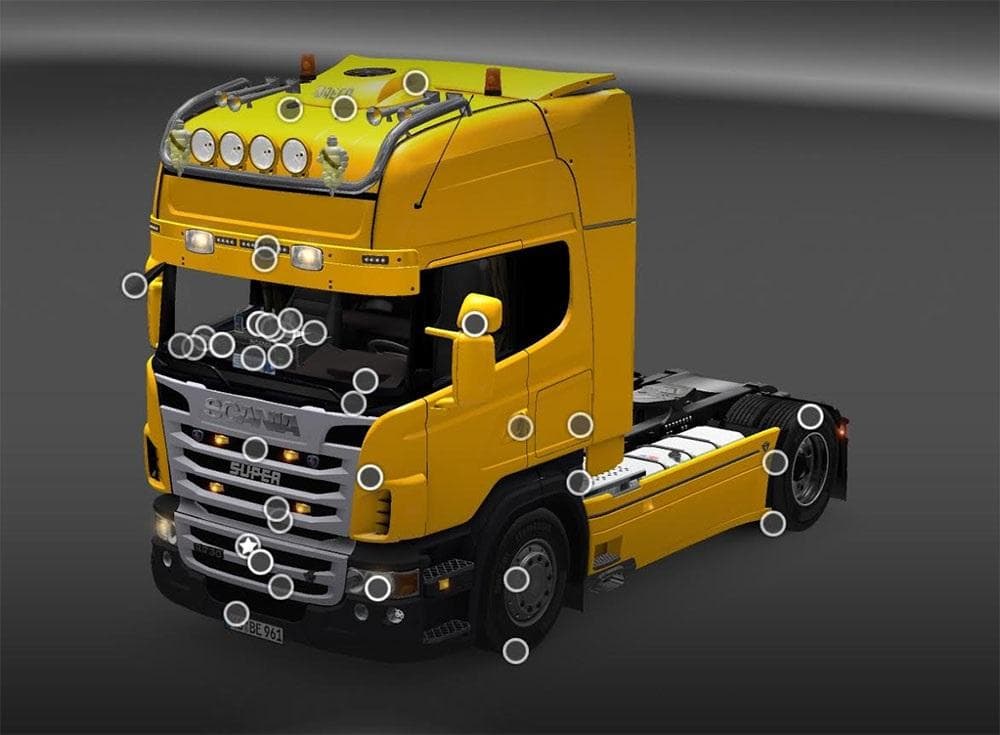
This mod adds parts for the Scania R truck and its interior in Euro Truck Simulator 2. The creator is Euro Truck Simulator 2, and it was last updated on May 4,
The Scania R & Interior mod is a parts add-on designed specifically for the Scania R truck model in Euro Truck Simulator 2. It brings additional customization options to the vehicle, focusing on both exterior and interior elements. This type of mod enhances the visual and functional aspects of the truck by adding accessories that can be selected in the game's truck customization menu.
Parts mods like this one usually offer a range of new components such as lights, mirrors, or decorative interior items. They allow players to tailor their trucks more closely to personal tastes or roleplay preferences. Since this mod targets a particular truck brand and model, it fits well within setups that emphasize brand-specific tuning and realism.
When integrating parts mods into a modded ETS2 profile, load order can sometimes matter, especially if multiple mods modify the same truck or share similar accessory slots. Typically, parts mods should be loaded after any map or gameplay overhaul mods but before skin packs to ensure all customizations display correctly without conflicts.
Players who enjoy detailed truck customization or those running a Scania-themed garage might find this mod useful. It helps extend the available options beyond what’s included in the base game or official DLCs. Additionally, it complements other tuning mods that focus on performance upgrades or aesthetic changes to Scania trucks.
This kind of mod fits naturally with various European maps and scenarios since the Scania R is a common sight across many regions supported by ETS2 expansions and community maps alike. Whether driving through Germany, Poland, or Sweden, having extra parts for your rig adds another layer of immersion.
How to install
1. Download the file(s) from the original source linked above. 2. Drop them into `Documents/Euro Truck Simulator 2/mod/`. 3. Enable in Mod Manager and restart the game.
After the mod loads, save your game inside a safe area (parking lot or service) before deciding whether to keep it. If the game refuses to load with the mod enabled, check that all required DLCs are installed and that the supported ETS2 version chips on this page include your installed game patch.
Reviews
No ratings yetNo reviews yet — be the first to rate this mod.





