SCANIA 113 BICUDA 1.21.X
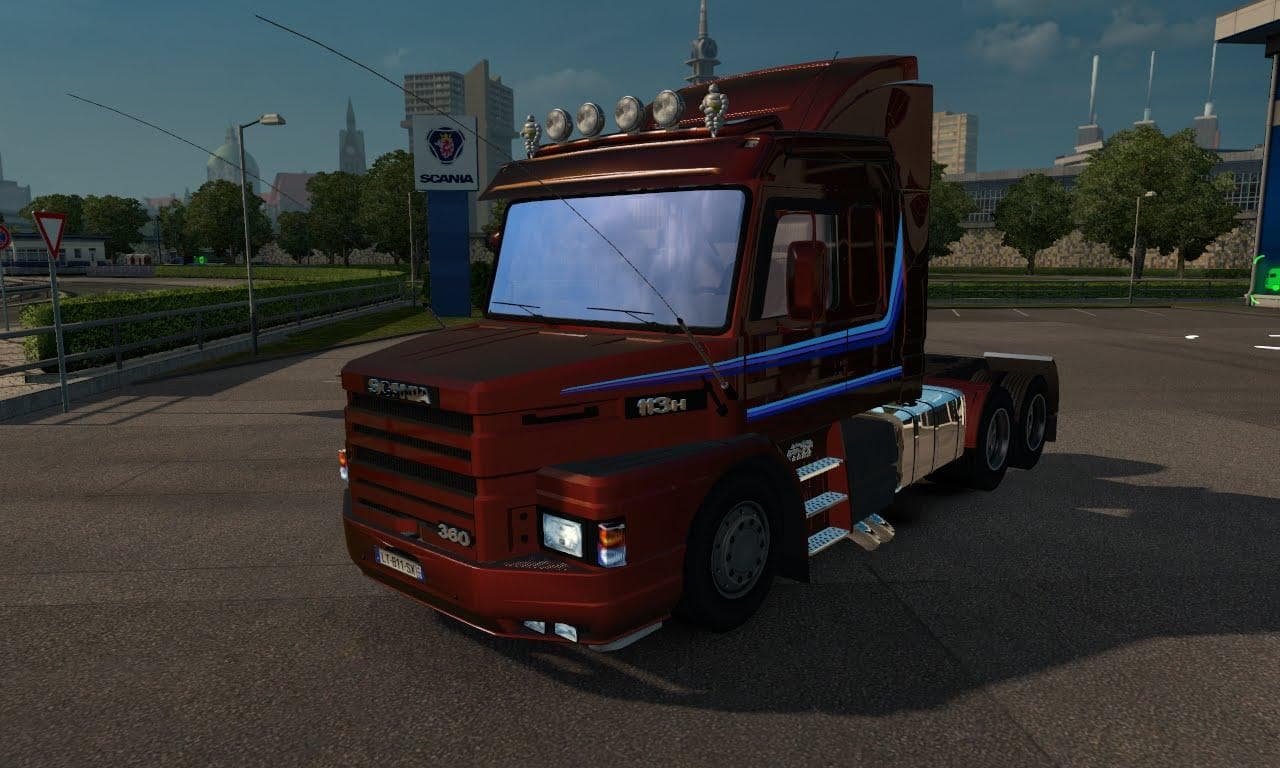
The SCANIA 113 BICUDA 1.21.X mod is a parts category addition for Euro Truck Simulator 2 version 1.21. Created by Euro truck simulator 2, it features a standalo
The SCANIA 113 BICUDA 1.21.X mod brings a standalone interior design tailored for the Scania 113 truck model in Euro Truck Simulator 2. This type of parts mod focuses on adding or replacing interior elements, giving players more customization options beyond the standard game setup. It’s designed specifically for ETS2 version 1.21, so compatibility with this game update is expected without major issues.
Parts mods like this one enhance the truck customization menu by offering new accessories or cabin layouts that can refresh your driving experience. Interior mods often replace existing textures and models to provide a distinct look and feel inside the cab, which can make long hauls more visually interesting. Since this is a standalone interior, it typically won’t conflict with other exterior tuning mods targeting the same truck model.
When building a modded setup, it’s good practice to load interior parts mods after general tuning packs to avoid overwriting textures unintentionally. Most parts mods are compatible if they target different areas of the truck, but conflicts might arise if multiple mods alter the same component. Always check your load order if you notice missing or glitchy cabin details.
This mod suits players who enjoy personalizing their Scania trucks with unique interiors and want something different from the default options offered by ETS2. Fans of older Scania models will likely appreciate how this adds some character to their fleet without affecting gameplay mechanics.
While specific creator info and file size are unknown, the focus remains on enhancing immersion through visual upgrades inside the cab. If you run version 1.21 of Euro Truck Simulator 2 and like tweaking your rides extensively, this interior standalone could be worth trying out.
How to install
1. Download the file(s) from the original source linked above. 2. Drop them into `Documents/Euro Truck Simulator 2/mod/`. 3. Enable in Mod Manager and restart the game.
After the mod loads, save your game inside a safe area (parking lot or service) before deciding whether to keep it. If the game refuses to load with the mod enabled, check that all required DLCs are installed and that the supported ETS2 version chips on this page include your installed game patch.
Reviews
No ratings yetNo reviews yet — be the first to rate this mod.





