RJL'S SCANIA T & SCANIA R ACCESSORIES REMOLED V8 R3.2
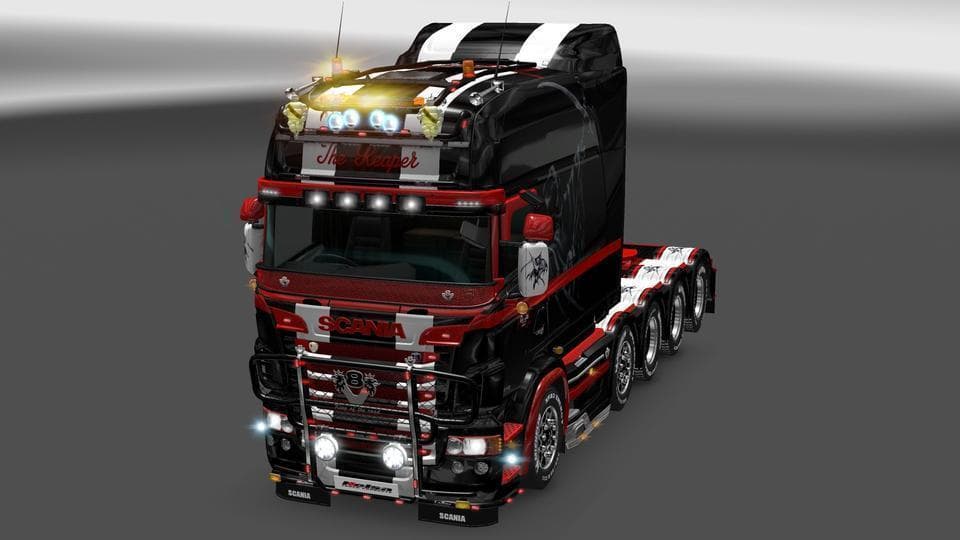
RJL's Scania T & Scania R Accessories Remoled V8 R3.2 is a parts mod for ETS2 by Euro Truck Simulator 2. The latest update fixed NPOT errors on various textures
RJL'S SCANIA T & SCANIA R ACCESSORIES REMOLED V8 R3.2 is a parts mod designed specifically for Scania trucks in Euro Truck Simulator 2. It adds various accessories and tuning options that players can find in the truck customization menu. These kinds of mods typically include upgrades like bull bars, extra lights, exhausts, and mirrors that enhance the look and feel of your vehicle.
Parts mods like this one are popular among players who want to personalize their trucks beyond the stock options. Since it's tailored for Scania T and R models, it fits neatly into a modded setup focused on these brands or those aiming for a more realistic Scania experience. The mod updates some textures and fixes errors, which helps keep everything running smoothly without visual glitches.
When using parts mods, load order matters because they often overwrite similar files from other mods targeting the same truck models. Players should ensure RJL'S SCANIA accessories load after any general tuning packs or model replacements to avoid conflicts. It's common practice to back up your profiles before adding or updating such mods.
This mod appeals to drivers who enjoy customizing their rigs with detailed accessories that reflect real-world truck configurations. If you prefer a Scania-centric garage and want more variety in parts customization, this pack provides extra options without changing gameplay mechanics.
Though specific version support isn't listed, most parts mods work well across multiple ETS2 versions if installed correctly. Users familiar with adding accessories will find it straightforward to integrate into their existing mod collection, especially when focusing on Scania trucks.
How to install
1. Download the file(s) from the original source linked above. 2. Drop them into `Documents/Euro Truck Simulator 2/mod/`. 3. Enable in Mod Manager and restart the game.
After the mod loads, save your game inside a safe area (parking lot or service) before deciding whether to keep it. If the game refuses to load with the mod enabled, check that all required DLCs are installed and that the supported ETS2 version chips on this page include your installed game patch.
Reviews
No ratings yetNo reviews yet — be the first to rate this mod.





