RENAULT PREMIUM TANDEM
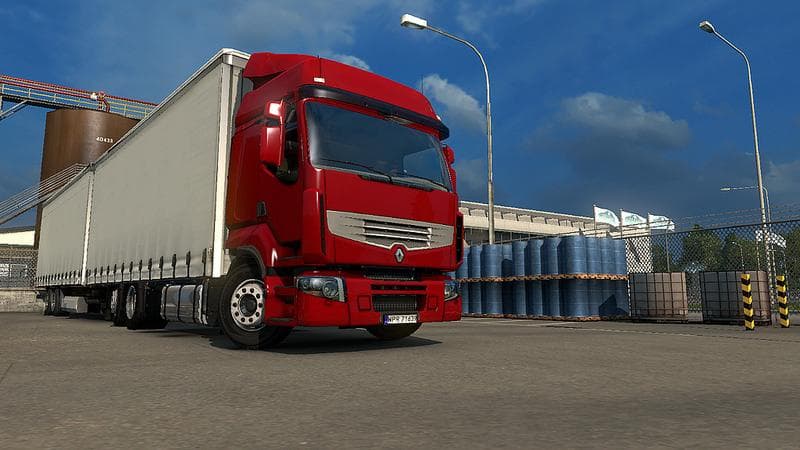
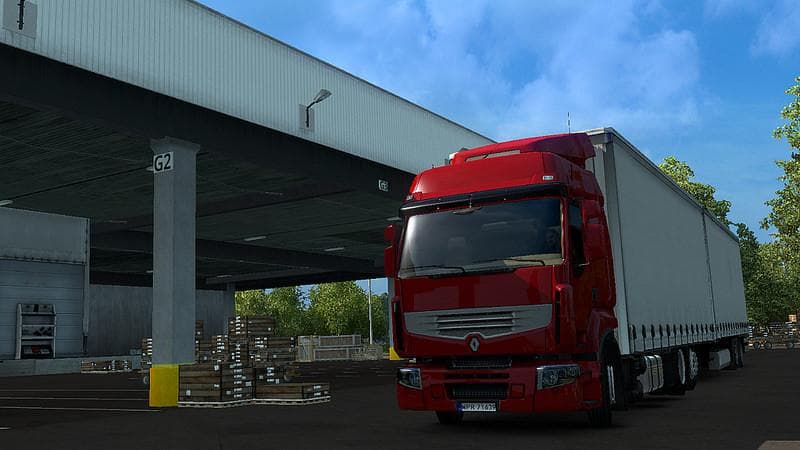
RENAULT PREMIUM TANDEM - ETS2 mods download is an ETS2 parts.
The RENAULT PREMIUM TANDEM mod offers parts designed specifically for the Renault Premium truck model in Euro Truck Simulator 2. This kind of parts mod typically adds or replaces accessories like lights, mirrors, exhausts, or other truck components that can be selected in the customization menu. It focuses on enhancing the look and functionality of the Renault Premium by including original accessories and a trailer replacement called Profiliner.
Parts mods like this one fit well into a modded ETS2 setup by expanding your options for truck personalization without altering core gameplay mechanics. Since it modifies specific truck components, it usually requires being loaded after general map or gameplay mods to avoid conflicts. Compatibility with other tuning or parts mods targeting the same truck depends on their load order and whether they replace overlapping elements.
Using a parts mod centered on a particular truck model is ideal for players who prefer to maintain brand consistency in their garage or want to replicate certain real-life configurations. The inclusion of original-style accessories means it aims to stay true to the authentic appearance of the Renault Premium while giving some variety.
Those who enjoy detailed customization and want more options when upgrading their trucks will find this mod useful. It fits especially well alongside other cosmetic or tuning mods that focus on specific brands or models, allowing users to build a personalized fleet with distinctive looks.
Because details about version compatibility and file size are unknown, users should ensure they test this mod carefully within their current ETS2 setup. Generally, installing parts mods involves placing them in the correct folder and managing load order through the game’s mod manager to prevent conflicts.
How to install
1. Download the file(s) from the original source linked above. 2. Drop them into `Documents/Euro Truck Simulator 2/mod/`. 3. Enable in Mod Manager and restart the game.
After the mod loads, save your game inside a safe area (parking lot or service) before deciding whether to keep it. If the game refuses to load with the mod enabled, check that all required DLCs are installed and that the supported ETS2 version chips on this page include your installed game patch.
Reviews
No ratings yetNo reviews yet — be the first to rate this mod.





