PREMIUM MODIFICATIONS V1.0
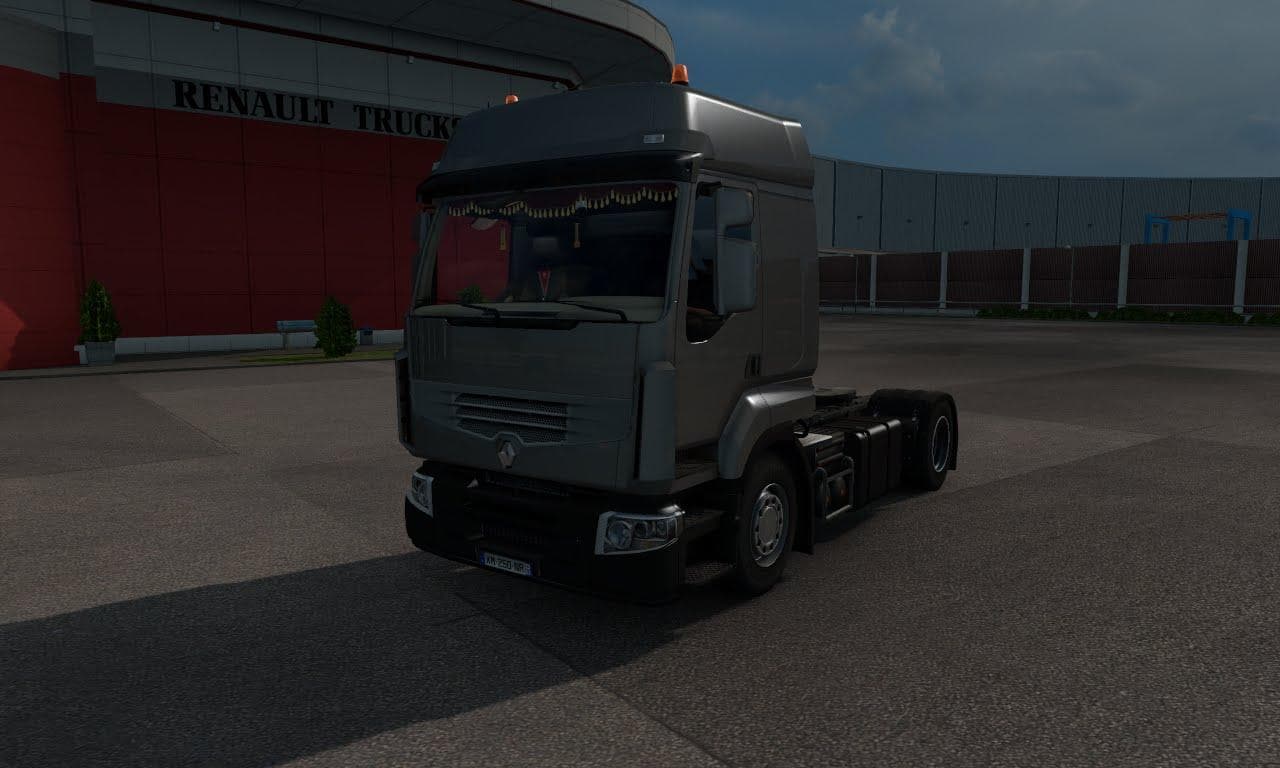
"PREMIUM MODIFICATIONS 1.0 by Euro truck simulator 2 offers various parts for customization. Created by Andrey Kamenev, this mod is compatible with ETS2 version
Premium Modifications V1.0 is a parts mod for Euro Truck Simulator 2 that adds various accessories and customization options for trucks. It builds on the base game by expanding what you can fit in your truck's customization menu, allowing for more detailed tuning and personalization. Mods like this typically include elements such as bull bars, additional lights, exhaust upgrades, mirrors, and sometimes interior items, though exact contents here aren't specified.
Parts mods like Premium Modifications generally focus on enhancing the visual appeal and individuality of your rig rather than affecting gameplay mechanics. They often cater to specific truck brands or models but can sometimes be more generic. This type of mod fits well into a modded setup where players want to diversify their truck looks beyond what the base game offers.
When using parts mods, load order matters if you have several installed. Since these mods add or replace parts within the truck customization menu, conflicts may arise if two mods modify the same truck components. It's advisable to check compatibility with other tuning or parts mods to avoid issues or lost features in-game.
This mod supports ETS2 version 1.0, so it's designed for an earlier release of the game. Players running more recent versions might need to verify compatibility or look for updated variants. Those who enjoy detailed truck customization and like experimenting with different accessory combinations would find this kind of mod appealing.
In short, Premium Modifications V1.0 suits players who want to expand their options when customizing trucks visually in ETS2's garage screen. If you're into tweaking your vehicle’s appearance with extra parts beyond stock choices, adding this mod could enrich your experience.
How to install
1. Download the file(s) from the original source linked above. 2. Drop them into `Documents/Euro Truck Simulator 2/mod/`. 3. Enable in Mod Manager and restart the game.
After the mod loads, save your game inside a safe area (parking lot or service) before deciding whether to keep it. If the game refuses to load with the mod enabled, check that all required DLCs are installed and that the supported ETS2 version chips on this page include your installed game patch.
Reviews
No ratings yetNo reviews yet — be the first to rate this mod.





