PHYSICS BY AGERATUS FOR SCANIA RS (RJL) BETA
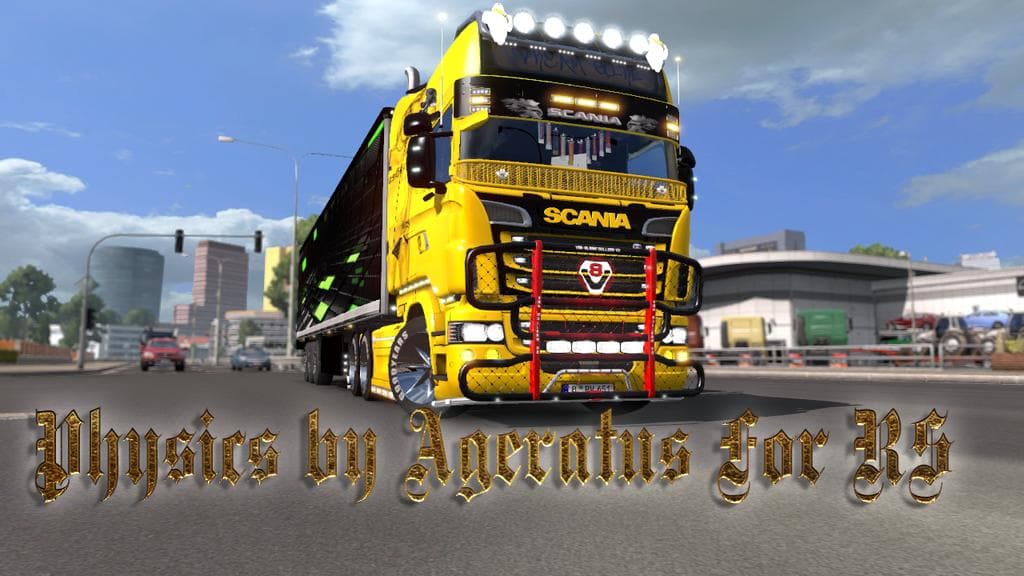
PHYSICS BY AGERATUS FOR SCANIA RS (RJL) BETA is an ETS2 parts.
This mod offers physics adjustments specifically for the Scania RS (RJL) truck model in Euro Truck Simulator 2. It comes with separate files tailored for the Topline and Longline EXC versions, allowing players to choose based on their preferred cabin style. Physics mods like this one typically modify how a truck handles, affecting aspects such as suspension behavior and vehicle stability to create a different driving feel.
In ETS2, parts mods usually add or enhance truck accessories through the customization menu, but physics mods work behind the scenes to influence how the vehicle responds on the road. This particular mod targets one truck model, making it a focused choice for those looking to refine their experience with Scania RS variants rather than a general upgrade for all trucks.
Integrating physics mods into a setup with other tuning or parts mods generally requires some attention to load order since multiple physics changes can conflict. It's advisable to place this mod correctly in your mod manager to avoid overriding or being overridden by other physics-related files. As always, testing with your existing combination of mods helps ensure smooth operation without unintended effects.
Drivers who favor the Scania RS and want a distinct handling profile might find this physics tweak useful. Whether you enjoy long hauls across European landscapes or prefer precise control during tight maneuvers, adjusting how your chosen rig behaves can add depth to gameplay. Keep in mind that compatibility depends on your current ETS2 version and installed mods.
While details like supported game versions or file size aren't specified here, those accustomed to parts and tuning mods will recognize the process of installation via the game's mod manager. Physics adjustments like these complement cosmetic and accessory mods by enhancing realism in driving dynamics alongside visual customization.
How to install
1. Download the file(s) from the original source linked above. 2. Drop them into `Documents/Euro Truck Simulator 2/mod/`. 3. Enable in Mod Manager and restart the game.
After the mod loads, save your game inside a safe area (parking lot or service) before deciding whether to keep it. If the game refuses to load with the mod enabled, check that all required DLCs are installed and that the supported ETS2 version chips on this page include your installed game patch.
Reviews
No ratings yetNo reviews yet — be the first to rate this mod.





