Peterbilt rims (Final version)
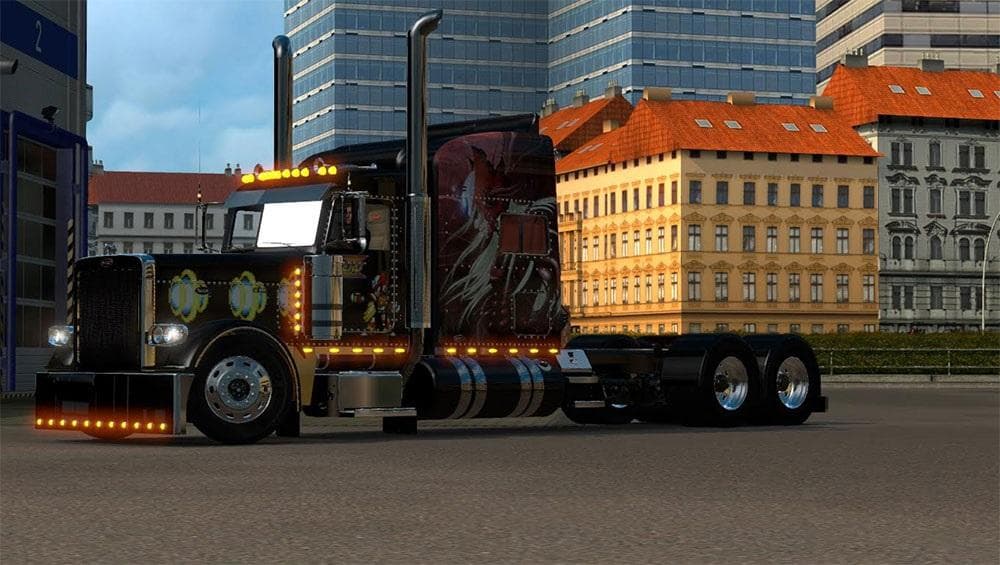
The "Peterbilt rims (Final version)" mod for ETS2 offers 2 pairs of aluminum and chrome wheels with spikes. Created by Euro Truck Simulator 2, it does not inclu
The Peterbilt rims mod offers two pairs of wheel options for your truck, featuring aluminum paint and chrome finishes with spike details. While it doesn't include the wheels themselves, this pack focuses on rim aesthetics that can enhance the look of Peterbilt trucks in Euro Truck Simulator 2. Mods like this one add a layer of customization beyond standard tuning parts, letting players personalize their rigs with specific brand-themed accessories.
Parts mods in ETS2 typically provide various accessories such as bull bars, lights, exhausts, and mirrors, all accessible through the truck customization menu. This particular mod fits into that category by supplying specialized rims targeted at the Peterbilt brand. It's common for these kinds of parts mods to be loaded alongside other tuning packs to create a more tailored visual experience without altering gameplay mechanics.
When integrating rim mods into a modded setup, it's worth considering load order to prevent conflicts with other wheel or part-related additions. Usually, parts mods are compatible with each other as long as they don't overwrite the same slots or use identical IDs. Users should test combinations carefully and prioritize mods based on personal preference and visual impact.
This mod is suitable for players who focus on American trucks or specifically enjoy customizing Peterbilts within their garage. Since it offers cosmetic options rather than functional changes, it complements setups aiming for detailed truck appearances across various map expansions and cargo types.
Though version compatibility isn't specified here, parts mods generally work across multiple ETS2 versions unless major updates change the customization system. Always back up your profiles before adding new parts to avoid unexpected issues during gameplay.
How to install
1. Download the file(s) from the original source linked above. 2. Drop them into `Documents/Euro Truck Simulator 2/mod/`. 3. Enable in Mod Manager and restart the game.
After the mod loads, save your game inside a safe area (parking lot or service) before deciding whether to keep it. If the game refuses to load with the mod enabled, check that all required DLCs are installed and that the supported ETS2 version chips on this page include your installed game patch.
Reviews
No ratings yetNo reviews yet — be the first to rate this mod.





