PACK FRIDGE CUSTOM 1.22
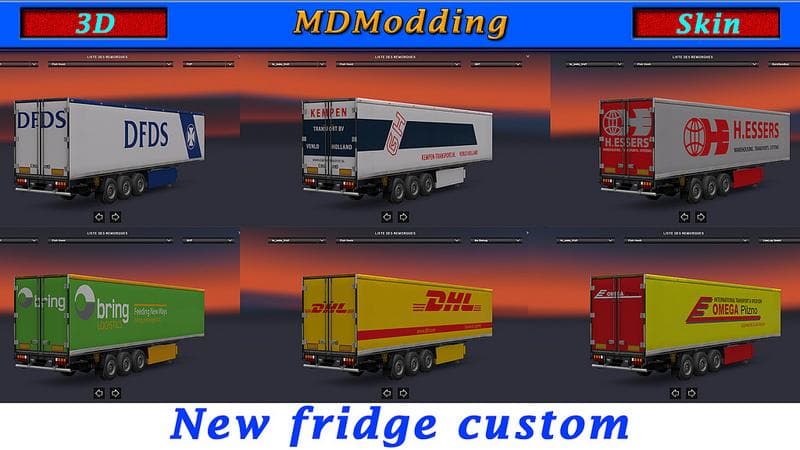
PACK FRIDGE CUSTOM 1.22 is a parts mod for ETS2 version 1.22 created by Euro Truck Simulator 2. It is standalone, AI traffic compatible, and includes credits to
PACK FRIDGE CUSTOM 1.22 is a parts mod designed for Euro Truck Simulator 2 version 1.22. It focuses on adding custom fridge accessories to trucks, which players can install through the truck customization menu. Mods like this one enhance the visual detail and personalization options available for specific truck models by introducing new components that aren't part of the base game.
Parts mods in ETS2 typically allow you to equip your vehicle with various add-ons such as lights, mirrors, exhausts, or interior items. This particular mod fits into that category by offering fridge units, likely enhancing both aesthetics and realism for players who prefer detailed truck setups. Such mods usually target specific truck brands or models but can often be compatible across several if designed carefully.
Integrating PACK FRIDGE CUSTOM into a modded setup should be straightforward since it is standalone and compatible with AI traffic, meaning it won’t conflict with other gameplay elements or traffic behavior mods. When using multiple parts mods, it's wise to pay attention to load order—usually placing parts mods after map or gameplay changes—to avoid any conflicts during loading screens.
This mod will appeal mostly to players who enjoy personalizing their trucks beyond just paint jobs and decals. Those running extensive mod collections focusing on truck tuning and accessory packs might find this fridge addition a nice touch for Scandinavian routes or others where detailed cabin customization matters.
If you’re looking to enrich your ETS2 experience with small but immersive details, this mod adds an extra layer of customization without interfering with core gameplay mechanics. It's suited for anyone aiming to tweak their trucks’ interiors and exteriors on version 1.22 specifically.
How to install
1. Download the file(s) from the original source linked above. 2. Drop them into `Documents/Euro Truck Simulator 2/mod/`. 3. Enable in Mod Manager and restart the game.
After the mod loads, save your game inside a safe area (parking lot or service) before deciding whether to keep it. If the game refuses to load with the mod enabled, check that all required DLCs are installed and that the supported ETS2 version chips on this page include your installed game patch.
Reviews
No ratings yetNo reviews yet — be the first to rate this mod.





