ETS2 MOD PACK 1.1
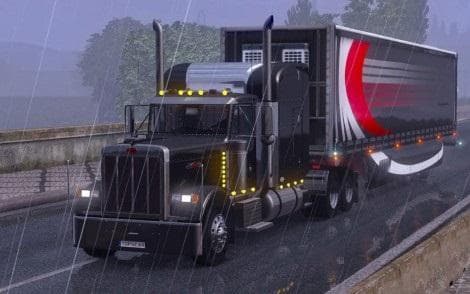
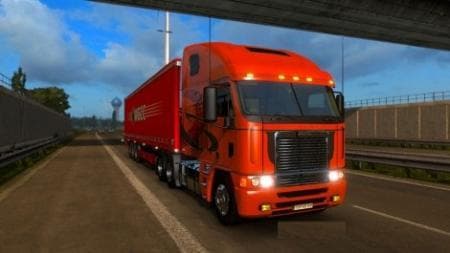
PACK 1.1 is a parts mod for ETS2 created by Euro Truck Simulator 2. The latest version 1.1 supports ETS2 versions 1.1 and 1.21, with updates including interior
ETS2 MOD PACK 1.1 is a parts mod designed specifically for the Freightliner Argosy truck in Euro Truck Simulator 2. It includes updates like interior lighting, enhancing the customization options available for this particular model. Parts mods such as this one add various accessories and details to trucks, allowing players to tweak their vehicles beyond the default setup.
Mods in this category usually integrate through the truck customization menu, where users can fit new components like lights, mirrors, or exhausts. Since this pack targets the Freightliner Argosy, it fits neatly into setups focusing on American truck brands or those who enjoy detailed tuning of specific models. Compatibility with ETS2 versions 1.1 and 1.21 means it works well with slightly older versions of the game, so checking your game version before installing is a good idea.
When using multiple parts mods or tuning packs, load order can be important to prevent conflicts or overwrites. Generally, parts mods should be loaded after map mods but before AI traffic mods to maintain stability and visual consistency. This mod's focus on interior lighting also suggests it plays nicely alongside other cosmetic enhancements without major compatibility issues.
This mod will appeal to players who enjoy customizing their Freightliner Argosy extensively and want more variety in their truck's appearance. It suits those who prefer a more personalized driving experience or want to add subtle touches that make their rig stand out during long hauls across various regions.
Overall, ETS2 MOD PACK 1.1 fits into a modded setup by expanding truck-specific options in an area often overlooked by broader tuning packs. Its targeted approach makes it useful for enthusiasts of American trucks and those running versions of ETS2 around 1.21.
How to install
1. Download the file(s) from the original source linked above. 2. Drop them into `Documents/Euro Truck Simulator 2/mod/`. 3. Enable in Mod Manager and restart the game.
After the mod loads, save your game inside a safe area (parking lot or service) before deciding whether to keep it. If the game refuses to load with the mod enabled, check that all required DLCs are installed and that the supported ETS2 version chips on this page include your installed game patch.
Reviews
No ratings yetNo reviews yet — be the first to rate this mod.





