NEW ACTROS PLASTIC PARTS AND MORE V2.0
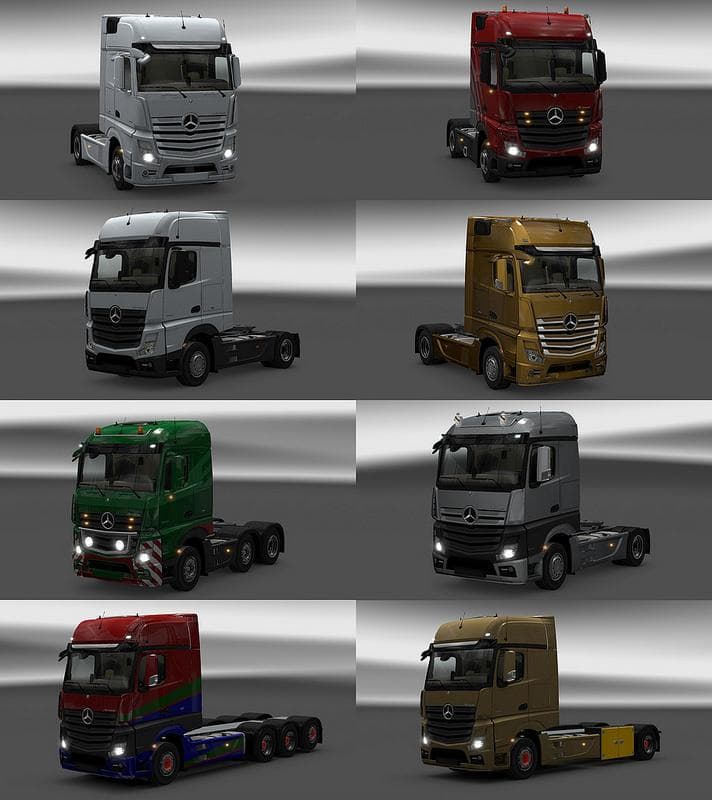
This mod, titled "NEW ACTROS PLASTIC PARTS AND MORE," offers version 2.0 with tandem chassis from Flemming V edited by Capital. Players must also use Flemming's
NEW ACTROS PLASTIC PARTS AND MORE V2.0 is a parts mod designed to expand the customization options for the Actros truck in Euro Truck Simulator 2. It adds various plastic components and possibly other accessories, allowing players to tweak their vehicle's appearance beyond the base game's offerings. Mods like this one typically include items such as mirrors, light covers, and other trim pieces that fit within the truck tuning menu.
Parts mods like this generally target specific truck models or brands, enhancing realism and personalization. They slot into the existing customization interface, so you can pick and choose which accessories you want to install on your truck. This sort of mod complements both stock and heavily modded setups by adding more visual detail without affecting gameplay mechanics.
Since this mod integrates a tandem chassis from another author’s BDF Pack, it requires Flemming’s BDF Pack to be installed for full functionality. That means it isn’t a standalone mod but depends on external files for some features. When managing load order, parts mods usually come after map mods but before AI traffic or physics tweaks to avoid conflicts with visual elements.
Players who enjoy fine-tuning their trucks’ looks will appreciate this mod if they drive an Actros in ETS2. It fits well with those who run a mix of cosmetic and functional mods and want more variety in their cab’s plastic parts without altering performance aspects.
As with many parts-focused mods, it's wise to check compatibility with any other Actros-specific mods you have installed. Overlapping accessory slots can cause visual glitches or item clashes, so consider adjusting load order accordingly if issues arise during gameplay.
How to install
1. Download the file(s) from the original source linked above. 2. Drop them into `Documents/Euro Truck Simulator 2/mod/`. 3. Enable in Mod Manager and restart the game.
After the mod loads, save your game inside a safe area (parking lot or service) before deciding whether to keep it. If the game refuses to load with the mod enabled, check that all required DLCs are installed and that the supported ETS2 version chips on this page include your installed game patch.
Reviews
No ratings yetNo reviews yet — be the first to rate this mod.





