MOD ALLOY WHEELS V1.1
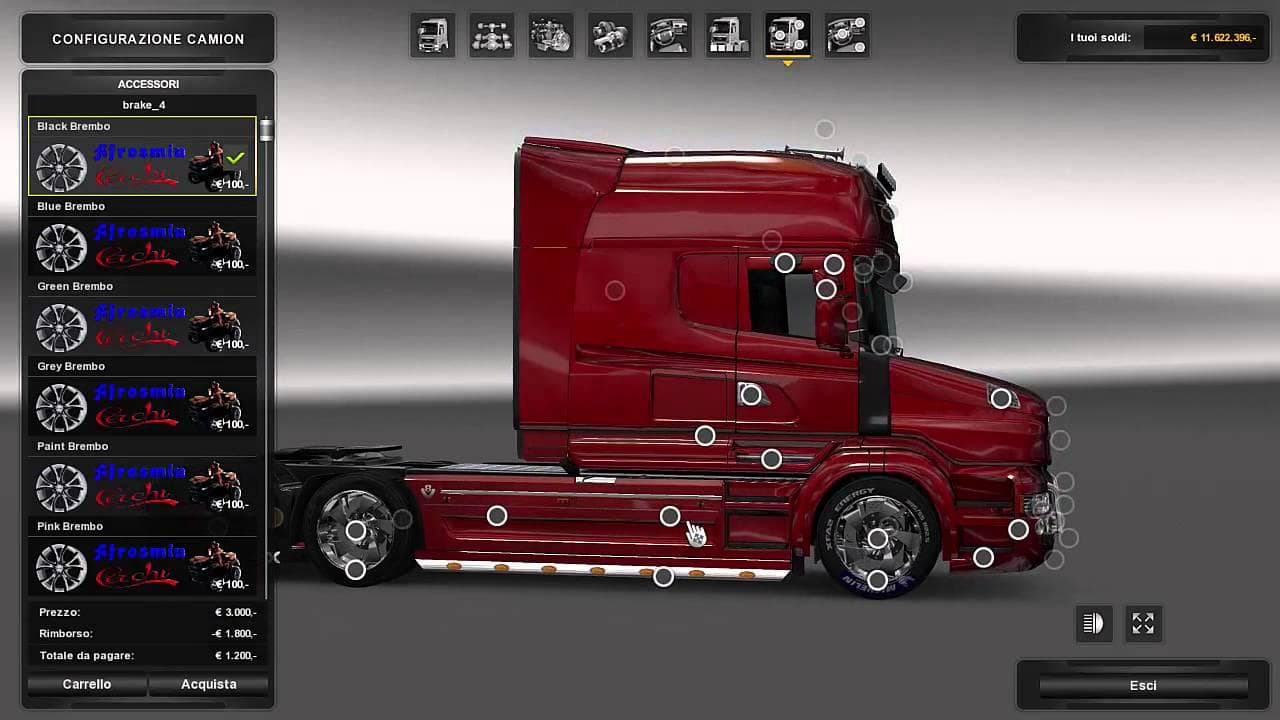
MOD ALLOY WHEELS version 1.1 by Euro truck simulator 2 offers alloy wheels for Scania RT RJL. Tested on all tractors except brake calipers. Compatibility limite
MOD ALLOY WHEELS V1.1 is a parts mod designed specifically for Euro Truck Simulator 2 that adds alloy wheels compatible with the Scania RT RJL truck model. This kind of mod usually enhances the visual customization options available in the truck upgrade menu, allowing players to personalize their vehicle's appearance beyond what’s offered by default. In this case, alloy wheels provide an alternative to stock rims and can change the overall look of your rig on the road.
Parts mods like these typically slot into ETS2’s tuning system, where you pick and choose accessories such as bull bars, lights, or mirrors. Since MOD ALLOY WHEELS V1.1 targets a particular Scania model, it fits neatly into setups that focus on detailed truck customization for that brand. It's important to ensure your game version matches or is close to 1.1 to avoid compatibility issues since this mod was tested specifically with that version.
Load order generally matters less for parts mods compared to map or AI traffic mods, but if you’re running multiple tuning packs targeting the same truck, conflicts might occur. Players should place this wheel mod after any other mods modifying wheels or similar components for Scania RT RJL trucks. The description notes it has been tested across tractors except brake calipers but only confirmed compatible with Scania RT RJL, so keep that in mind if you use other brands.
This mod is suitable for players who want a bit more personalization in their truck builds and prefer driving Scanias in ETS2. If you’re someone who enjoys matching specific accessories to your preferred truck models or creating realistic-looking rigs with attention to detail, adding new wheel options can be a simple but effective tweak.
How to install
1. Download the file(s) from the original source linked above. 2. Drop them into `Documents/Euro Truck Simulator 2/mod/`. 3. Enable in Mod Manager and restart the game.
After the mod loads, save your game inside a safe area (parking lot or service) before deciding whether to keep it. If the game refuses to load with the mod enabled, check that all required DLCs are installed and that the supported ETS2 version chips on this page include your installed game patch.
Reviews
No ratings yetNo reviews yet — be the first to rate this mod.





