MINIBAR KELSA MERCEDES MP4 1.22
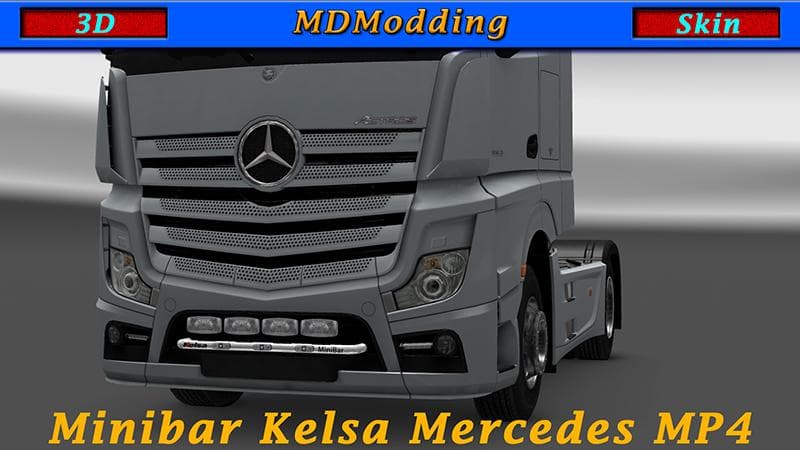
This mod adds a minibar from Kelsa for the Mercedes MP4 in ETS2 version 1.22. Created by Euro Truck Simulator 2, the file size and update information are curren
The MINIBAR KELSA MERCEDES MP4 1.22 is a parts mod designed specifically for the Mercedes MP4 truck model in Euro Truck Simulator 2 version 1.22. It adds a minibar accessory that can be installed through the truck customization menu, giving your cab a unique touch. Mods like this one focus on enhancing or changing the look of specific truck brands by adding various components such as lights, bull bars, or interior items.
Parts mods for ETS2 serve to personalize and upgrade your vehicles beyond their base appearance. They let you fit accessories that suit your style or roleplay preferences, often tailored to particular trucks or manufacturers. This minibar fits into that category by offering a small but noticeable interior addition to the Mercedes MP4 cabin, which can improve immersion or simply make your truck stand out during long hauls.
When using parts mods like this, it's good practice to check load order and compatibility if you have multiple mods affecting the same truck model. Since this mod targets the Mercedes MP4 in version 1.22, it should be loaded alongside other compatible parts without conflict if managed correctly through your mod manager. These kinds of additions usually play well with paint jobs and tuning packs as long as they don't overwrite the same component slots.
This minibar mod will appeal mostly to players who enjoy customizing their trucks' interiors and want something specific for their Mercedes MP4 rig. It's a subtle detail rather than an overhaul, so those who appreciate small touches in their cab's environment might find it worthwhile to add to their setup. It fits well into broader modded setups where personalization matters just as much as performance upgrades.
How to install
1. Download the file(s) from the original source linked above. 2. Drop them into `Documents/Euro Truck Simulator 2/mod/`. 3. Enable in Mod Manager and restart the game.
After the mod loads, save your game inside a safe area (parking lot or service) before deciding whether to keep it. If the game refuses to load with the mod enabled, check that all required DLCs are installed and that the supported ETS2 version chips on this page include your installed game patch.
Reviews
No ratings yetNo reviews yet — be the first to rate this mod.





