MERCEDES ACTROS MPIII 1.22
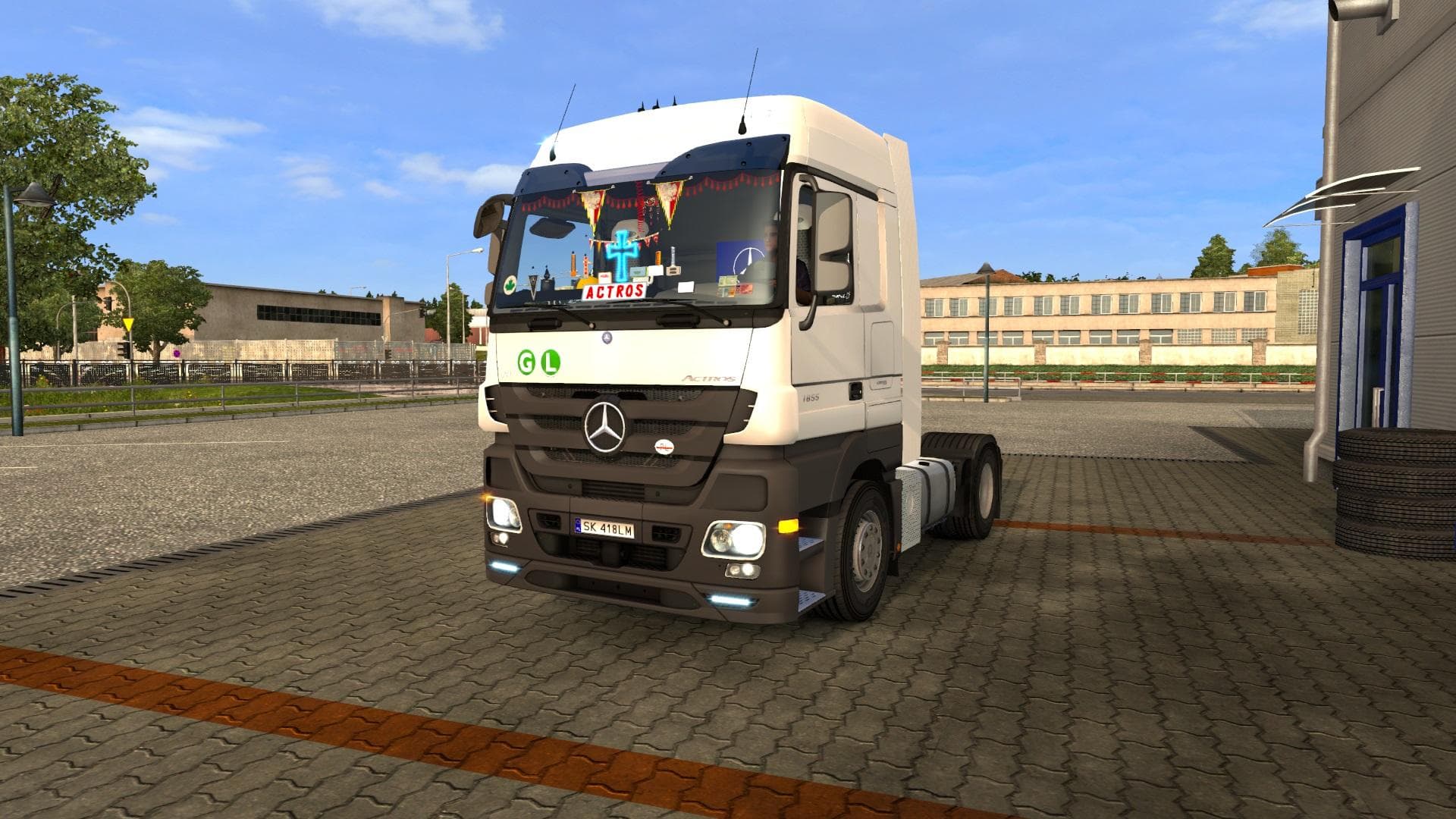
The MERCEDES ACTROS MPIII 1.22 mod is a parts mod created by Euro Truck Simulator 2, supporting version 1.22 with a fix for the Mega mod by Modders Team Poland
The MERCEDES ACTROS MPIII 1.22 mod is a parts update designed to fix and adapt the popular Mercedes Actros MPIII mega mod for ETS2 version 1.22, including compatibility with the latest CAB DLC. This type of parts mod typically adds or improves accessories like lights, mirrors, or other truck components, which you can customize in the in-game truck upgrade menu. Since it's focused on a specific truck model, it helps players personalize their vehicle with details true to the Actros series.
Parts mods like this one usually slot into your existing setup without much hassle, but they need to be loaded after the base mega mod they’re fixing to ensure all changes apply correctly. Keeping mods up to date with game versions is important because updates like 1.22 often introduce new features or adjustments that can break older mods if not adapted properly.
This particular fix ensures that players using the Mercedes Actros MPIII mega mod won't run into issues related to compatibility when running ETS2 1.22 and the CAB DLC together. It’s quite common for parts mods targeting specific trucks to require careful load order management so they don’t conflict with other tuning or skin mods for the same vehicle.
Truck enthusiasts who enjoy customizing their rides down to minute details will appreciate this update as it keeps their favorite Actros mod working smoothly with newer game content. It suits anyone looking to maintain a consistent and immersive experience while driving through various regions like Germany, France, or Poland in ETS2.
If you’re running a modded setup centered around the Mercedes Actros MPIII, this parts fix is worth adding so your truck’s appearance and functionality stay intact after updating ETS2 to version 1.22.
How to install
1. Download the file(s) from the original source linked above. 2. Drop them into `Documents/Euro Truck Simulator 2/mod/`. 3. Enable in Mod Manager and restart the game.
After the mod loads, save your game inside a safe area (parking lot or service) before deciding whether to keep it. If the game refuses to load with the mod enabled, check that all required DLCs are installed and that the supported ETS2 version chips on this page include your installed game patch.
Reviews
No ratings yetNo reviews yet — be the first to rate this mod.





