Mercedes Actros MP4
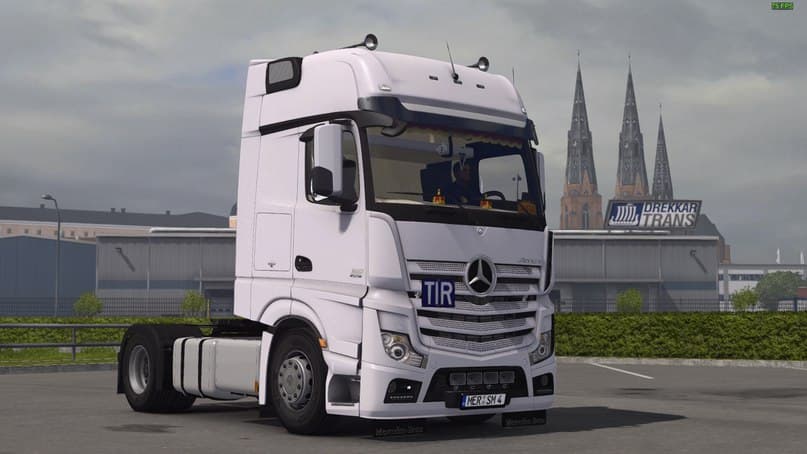
The Mercedes Actros MP4 mod for ETS2 offers various interior options, DLC compatibility, a Mercedes wheel pack, sound modifications, and numerous addons. Create
The Mercedes Actros MP4 mod adds detailed parts specifically designed for the Actros MP4 truck model in Euro Truck Simulator 2. This mod enhances the truck with various accessories that players can fit through the customization menu, allowing a more personalized driving experience. It includes interior elements and is compatible with certain DLCs, making it a versatile addition to your garage.
Parts mods like this one focus on adding or changing individual components such as lights, mirrors, exhausts, and other tuning options. They generally target specific truck models or brands—in this case, Mercedes-Benz—and enable players to customize their vehicles beyond the stock game offerings. This mod also features sound enhancements and multiple add-ons, which contribute to a richer driving atmosphere.
When integrating parts mods into a modded setup, it's important to consider load order and compatibility with other tuning or skin mods. Since this one supports ETS2 version 1.22, users running that version should find it straightforward to install without conflicts. As with most parts packs focused on one truck model, it fits neatly into setups centered around Mercedes trucks or those looking to expand customization options for the Actros series.
Players who appreciate attention to detail in truck customization will find this mod useful. It's especially suited for those who drive the Actros MP4 regularly and want their rig to look and sound more authentic or tailored. The inclusion of interior upgrades also makes it appealing for anyone wanting a more immersive cabin experience.
Overall, this mod is a solid choice for enhancing the Mercedes Actros MP4 within ETS2's tuning system. It complements existing mods by providing extra visual and audio details without drastically altering gameplay mechanics.
How to install
1. Download the file(s) from the original source linked above. 2. Drop them into `Documents/Euro Truck Simulator 2/mod/`. 3. Enable in Mod Manager and restart the game.
After the mod loads, save your game inside a safe area (parking lot or service) before deciding whether to keep it. If the game refuses to load with the mod enabled, check that all required DLCs are installed and that the supported ETS2 version chips on this page include your installed game patch.
Reviews
No ratings yetNo reviews yet — be the first to rate this mod.





