MB Actros MP4 Addons
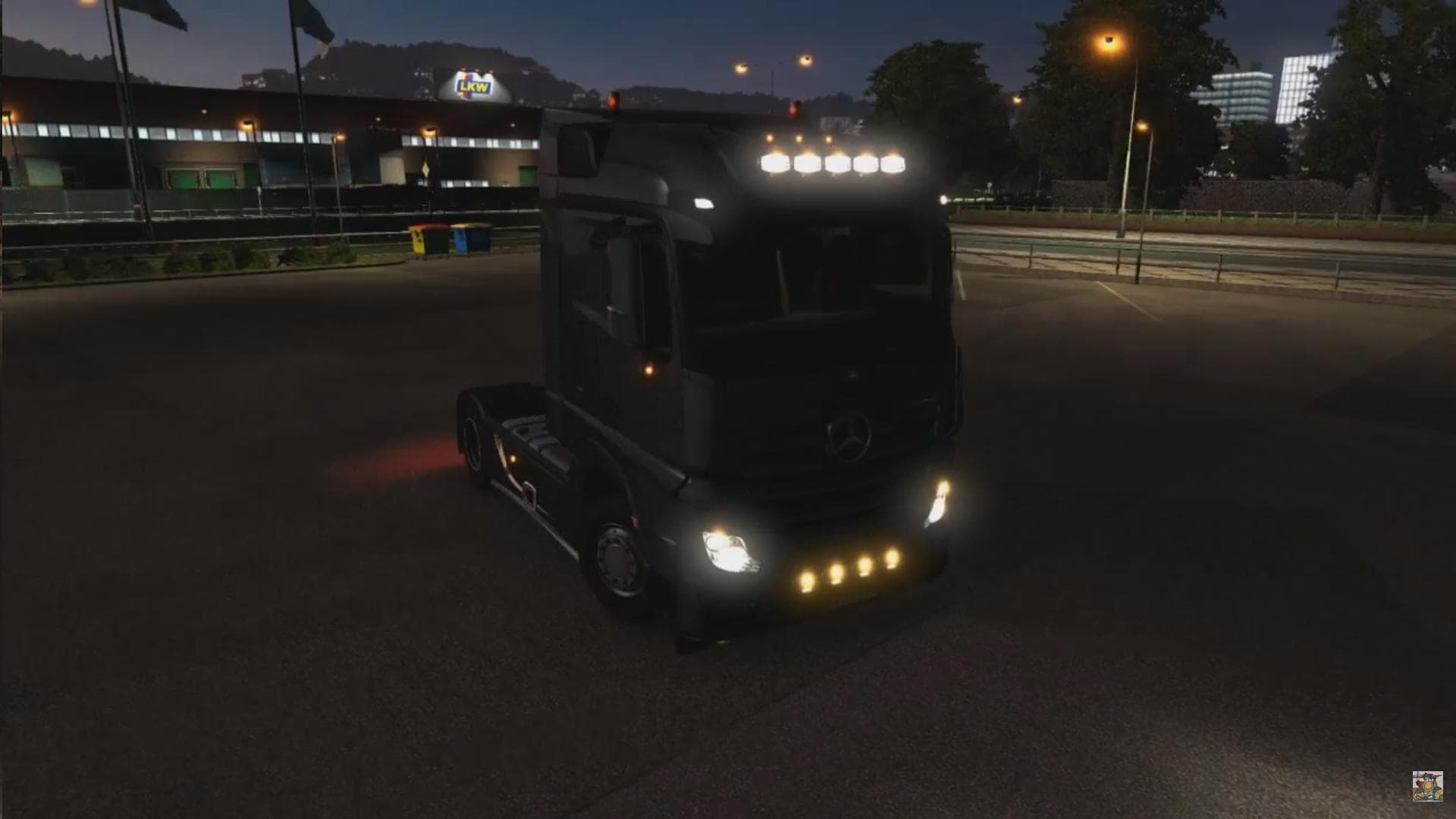
MB ACTROS MP4 ADDONS - ETS2 mods download is an ETS2 parts.
The MB Actros MP4 Addons mod offers a selection of extra parts designed specifically for the Mercedes Benz MP4 truck in Euro Truck Simulator 2. These additions include enhancements like air signals or horns, extra lights attached to the mirrors, and several types of high bars. Such parts are fitted via the truck customization menu, allowing players to personalize their vehicle beyond the stock options.
Parts mods like this one focus on expanding the visual and functional variety available for a specific truck model. By adding accessories such as lighting upgrades and cabin extras, they help break the monotony of default trucks. This particular mod targets the Streamspace cabin variant of the Actros MP4, so it’s tailored to fit that configuration without affecting other cabins or models.
In a modded ETS2 setup, parts mods generally slot in alongside other tuning packages and paint jobs without much hassle. Since these addons alter only cosmetic and accessory elements, they rarely conflict with map mods or gameplay overhauls. Still, it’s good practice to load them after major truck tuning packs to ensure your custom parts appear correctly in-game.
Players who enjoy customizing their trucks with finer details will find this mod useful. It suits those who want their Actros MP4 to stand out with subtle but noticeable touches like additional mirror lights or unique horn sounds. Fans of Mercedes trucks who prefer more realism or personalization options will appreciate what this pack brings.
While specific compatibility notes for this mod aren’t provided, parts mods typically don’t require complex load order adjustments unless combined with other extensive tuning packs targeting the same vehicle features. Keeping backups before installing new parts is always recommended when running multiple mods.
How to install
1. Download the file(s) from the original source linked above. 2. Drop them into `Documents/Euro Truck Simulator 2/mod/`. 3. Enable in Mod Manager and restart the game.
After the mod loads, save your game inside a safe area (parking lot or service) before deciding whether to keep it. If the game refuses to load with the mod enabled, check that all required DLCs are installed and that the supported ETS2 version chips on this page include your installed game patch.
Reviews
No ratings yetNo reviews yet — be the first to rate this mod.





