MAZ MAN 54326
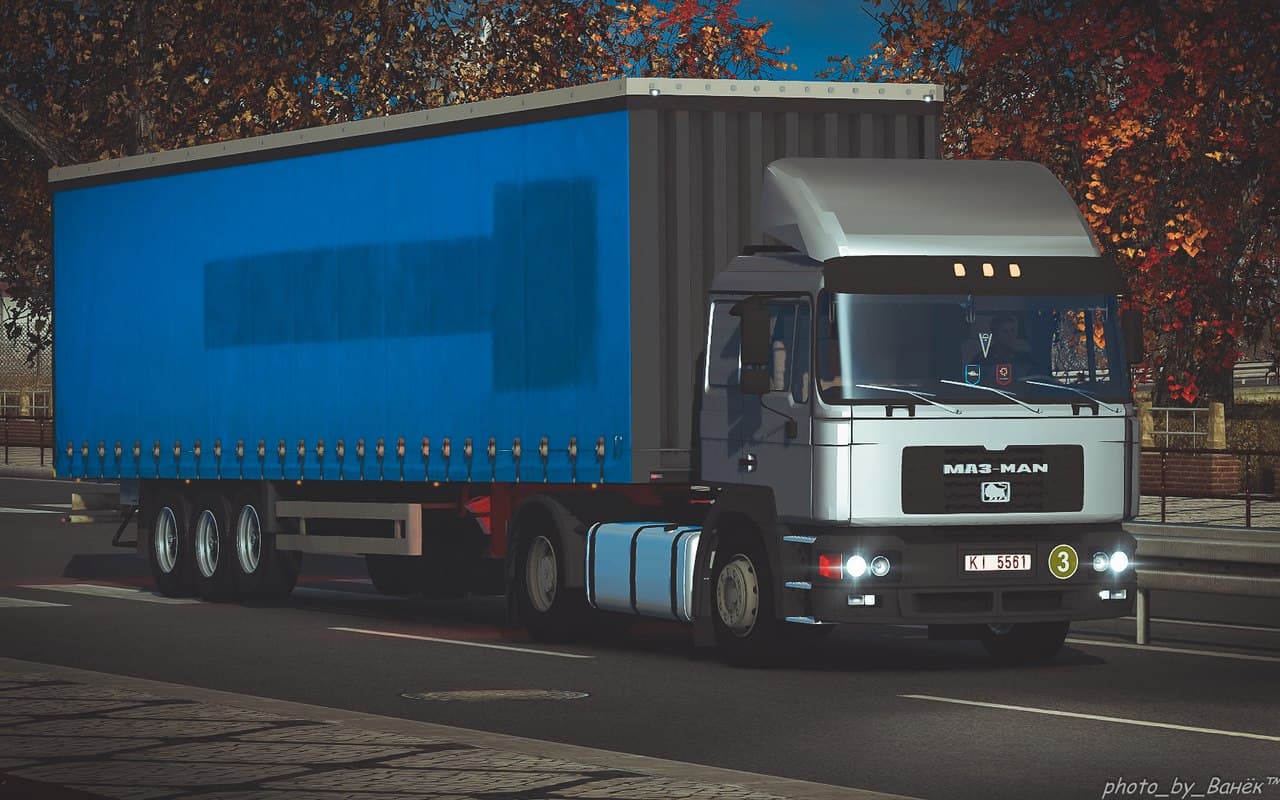
The MAZ MAN 54326 mod for ETS2 offers interior, wheels, DLC readiness, addons, and sound features. Created by Euro Truck Simulator 2, it is compatible with vers
The MAZ MAN 54326 mod offers a parts upgrade specifically designed for this truck model in Euro Truck Simulator 2. It focuses on enhancing the vehicle with additional components like interior elements, wheels, and sound effects, making it a solid choice for players looking to expand customization options. Mods of this type typically integrate into the truck customization menu, allowing users to tailor their rigs more closely to personal preferences or roleplay scenarios.
Parts mods such as this one add various accessories ranging from bull bars and lights to mirrors and exhausts. These modifications are usually geared toward specific truck brands or models, which means the MAZ MAN 54326 mod fits neatly into setups that already feature the base truck or similar models. It's compatible with ETS2 version 1.22 and is ready for DLC content, which suggests it should work well alongside official expansions without causing conflicts.
When managing mods of this category, it's wise to consider load order carefully; parts mods can sometimes clash if they alter the same aspects of a truck's design or functionality. Generally, placing parts mods after larger map or gameplay changes helps avoid issues. Since the creator is unknown and file size isn't specified, it's good practice to test this mod alongside your current setup before committing to long sessions.
This mod would appeal to players who enjoy customizing their trucks beyond standard offerings and want more variety in how their vehicles look and sound. Those invested in the MAZ MAN series or simply seeking detailed tuning options might find it a useful addition. Given its focus on both visual and audio enhancements, it adds depth without drastically changing gameplay mechanics.
How to install
1. Download the file(s) from the original source linked above. 2. Drop them into `Documents/Euro Truck Simulator 2/mod/`. 3. Enable in Mod Manager and restart the game.
After the mod loads, save your game inside a safe area (parking lot or service) before deciding whether to keep it. If the game refuses to load with the mod enabled, check that all required DLCs are installed and that the supported ETS2 version chips on this page include your installed game patch.
Reviews
No ratings yetNo reviews yet — be the first to rate this mod.





