MAN TGX 750 HP LIGHTPLUS MULTIPLAYER READY
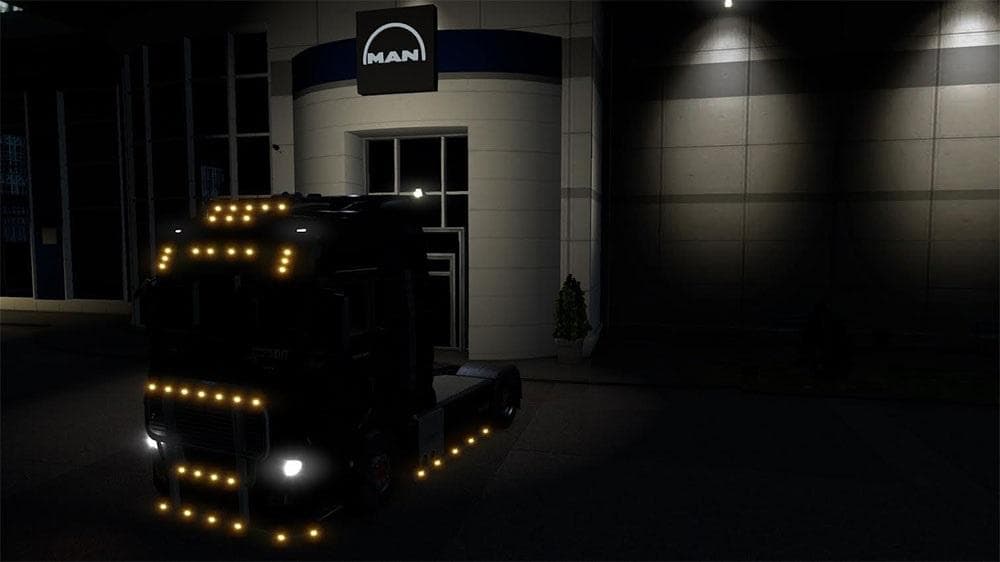
MAN TGX 750 HP LIGHTPLUS MULTIPLAYER READY is an ETS2 parts.
The MAN TGX 750 HP LIGHTPLUS MULTIPLAYER READY mod brings specific parts upgrades to the MAN TGX truck model in Euro Truck Simulator 2. This mod focuses on outfitting the truck with components like a Volvo FH16 engine rated at 750 horsepower and a compatible Volvo FH 2012 transmission equipped with a retarder. Additional touches include Sirius wheels and a bullbar fitted on the bottom, enhancing both the visual appeal and functionality of the vehicle in-game.
Parts mods such as this one are designed to expand customization options available in the truck upgrade menus. They typically add new accessories or swap out stock elements for alternatives that can change how the truck looks or performs. These modifications allow players to tailor their rigs more closely to their preferences or specific gameplay styles.
When integrating this type of parts mod into a modded setup, it's wise to consider load order carefully. Mods that alter core components like engines or transmissions can conflict with others making similar changes, so placing them appropriately in your mod list will help prevent issues. Also, multiplayer-ready tags indicate compatibility with online sessions where custom trucks are shared between players, which is useful if you run mods during multiplayer games.
This mod suits players who favor detailed customization of their MAN TGX trucks and want to push performance characteristics while maintaining style elements like wheel design and front bullbars. It's especially appealing for those who enjoy multiplayer gameplay and want their vehicles to reflect unique setups without running into conflicts.
Overall, if you appreciate tuning your trucks beyond visual tweaks and are interested in combining mechanical upgrades with aesthetic parts, this addition fits right into that niche. It complements other tuning mods targeting MAN vehicles or similar classes of trucks within ETS2.
How to install
1. Download the file(s) from the original source linked above. 2. Drop them into `Documents/Euro Truck Simulator 2/mod/`. 3. Enable in Mod Manager and restart the game.
After the mod loads, save your game inside a safe area (parking lot or service) before deciding whether to keep it. If the game refuses to load with the mod enabled, check that all required DLCs are installed and that the supported ETS2 version chips on this page include your installed game patch.
Reviews
No ratings yetNo reviews yet — be the first to rate this mod.





