KRAZ 206 UPDATE
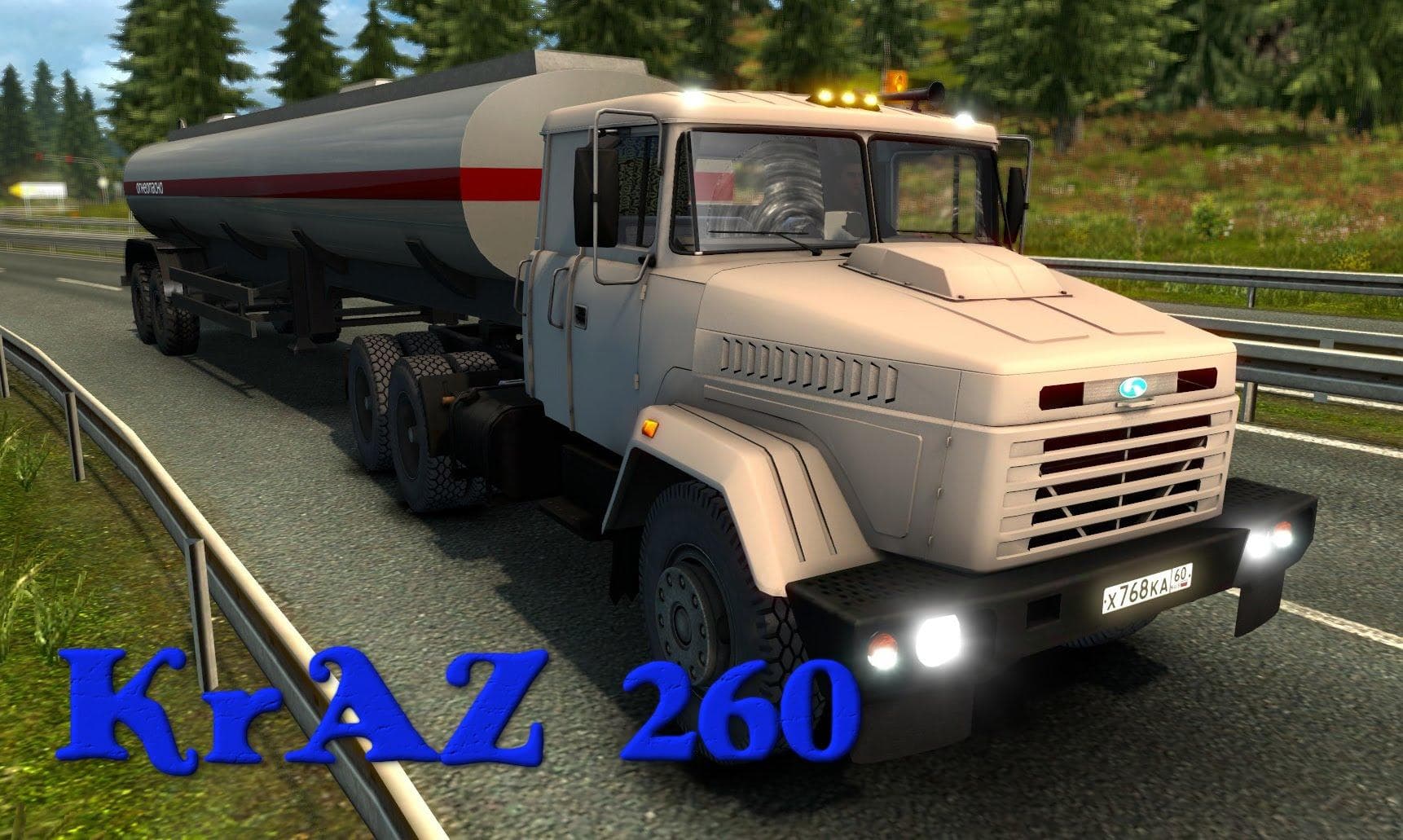
The "KRAZ 206 UPDATE" mod for ETS2 offers adapted parts for the KrAZ 260 by Anton Aronson, including added rims and tires, bug fixes, and two models. Creator, v
The KRAZ 206 UPDATE is a parts mod that enhances the KrAZ 260 truck model by adding new rims and tires while fixing many existing bugs. It includes two different models, reflecting an effort to keep the truck compatible with recent game updates. This kind of mod focuses on expanding the customization options available for a specific truck, letting players tweak their vehicle's appearance and performance in more detail.
Parts mods like this one generally work within the truck customization menu where you can add or swap out accessories such as wheels, lights, and other tuning elements. They’re especially popular among players who enjoy modifying their trucks beyond what the base game offers, giving each rig a more personalized touch. Since this mod targets the KrAZ series specifically, it fits naturally into setups featuring Eastern European or Russian trucks.
When using parts mods in your setup, it’s usually wise to pay attention to load order because some tuning elements might conflict if they alter the same components. Keeping backup profiles before installing these mods is always recommended. The KRAZ 206 UPDATE appears designed to maintain compatibility with newer versions of ETS2 by addressing bugs from previous releases, which suggests it should work smoothly alongside other mods that don't target the same parts.
This update will appeal mainly to those who already use or want to try out KrAZ trucks in Euro Truck Simulator 2. If you’re into detailed customization and appreciate having additional rim and tire options for your vehicles, this mod could be a useful addition. It’s also suited for players aiming for a more authentic experience with their Eastern European fleet.
How to install
1. Download the file(s) from the original source linked above. 2. Drop them into `Documents/Euro Truck Simulator 2/mod/`. 3. Enable in Mod Manager and restart the game.
After the mod loads, save your game inside a safe area (parking lot or service) before deciding whether to keep it. If the game refuses to load with the mod enabled, check that all required DLCs are installed and that the supported ETS2 version chips on this page include your installed game patch.
Reviews
No ratings yetNo reviews yet — be the first to rate this mod.





