KENWORTH W900L CUSTOM FUEL TANK 1.22
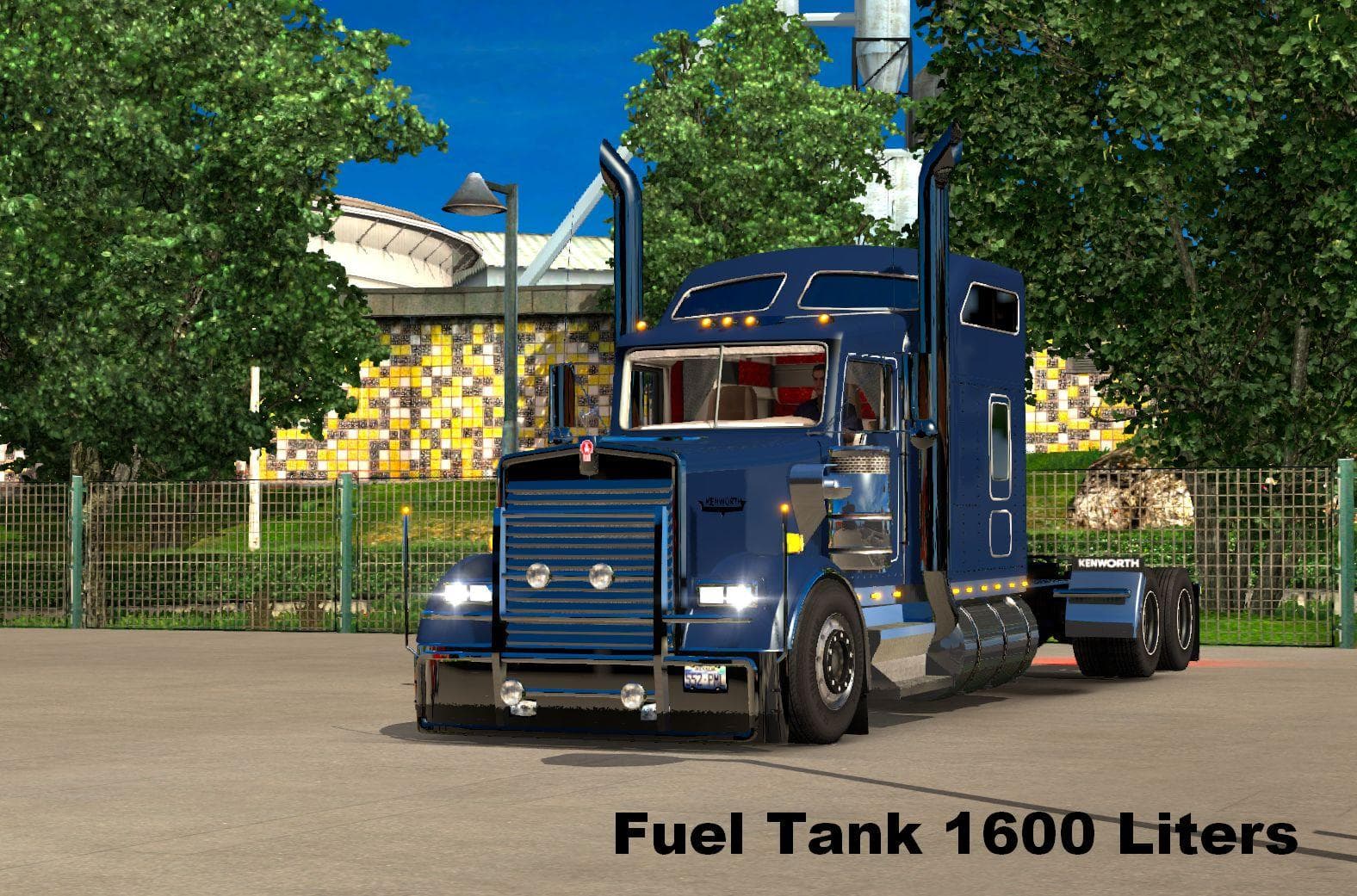
KENWORTH W900L CUSTOM FUEL TANK 1.22 is an ETS2 parts. Listed compatible with ETS2 1.22.
The KENWORTH W900L CUSTOM FUEL TANK 1.22 mod adds a 1600-liter fuel tank specifically designed for the Kenworth W900L truck in Euro Truck Simulator 2. This parts mod enhances the truck's customization options by increasing its fuel capacity, allowing longer hauls without frequent refueling stops. It fits directly into the vehicle customization menu where you can select from various accessories and parts tailored to this iconic American truck model.
Parts mods like this one usually provide additional or alternative components such as bull bars, lights, exhausts, and fuel tanks that fit particular trucks. They expand the visual and functional variety available during truck upgrades. In this case, the focus is on improving the utility aspect by offering a larger fuel tank which benefits players who prefer long-distance routes or want to simulate more realistic trucking scenarios.
When integrating this mod into a heavily modded setup, it's generally recommended to load parts mods after map and gameplay modifications to avoid conflicts. Since it targets a single truck model, compatibility issues are typically minimal unless other mods alter the same vehicle parts extensively. Always check for any dependencies or version requirements; here, it supports ETS2 version 1.22, matching the game update it was tested on.
This type of fuel tank upgrade appeals mainly to players aiming for greater immersion or efficiency in their trucking sessions. If you enjoy running cross-country deliveries across regions like Arizona, Texas, or California, having an expanded fuel reserve can reduce downtime at gas stations. It's also useful for those who use realistic economy mods where fuel consumption impacts trip planning significantly.
Overall, this custom fuel tank mod slots neatly into existing Kenworth W900L builds without drastically changing appearance but improving function subtly. It suits enthusiasts focused on fine-tuning their rig’s performance characteristics rather than just cosmetic changes.
How to install
1. Download the file(s) from the original source linked above. 2. Drop them into `Documents/Euro Truck Simulator 2/mod/`. 3. Enable in Mod Manager and restart the game.
After the mod loads, save your game inside a safe area (parking lot or service) before deciding whether to keep it. If the game refuses to load with the mod enabled, check that all required DLCs are installed and that the supported ETS2 version chips on this page include your installed game patch.
Reviews
No ratings yetNo reviews yet — be the first to rate this mod.





