IVECO HI WAY CLEAN SUNSHIELD
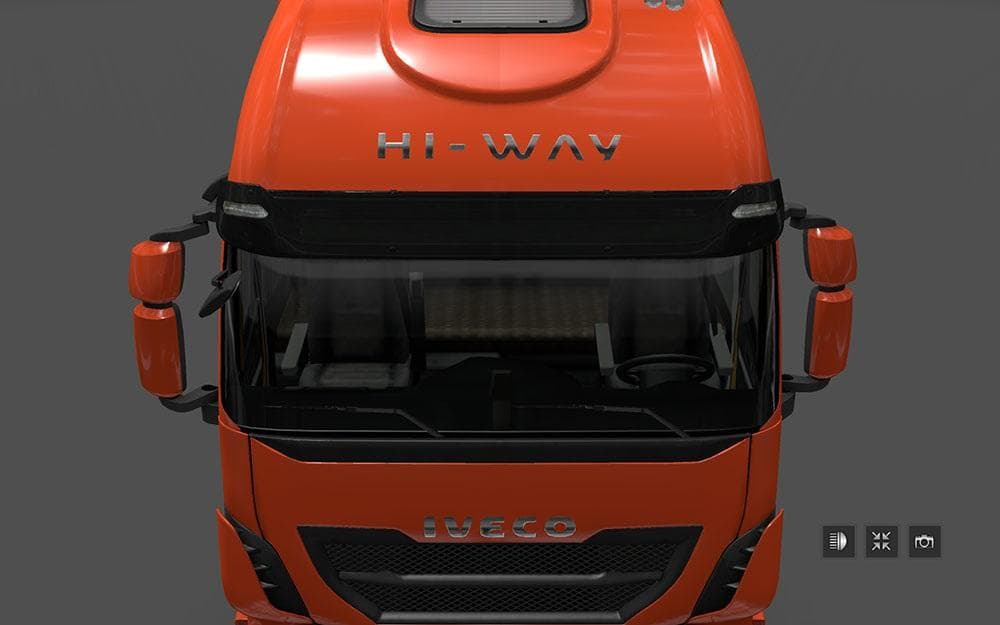
The "IVECO HI WAY CLEAN SUNSHIELD" mod is a parts mod created by Euro Truck Simulator 2. It removes the sunshield from the Truck of the Year 2013 in the Iveco H
This mod changes the sunshield on the Iveco Hi-Way truck by removing the 'Truck of the Year 2013' label that normally appears there. It's a straightforward parts modification aimed specifically at this popular truck model in Euro Truck Simulator 2. Parts mods like this one typically let you customize your vehicle's appearance through the in-game truck customization menu, adding or altering accessories to suit your taste.
In ETS2, parts mods provide more options for personalizing trucks beyond just paint jobs and trailers. They can include various add-ons such as bull bars, exhausts, lights, and sunshields—like this mod does. These changes don’t affect gameplay mechanics but enhance immersion by letting players tweak details that match their vision of the truck.
When integrating parts mods into a modded setup, it's good practice to check compatibility since multiple mods might alter similar components or slots on the same truck. Because this mod targets only the Iveco Hi-Way sunshield, it should generally fit well with other mods as long as none override the same part slot. Load order matters mostly when two mods change identical elements; otherwise, they coexist without issues.
This kind of mod is suited for players who prefer subtle customization rather than flashy additions. Removing branding or labels can give a cleaner look if you're going for realism or a minimalist style with your Iveco Hi-Way. It’s also useful if you want to avoid specific decals while keeping other custom parts intact.
Given its focus on just one component of one truck model, this mod is fairly niche but valuable for enthusiasts who enjoy fine-tuning their rigs’ aesthetics. It works with all versions of ETS2 as noted, making it flexible regardless of game updates or DLCs you have installed.
How to install
1. Download the file(s) from the original source linked above. 2. Drop them into `Documents/Euro Truck Simulator 2/mod/`. 3. Enable in Mod Manager and restart the game.
After the mod loads, save your game inside a safe area (parking lot or service) before deciding whether to keep it. If the game refuses to load with the mod enabled, check that all required DLCs are installed and that the supported ETS2 version chips on this page include your installed game patch.
Reviews
No ratings yetNo reviews yet — be the first to rate this mod.





