IVECO HI-WAY 8X4 SHASSIS 1.22
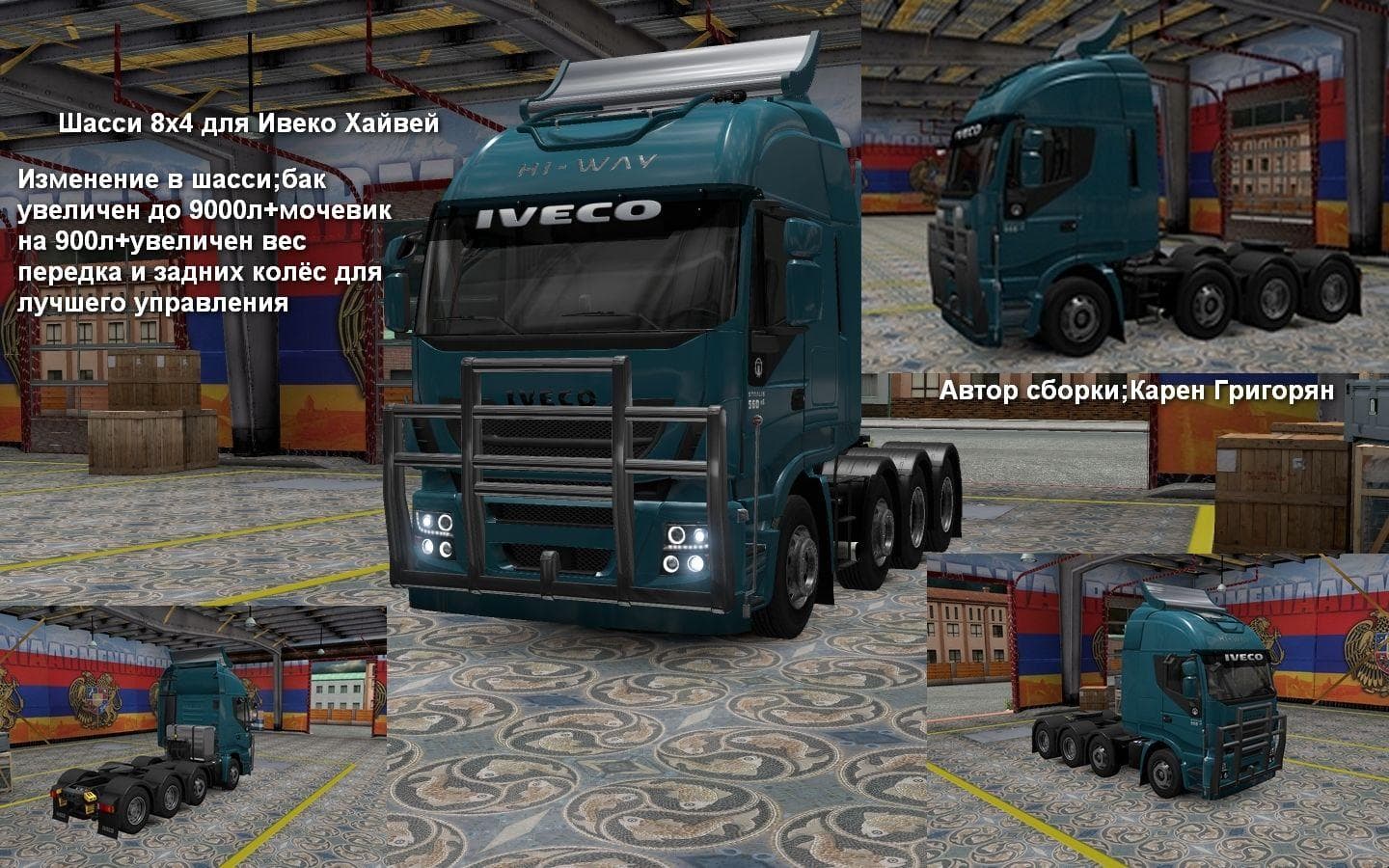
The "IVECO HI-WAY 8X4 SHASSIS 1.22" mod is a parts category addition for Euro Truck Simulator 2, version 1.22. It offers an 8x4 chassis for the Iveco Hi-Way tru
The IVECO HI-WAY 8X4 SHASSIS 1.22 mod brings a specific chassis configuration to the IVECO Hi-Way truck within Euro Truck Simulator 2. This addition targets players who want to expand their truck's structural options, particularly with an 8x4 setup, which can affect how the vehicle handles loads and appears in-game. Mods like this one usually install through the game's mod manager and are selected in the truck customization menu under parts or chassis options.
Parts mods such as this one focus on enhancing or changing specific components of trucks, allowing for greater personalization or functionality. In this case, adding an 8x4 chassis alters the base model by increasing axle count and potentially improving stability when hauling heavy cargo. It's common for these mods to cater to a particular brand or model; here, it complements the IVECO Hi-Way series specifically.
When integrating this mod into a broader modded setup, it's important to load it after any base game files but before other mods that might alter chassis configurations for the same truck. Compatibility is generally straightforward with ETS2 versions 1.22 and 1.5 since it was tested on those releases. Players should ensure no conflicts arise with other chassis or parts mods targeting the IVECO Hi-Way to avoid issues.
This type of parts mod is suited for players who enjoy customizing their vehicles beyond paint jobs and tuning accessories like lights or exhausts. If you’re aiming for a more authentic or specialized look and performance with your IVECO Hi-Way trucks, adding an alternative chassis option can be a neat upgrade. It fits well within setups focused on realism or those looking to diversify their fleet.
How to install
1. Download the file(s) from the original source linked above. 2. Drop them into `Documents/Euro Truck Simulator 2/mod/`. 3. Enable in Mod Manager and restart the game.
After the mod loads, save your game inside a safe area (parking lot or service) before deciding whether to keep it. If the game refuses to load with the mod enabled, check that all required DLCs are installed and that the supported ETS2 version chips on this page include your installed game patch.
Reviews
No ratings yetNo reviews yet — be the first to rate this mod.





