IMPROVED ADR PLATES FOR ETS2 V1.0
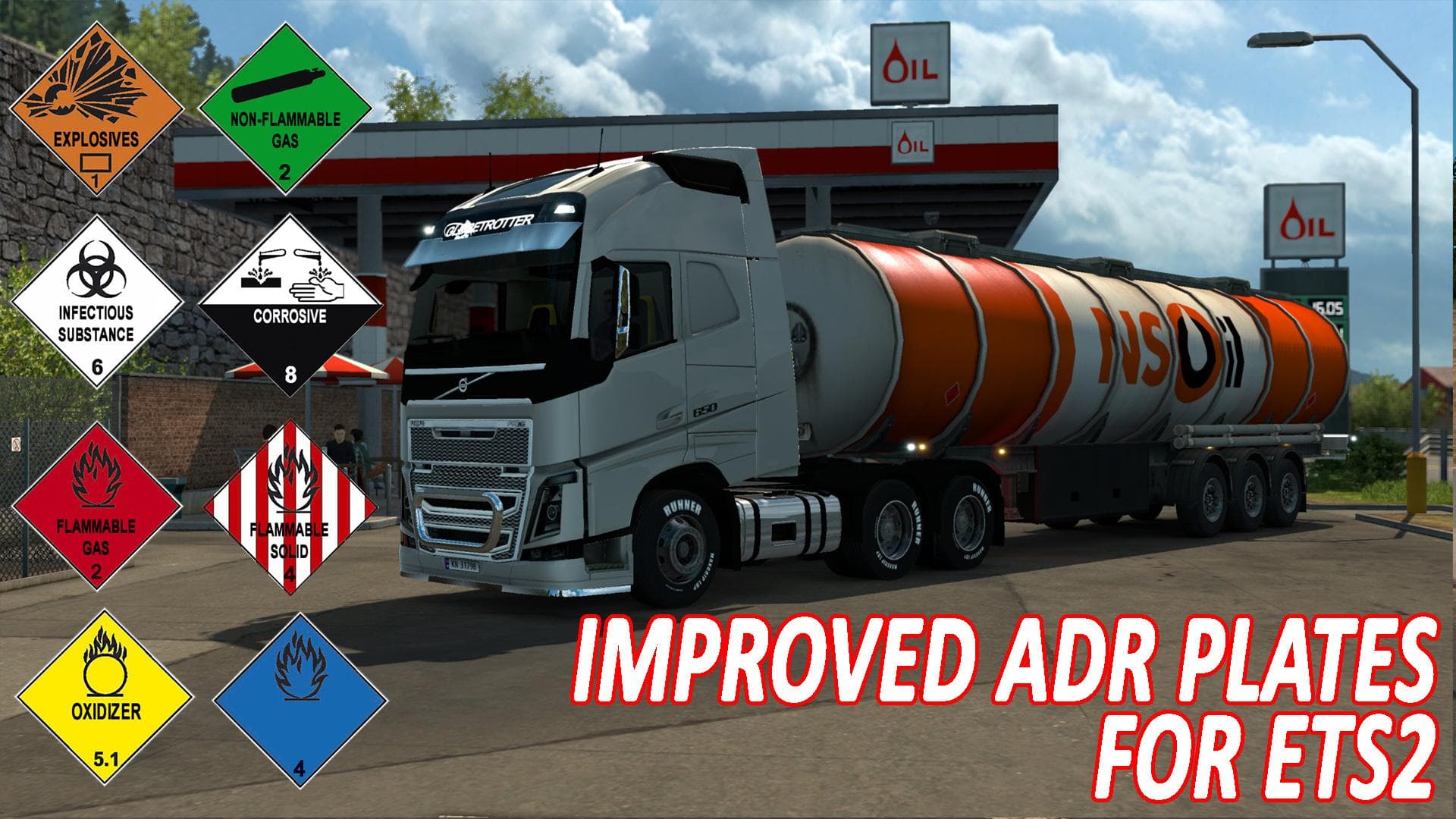
IMPROVED ADR PLATES is a parts mod for ETS2 version 1.0 by Euro truck simulator 2. It enhances the quality of stock ADR plates with two versions to choose from:
The mod titled Improved ADR Plates for ETS2 v1.0 enhances the visual quality of the standard ADR plates found in Euro Truck Simulator 2. These plates are important parts that trucks carry to indicate hazardous materials compliance during transport, so having them look better can add a bit more realism to your rig. There are two variants available: one with text and one without, allowing players to choose based on their preference or roleplay style.
Parts mods like this one generally fit into the truck customization menu where you can add various accessories such as bull bars, lights, or mirrors. Since ADR plates are part of the safety and identification equipment on trucks, improving their appearance is a subtle but appreciated detail for those who like tuning their vehicles beyond just performance upgrades.
In terms of compatibility, parts mods like these usually slot into any modded setup without much hassle. It's recommended to check load order if you have multiple parts mods affecting similar areas to avoid conflicts. Choosing either version of the plates should be done carefully if you're running other mods that alter truck textures or decals to prevent overlapping visuals.
This mod supports ETS2 version 1.0, which means it’s intended for players running that specific game build or compatible ones close in range. While the creator and file size remain unknown, installing such parts typically involves placing files into the mod folder and activating them in-game through the profile manager.
Drivers who enjoy customizing every aspect of their trucks might find this useful for adding a touch of detail to their trailers or trucks carrying hazardous goods. It’s particularly fitting for users aiming for a more authentic trucking experience where even small elements like ADR plates get attention.
How to install
1. Download the file(s) from the original source linked above. 2. Drop them into `Documents/Euro Truck Simulator 2/mod/`. 3. Enable in Mod Manager and restart the game.
After the mod loads, save your game inside a safe area (parking lot or service) before deciding whether to keep it. If the game refuses to load with the mod enabled, check that all required DLCs are installed and that the supported ETS2 version chips on this page include your installed game patch.
Reviews
No ratings yetNo reviews yet — be the first to rate this mod.





