HAXWELL WHEELS FOR ALL TRUCKS
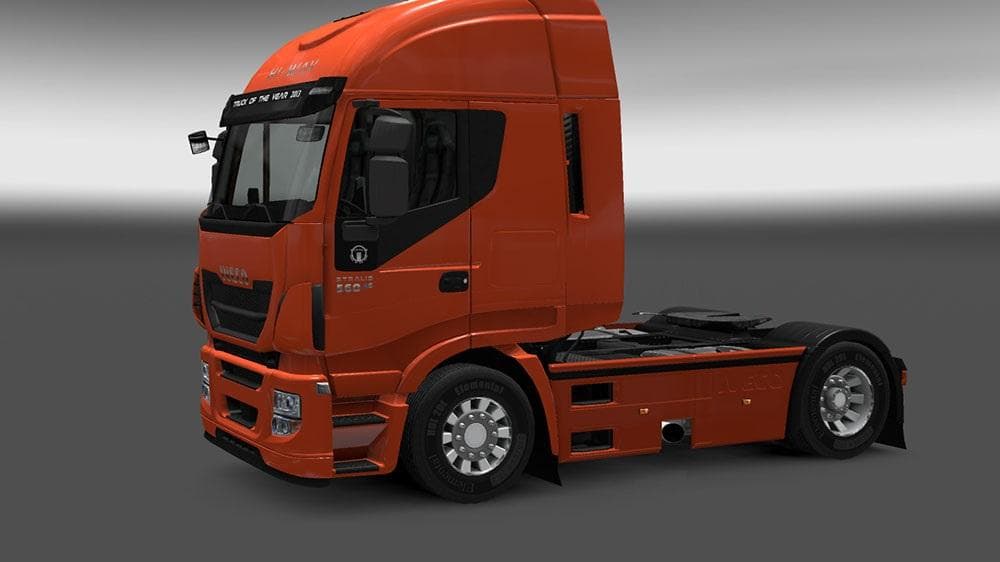
HAXWELL WHEELS FOR ALL TRUCKS is a parts mod by Euro truck simulator 2, compatible with ETS2 versions 1.21 and 1.17. It features a stylish wheel design that fit
The HAXWELL WHEELS FOR ALL TRUCKS mod introduces a set of wheels designed to fit every truck model in Euro Truck Simulator 2. It’s a parts mod, meaning you get new accessories to customize your trucks beyond the stock options. Wheels like these typically replace or add to the existing wheel choices in the truck customization menu, giving players more ways to personalize their vehicles.
Parts mods in ETS2 often focus on specific brands or models, but this mod is notable for being compatible with all trucks, broadening its usefulness across a varied fleet. This makes it a flexible addition for anyone who likes to mix and match parts from different mods or wants a consistent wheel style regardless of which truck they're driving.
Installing this kind of mod usually involves placing it in the mod folder and activating it through the game's mod manager. Since it supports ETS2 versions 1.17 up to 1.21, it covers several recent game updates, but won’t work on versions earlier than 1.17. As with most parts mods, it's wise to check load order if you’re running multiple customization packs to avoid conflicts.
In terms of compatibility, wheels are generally straightforward since they just swap out visuals attached to tires. However, if you have other wheel or tire mods installed, some overlap might require adjusting the load order or selectively enabling mods so everything fits together smoothly without visual glitches.
This mod suits players who enjoy tweaking their trucks’ appearance with unique wheels and want something that works across all brands without worrying about brand-specific restrictions. It’s especially handy if you run a heavily modded setup and want consistent styling on each vehicle.
Given its broad compatibility and focus purely on wheels, this mod can slot into many setups without much hassle. Players looking for new visual variety in their wheels while keeping things simple will find it useful.
How to install
1. Download the file(s) from the original source linked above. 2. Drop them into `Documents/Euro Truck Simulator 2/mod/`. 3. Enable in Mod Manager and restart the game.
After the mod loads, save your game inside a safe area (parking lot or service) before deciding whether to keep it. If the game refuses to load with the mod enabled, check that all required DLCs are installed and that the supported ETS2 version chips on this page include your installed game patch.
Reviews
No ratings yetNo reviews yet — be the first to rate this mod.





