GTM RJL SCANIA P SERIES CABS FOR SCANIA R & STREAMLINE
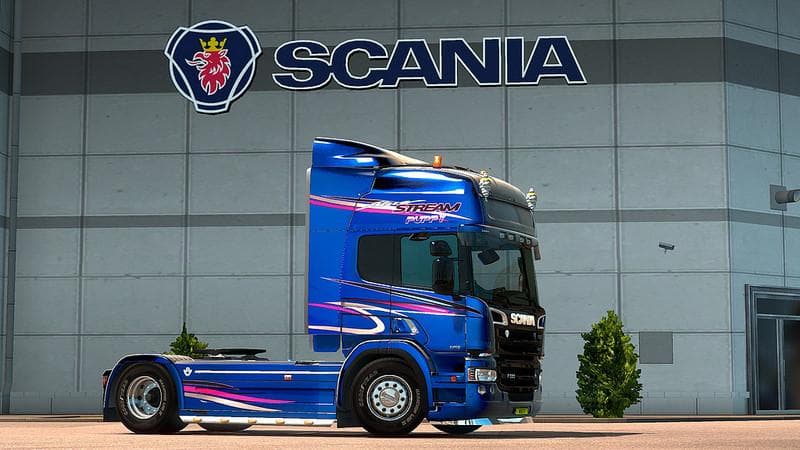
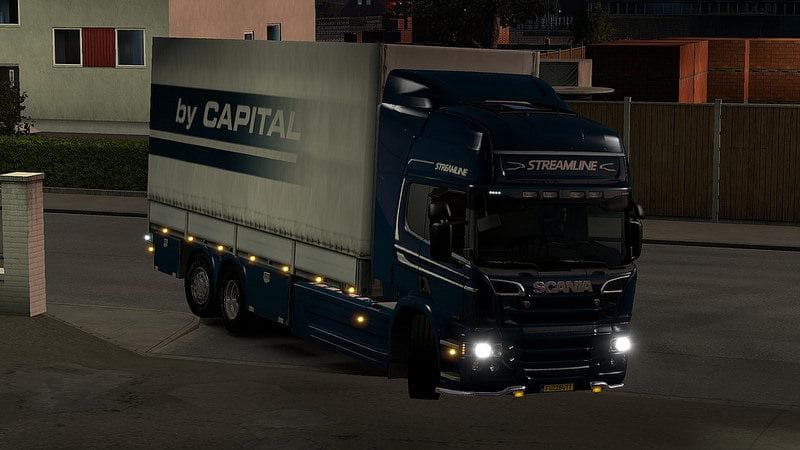
This mod adds new P series size cabs to RJL's Scania R & Streamline mod in Euro Truck Simulator 2. Installation of RJL Scania R & Streamline modifications v is
The GTM RJL SCANIA P SERIES CABS FOR SCANIA R & STREAMLINE mod introduces P series-sized cabs to the popular RJL Scania R&Streamline trucks. These cabs expand the customization options available in the truck configuration menu, allowing players to tailor their Scania rigs with different cabin sizes beyond the default offerings. This kind of parts mod focuses on adding truck accessories or components, fitting neatly into a setup where detailed tuning and personalization matter.
Mods like this one typically work by integrating new parts directly into the existing truck models, enabling you to swap out cab types without replacing the entire truck. Since it builds on the RJL Scania R&Streamline base mod, you'll need that installed first for compatibility. Load order can be important here; parts mods should generally be placed after any large truck model mods to ensure they override the right files.
Parts mods such as these play well with other tuning and visual enhancement mods. If your ETS2 setup includes various accessories like bull bars, custom mirrors, or exhausts for Scanias, this mod fits right in by offering additional cab options rather than conflicting with them. Still, it's wise to double-check compatibility when stacking multiple mods targeting the same truck model.
This mod will appeal mainly to drivers who prefer the RJL Scania trucks and want more variety in how their trucks look and feel on long hauls across Europe or anywhere else in ETS2’s map. It's especially useful if you enjoy fine-tuning every detail of your rig's appearance and want a fresh take on cabin size and style.
Since specific version support isn't listed, caution is advised when updating ETS2 or combining it with other complex mods. Always back up your profiles before adding new parts mods and test them individually to spot conflicts early.
Overall, if you’re running an RJL Scania-heavy garage and like exploring different cab configurations within your fleet, this mod adds an interesting layer of customization without altering gameplay mechanics or performance.
How to install
1. Download the file(s) from the original source linked above. 2. Drop them into `Documents/Euro Truck Simulator 2/mod/`. 3. Enable in Mod Manager and restart the game.
After the mod loads, save your game inside a safe area (parking lot or service) before deciding whether to keep it. If the game refuses to load with the mod enabled, check that all required DLCs are installed and that the supported ETS2 version chips on this page include your installed game patch.
Reviews
No ratings yetNo reviews yet — be the first to rate this mod.





