FREIGHTLINER ARGOSY ENGINE + SOUND PACK
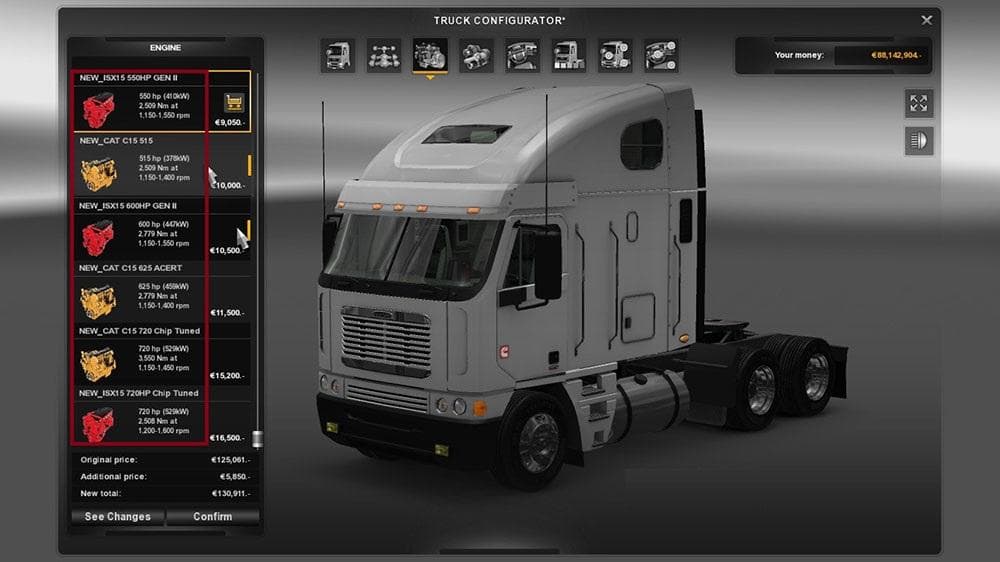
FREIGHTLINER ARGOSY ENGINE + SOUND PACK - ETS2 mods download is an ETS2 parts.
The FREIGHTLINER ARGOSY ENGINE + SOUND PACK adds a set of new engines and transmissions tailored for the Freightliner Argosy truck. This mod introduces multiple CAT and Cummins engines, each with their distinct sound profiles, along with additional 13 and 18 speed transmissions. It enhances the mechanical options available during truck customization in ETS2, letting players tweak engine performance and audio to better suit their driving style or immersion preferences.
Parts mods like this one focus on expanding the truck customization menu by providing extra components such as engines, transmissions, or visual accessories that fit specific truck models. In this case, it's aimed at the Freightliner Argosy, so it blends well within modded setups that emphasize American trucks or detailed tuning options. The addition of unique engine sounds adds an extra layer of realism compared to default game content.
When using parts mods that affect core vehicle functions like engines or transmissions, it's wise to consider load order especially if you have other tuning packs installed. Conflicts may arise if multiple mods try to modify the same component slots. Placing this mod lower in the load order can help ensure its engine and transmission files take precedence without interfering with unrelated modifications.
This pack appeals mostly to players who enjoy deep customization of their rigs and want more variety beyond what ETS2 offers out of the box. Fans of Freightliner trucks or those who favor American-style haulage setups will find these new powertrain options particularly fitting. The custom sounds also attract users looking to enhance auditory immersion when driving long hauls across various European or American-themed maps.
Installation typically involves placing the mod file into your ETS2 mod folder and activating it through the game's mod manager. Since specific version support is unknown, testing compatibility with your current ETS2 version before committing to longer sessions is recommended.
How to install
1. Download the file(s) from the original source linked above. 2. Drop them into `Documents/Euro Truck Simulator 2/mod/`. 3. Enable in Mod Manager and restart the game.
After the mod loads, save your game inside a safe area (parking lot or service) before deciding whether to keep it. If the game refuses to load with the mod enabled, check that all required DLCs are installed and that the supported ETS2 version chips on this page include your installed game patch.
Reviews
No ratings yetNo reviews yet — be the first to rate this mod.





