FREIGHTLINER ARGOSY ENGINE + SOUND PACK
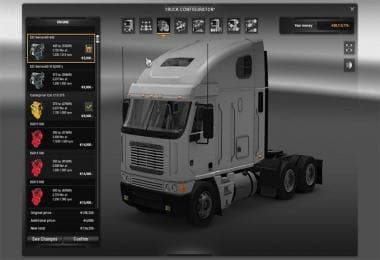
This mod offers new engines, sounds, transmissions, and chassis changes for the Freightliner Argosy in ETS2. All engines and sounds are sourced from KRIECHBAUM'
The FREIGHTLINER ARGOSY ENGINE + SOUND PACK mod enhances the Freightliner Argosy truck in Euro Truck Simulator 2 by adding new engine options, sound effects, transmissions, and even a chassis modification. This type of mod falls under the parts category, which typically allows players to customize their trucks with various accessories and upgrades through the in-game truck customization menu. It focuses on improving specific mechanical and audio aspects rather than purely visual elements.
Mods like this one provide a more immersive driving experience by introducing distinct engine sounds and performance tweaks that can make each truck feel unique. Since it changes core components such as engines and transmissions, it usually fits well within a heavily modded setup but requires attention to load order to avoid conflicts with other powertrain or chassis mods. Ensuring it loads after any general tuning or parts packs for the Freightliner Argosy is advisable.
This pack draws its sounds and engines from previously established mods by KRIECHBAUM, which might help with compatibility if you're already using similar mods or want consistent audio quality across your fleet. Chassis changes can affect how the truck handles or appears in-game, so it's worth testing alongside other vehicle modifications to confirm stability.
Players interested in deepening their simulation experience with the Freightliner Argosy will appreciate this mod. It’s particularly suited for those who enjoy tweaking engine sounds and performance characteristics beyond what stock ETS2 offers. If you run a themed rig setup centered on this model or enjoy exploring different drivetrains, this mod can add some extra variety to your garage.
How to install
1. Download the file(s) from the original source linked above. 2. Drop them into `Documents/Euro Truck Simulator 2/mod/`. 3. Enable in Mod Manager and restart the game.
After the mod loads, save your game inside a safe area (parking lot or service) before deciding whether to keep it. If the game refuses to load with the mod enabled, check that all required DLCs are installed and that the supported ETS2 version chips on this page include your installed game patch.
Reviews
No ratings yetNo reviews yet — be the first to rate this mod.





