DAF XF E6 BY OHAHA 1.50
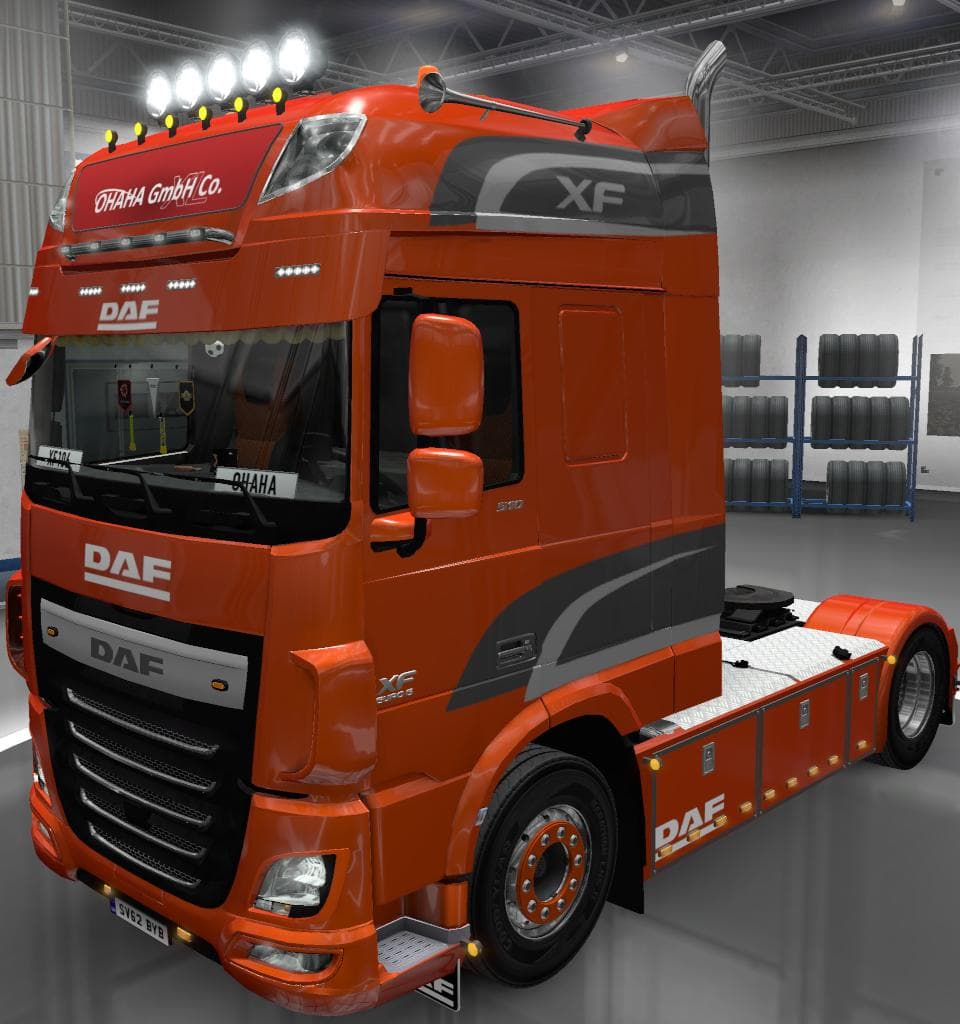
The DAF XF E6 BY OHAHA 1.50 mod is a parts mod for Euro Truck Simulator 2, updated to version 1.50. It includes fixes for missing shaders on interior windows de
The DAF XF E6 BY OHAHA 1.50 mod brings a set of parts and accessories tailored for the DAF XF Euro 6 truck in Euro Truck Simulator 2. This update addressed a specific issue with missing shaders on interior window decals, enhancing visual details inside the cabin. Parts mods like this one are focused on expanding customization options, allowing players to add or tweak various truck components through the in-game customization menus.
In ETS2, parts mods typically provide additional items such as bull bars, lights, exhaust systems, mirrors, or interior enhancements that fit onto particular truck models. Since this mod is designed specifically for the DAF XF E6, it slots naturally into any setup centered around that vehicle. Players can mix and match these parts with other tuning mods to personalize their trucks further.
When integrating parts mods into a broader collection, it's generally recommended to load them in an order that prevents conflicts—usually placing brand-specific upgrades above more general tuning packs. Compatibility depends mostly on whether multiple mods alter the same components or textures, so testing load order might be necessary if you use several parts mods simultaneously.
This mod fits well for drivers who enjoy fine-tuning their DAF trucks beyond the base game's offerings. If you prefer having more detailed interiors and accessories reflecting real-world variations or personal style choices, adding this pack can enrich your driving experience.
Since the mod targets version 1.50 of ETS2 and was updated accordingly, it aligns with that game release's mechanics and graphics standards. Players running older or newer game versions may encounter issues unless they adjust or find compatible updates.
Overall, this mod is suited for those looking to expand their DAF XF Euro 6 customization options without drastically altering gameplay or performance. It enhances immersion through subtle visual fixes and additional part selections.
How to install
1. Download the file(s) from the original source linked above. 2. Drop them into `Documents/Euro Truck Simulator 2/mod/`. 3. Enable in Mod Manager and restart the game.
After the mod loads, save your game inside a safe area (parking lot or service) before deciding whether to keep it. If the game refuses to load with the mod enabled, check that all required DLCs are installed and that the supported ETS2 version chips on this page include your installed game patch.
Reviews
No ratings yetNo reviews yet — be the first to rate this mod.





