DAF XF E6 BY OHAHA 1.42
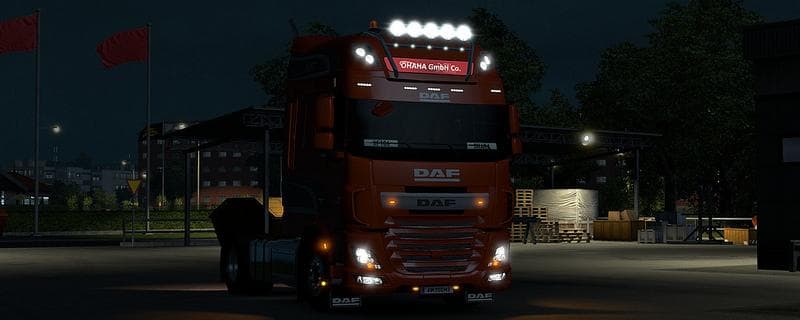
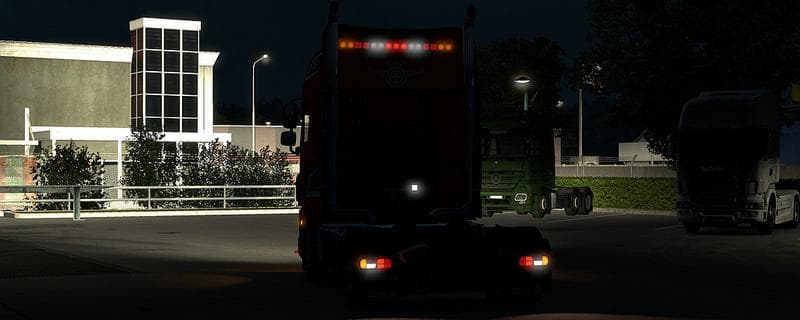
The DAF XF E6 BY OHAHA 1.42 mod for ETS2 offers updated fixes for materials and remapped fenders. This parts mod is compatible with ETS2 version 1.42.
The DAF XF E6 BY OHAHA 1.42 mod is a parts add-on designed specifically for the DAF XF Euro 6 truck in ETS2. It updates and refines certain visual elements like side cages and front fenders, ensuring the materials and textures look more accurate or consistent with the truck's style. This type of mod focuses on enhancing customization options by adding or correcting accessories that you can fit through the truck's tuning menu.
Parts mods such as this one allow players to personalize their trucks beyond what the base game offers. Whether it's bull bars, extra lights, or interior gadgets, these mods enrich your vehicle’s appearance and sometimes even its functionality within the game's framework. Since this mod targets a specific truck model, it fits neatly into setups where you want to upgrade your DAF XF without affecting other brands.
When integrating parts mods into your game, especially those tailored for a particular truck model like this one, load order can matter to prevent conflicts. Generally, these types of mods should be placed after map or gameplay mods but before any global graphics overhauls. Because it supports ETS2 version 1.42, it aligns with that update cycle and ensures compatibility with other mods designed for the same version.
Players who drive DAF trucks often look for parts mods to create a unique look or to repair visual inconsistencies not addressed by official patches. This mod is suited for those wanting subtle improvements rather than major overhauls, focusing on small texture fixes and remapped details that improve immersion without changing core gameplay.
Installing parts mods usually involves placing them in your mod folder and activating them via the profile manager before launching the game. They work well alongside other tuning mods but might require testing if combined with large-scale skin packs or truck overhaul mods that also modify parts of the same truck model.
How to install
1. Download the file(s) from the original source linked above. 2. Drop them into `Documents/Euro Truck Simulator 2/mod/`. 3. Enable in Mod Manager and restart the game.
After the mod loads, save your game inside a safe area (parking lot or service) before deciding whether to keep it. If the game refuses to load with the mod enabled, check that all required DLCs are installed and that the supported ETS2 version chips on this page include your installed game patch.
Reviews
No ratings yetNo reviews yet — be the first to rate this mod.





