DAF 116 1.22.X
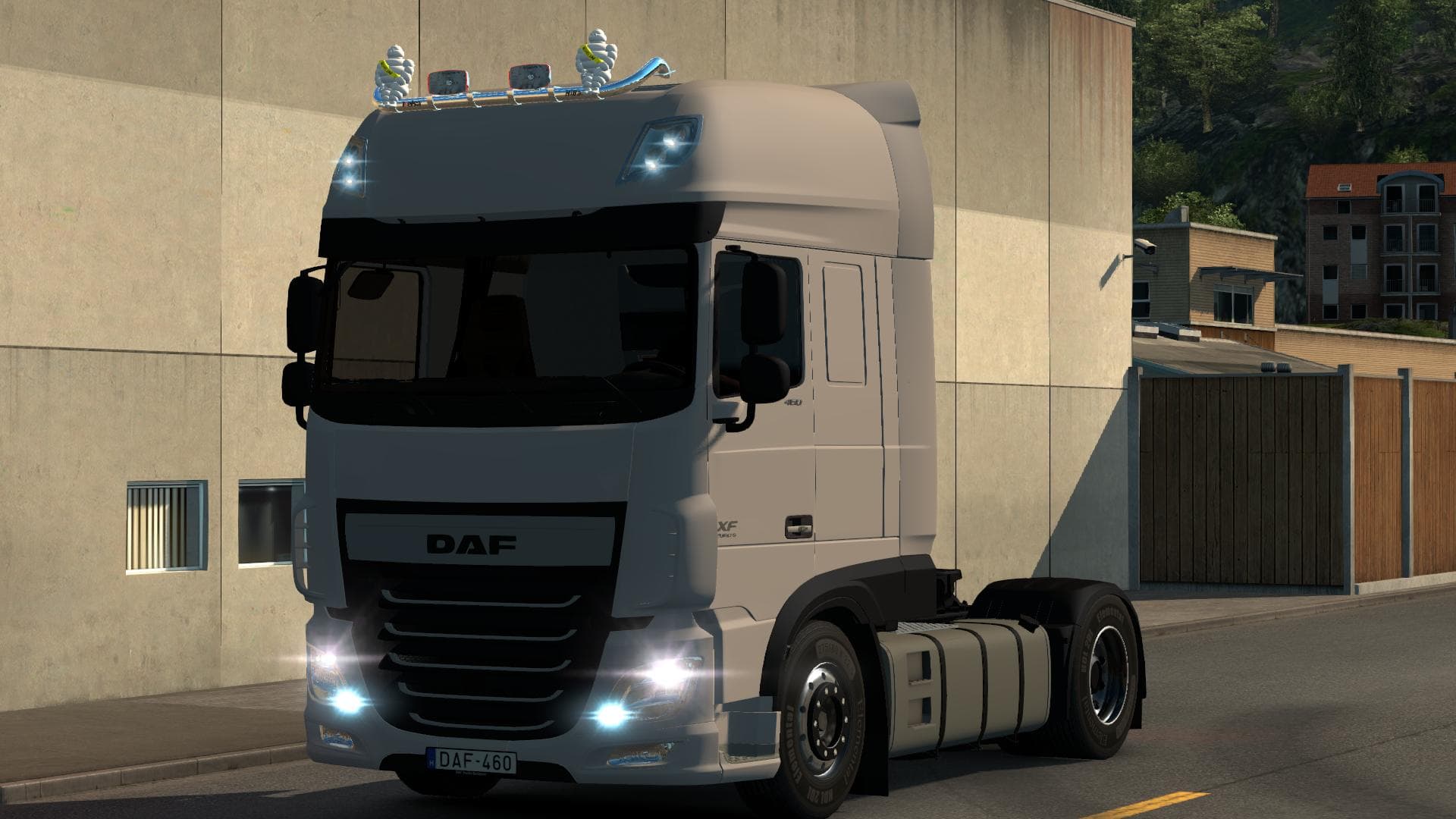
The DAF 116 1.22.X mod for ETS2 is a parts category mod created by Euro Truck Simulator 2. It is compatible with ETS2 versions 1.22 and 1.21, featuring repaired
The DAF 116 1.22.X mod adds specific parts tailored for the DAF 116 truck model, designed to work with ETS2 versions 1.21 and 1.22. This kind of parts mod focuses on enhancing your truck's customization options by including new accessories that can be installed through the in-game truck customization menu. Items like bull bars, lights, and interior details are typical additions that help personalize your vehicle beyond the base game offerings.
Parts mods such as this one expand what you can do with a particular truck brand or model, letting players tweak visuals and functionality to better match their preferences or roleplay themes. The DAF 116 mod is no exception, providing components that fit naturally into the existing customization system without overhauling core mechanics. It’s useful for those who want a more distinctive look or subtle upgrades on their DAF trucks.
When using parts mods, it's wise to pay attention to load order since they often modify similar files or textures. Because this mod works with versions 1.21 and 1.22, it should be compatible with other mods targeting those game versions but might require some adjustments if combined with extensive tuning packs or total conversions. Some minor issues noted by users could be fixed manually if you’re comfortable editing mod files.
This mod would appeal mostly to players focused on customizing their DAF trucks specifically, especially those who like to fine-tune details like license plates—which here are skinnable—and driver models that have been repaired in this version. While not perfect out of the box, it offers a solid foundation for anyone willing to tweak it further within their modded setup.
How to install
1. Download the file(s) from the original source linked above. 2. Drop them into `Documents/Euro Truck Simulator 2/mod/`. 3. Enable in Mod Manager and restart the game.
After the mod loads, save your game inside a safe area (parking lot or service) before deciding whether to keep it. If the game refuses to load with the mod enabled, check that all required DLCs are installed and that the supported ETS2 version chips on this page include your installed game patch.
Reviews
No ratings yetNo reviews yet — be the first to rate this mod.





